
Connectivity Issue
Asus Computer Connectivity Issue Repair and Solution
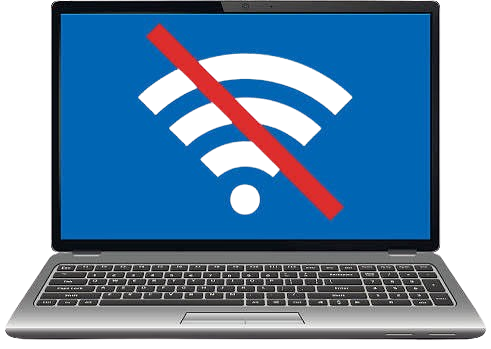
Is your Asus computer failing to connect to Wi-Fi, dropping internet connection, or not detecting network devices? Guru Computer Solution in Kathmandu, Nepal, provides professional diagnostics and reliable connectivity repair services. Our experienced technicians carefully inspect the network card, Wi-Fi module, LAN port, and system settings to identify the exact cause before performing any repair.
Common Signs Your Asus Computer Has a Connectivity Issue
If you are using an Asus computer, look out for these connectivity problem symptoms:
- Wi-Fi not connecting or detecting networks
- Frequent internet disconnections
- Slow or unstable internet speed
- LAN port not working
- Network adapter not detected
- Limited or no connectivity message
- Bluetooth pairing failures
- Ethernet cable not recognized
- Router connection errors
- Driver-related network failures
Choose Guru Computer Solution for safe, cost-effective, and professional Asus computer connectivity services.
Why Choose Guru Computer Solution for Asus Computer Connectivity Repair?
At Guru Computer Solution, we focus on quality service and customer satisfaction. Here's why we are the top choice for Asus computer connectivity repair in Kathmandu:
- Original and high-quality replacement parts
- Warranty coverage for repairs
- Same-day repair service available
- Free diagnostic check for Asus computers
- Skilled IT technicians with years of experience
- Careful handling of your device
- Affordable and transparent pricing
We bring comfort to your location with professional repairs at your doorstep. Our team ensures your Asus computer connectivity issues are solved quickly and safely, restoring your system's network performance in no time.
Our Repair Process
Complete hardware diagnosis → Network card and Wi-Fi module testing → Driver and software inspection → Port and connector check → Component replacement if required → Full connectivity testing → Final cleaning and delivery
Fast and Reliable Asus Computer Connectivity Repair
Visit Guru Computer Solution for fast and reliable Asus computer connectivity repair in Kathmandu, Nepal. Whether your computer struggles with Wi-Fi connection, frequent disconnections, or a non-working LAN port, our expert technicians provide accurate diagnostics and quality repairs using genuine compatible replacement parts. Get your Asus computer back to stable, reliable connectivity with professional service and warranty support.

1. Genuine & Compatible Parts
We supply and install high-quality, fully compatible replacement parts and components designed specifically for your laptop model.

2. Expert Technicians
Our highly experienced hardware technicians accurately diagnose and repair complex device issues with absolute precision.

3. Fast Repair Service
Most repairs and component replacements are completed swiftly as soon as parts availability is confirmed.

4. Comprehensive Warranty Support
Selected repairs and replacement services include a dedicated service warranty for your complete peace of mind.
Frequently Asked Questions
It means the computer is having trouble connecting to Wi-Fi, internet, or network devices due to hardware or software problems.
Outdated drivers, faulty Wi-Fi modules, or router interference can cause frequent disconnections.
Yes, a faulty network card or driver issue can significantly slow down internet speed.
Yes, a damaged or malfunctioning LAN port prevents wired internet connections.
Look for failure to connect to Wi-Fi, frequent disconnections, slow speeds, or undetected network adapters.
Yes, outdated or corrupted network drivers are one of the most common causes of connectivity problems.
No, it is not dangerous, but it can disrupt work and access to online services.
Yes, unstable connectivity can cause lag, buffering, or dropped calls during online activities.
Basic troubleshooting like restarting the router may help, but professional diagnosis is more reliable for hardware faults.
Not always, sometimes updating drivers or software settings resolves the issue without replacement.
Yes, if the wireless module is faulty, both Wi-Fi and Bluetooth connections can be affected.
Yes, most connectivity repairs take a few hours depending on the cause.
Yes, unstable network connections can interrupt file transfers and online backups.
Avoid repeatedly reinstalling drivers on your own; have the computer professionally diagnosed for the exact cause.
Sometimes updating drivers, resetting network settings, or cleaning ports is enough to resolve it.
No, cost depends on whether the issue is software-related or requires hardware replacement.
Yes, unstable internet connectivity can disrupt video meetings, file sharing, and cloud access.
Yes, you may see "limited connectivity," "no internet access," or network adapter error messages.
It can, if caused by outdated drivers or router issues, so regular updates and maintenance are recommended.
You can visit Guru Computer Solution located at Thapagaun, Kathmandu.