Asus Computer Motherboard Repair and Solution
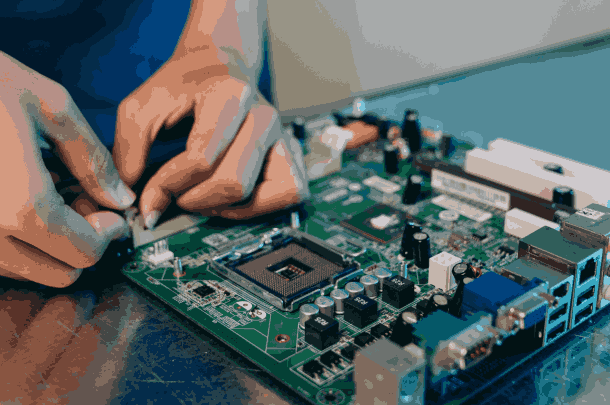
Is your Asus computer not turning on, randomly restarting, or showing no display at all? Guru Computer Solution in Kathmandu, Nepal, provides professional diagnostics and reliable motherboard repair services. Our experienced technicians carefully inspect the circuit board, power delivery system, connectors, and internal components to identify the exact cause before performing any repair.
Common Signs Your Asus Computer Has a Motherboard Issue
If you are using an Asus computer, look out for these motherboard problem symptoms:
- Computer not turning on at all
- No display output despite power
- Random restarts or shutdowns
- Burning smell or visible damage on board
- USB or port failures
- Beeping sounds during startup
- Slow or unstable performance
- Failure to detect components (RAM, storage)
- Short circuits after power surges
- Physical damage from liquid or dust
Choose Guru Computer Solution for safe, cost-effective, and professional Asus computer motherboard services.
Why Choose Guru Computer Solution for Asus Computer Motherboard Repair?
At Guru Computer Solution, we focus on quality service and customer satisfaction. Here's why we are the top choice for Asus computer motherboard repair in Kathmandu:
- Original and high-quality replacement parts
- Warranty coverage for repairs
- Same-day repair service available
- Free diagnostic check for Asus computers
- Skilled IT technicians with years of experience
- Careful handling of your device
- Affordable and transparent pricing
We bring comfort to your location with professional repairs at your doorstep. Our team ensures your Asus computer motherboard issues are solved quickly and safely, restoring your system's performance in no time.
Our Repair Process
Complete hardware diagnosis → Circuit board inspection → Power delivery testing → Connector and slot repair → Component replacement if required → Full performance and stability testing → Final cleaning and delivery
Fast and Reliable Asus Computer Motherboard Repair
Visit Guru Computer Solution for fast and reliable Asus computer motherboard repair in Kathmandu, Nepal. Whether your computer won't turn on, shows no display, or keeps restarting due to a faulty board, our expert technicians provide accurate diagnostics and quality chip-level repairs using genuine compatible replacement parts. Get your Asus computer back to full, stable performance with professional service and warranty support.

1. Genuine Motherboard Replacement
We install high-quality compatible motherboard parts designed specifically for Asus computers.

2. Expert Technicians
Experienced technicians diagnose and repair Asus computer motherboard issues with precision.

3. Fast Repair
Most motherboard repairs are completed quickly after parts availability is confirmed.

4. Warranty Support
Selected repairs include service warranty for your peace of mind.
Frequently Asked Questions
It means the main circuit board is not functioning properly, often causing power, display, or component detection problems.
Power surges, aging components, dust buildup, or liquid damage can cause motherboard failure.
Yes, a faulty motherboard is one of the most common reasons a computer won't power on.
Yes, motherboard failure can prevent the system from sending display output.
Look for no power, no display, random restarts, or beeping sounds during startup.
Yes, sudden voltage spikes can damage motherboard components.
Yes, in some cases damaged components can cause short circuits or further hardware damage.
Yes, the computer may become unstable, freeze, or fail to start altogether.
No, motherboard repair requires specialized tools and expertise, so professional service is recommended.
Not always, many issues can be fixed through chip-level repair without replacing the entire board.
Yes, a faulty motherboard can affect RAM, storage, and other connected parts.
Simple repairs may take a few hours, while complex chip-level repairs can take 1–3 days.
Yes, if the storage connection is affected, data access may be interrupted.
Turn off the computer immediately and avoid further use; bring it to a service center for diagnosis.
Sometimes cleaning, reseating components, or minor chip-level repair resolves the issue.
Cost depends on the extent of the damage and the components that need replacement.
Yes, motherboard damage can cause USB and other ports to stop working.
Sometimes, you may see hardware detection errors or startup failure messages.
Yes, unresolved motherboard problems can lead to further hardware failure over time.
You can visit Guru Computer Solution located in Kathmandu.
