
Slow performance Repair
Dell Computer Slow Performance Repair and Solution
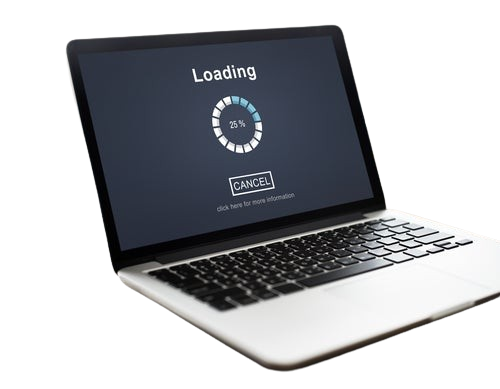
Is your Dell computer running slow, taking too long to boot, or freezing during normal use? Guru Computer Solution in Kathmandu, Nepal, provides professional diagnostics and reliable performance repair services. Our experienced technicians carefully inspect the storage drive, RAM, startup programs, and operating system to identify the exact cause before performing any repair or upgrade.
Common Signs Your Dell Computer Has a Slow Performance Issue
If you are using a Dell computer, look out for these slow performance symptoms:
- Long boot-up time
- Programs taking too long to open
- Frequent freezing or lagging
- High disk or CPU usage
- Insufficient RAM warnings
- Slow file transfer speeds
- Delayed response to clicks or typing
- Overheating during regular tasks
- Old or failing storage drive
- Too many background programs running
Choose Guru Computer Solution for safe, cost-effective, and professional Dell computer performance services.
Why Choose Guru Computer Solution for Dell Computer Slow Performance Repair?
At Guru Computer Solution, we focus on quality service and customer satisfaction. Here's why we are the top choice for Dell computer slow performance repair in Kathmandu:
- Original and high-quality replacement parts
- Warranty coverage for repairs
- Same-day repair service available
- Free diagnostic check for Dell computers
- Skilled IT technicians with years of experience
- Careful handling of your device
- Affordable and transparent pricing
We bring comfort to your location with professional repairs at your doorstep. Our team ensures your Dell computer slow performance issues are solved quickly and safely, restoring your system's speed in no time.
Our Repair Process
Complete hardware diagnosis → Storage and RAM testing → Startup and software inspection → SSD or RAM upgrade if required → Operating system optimization → Full performance testing → Final cleaning and delivery
Fast and Reliable Dell Computer Slow Performance Repair
Visit Guru Computer Solution for fast and reliable Dell computer slow performance repair in Kathmandu, Nepal. Whether your computer takes too long to boot, freezes during use, or struggles with everyday tasks, our expert technicians provide accurate diagnostics and quality upgrades using genuine compatible replacement parts. Get your Dell computer back to fast, smooth performance with professional service and warranty support.

1. Genuine & Compatible Parts
We supply and install high-quality, fully compatible replacement parts and components designed specifically for your laptop model.

2. Expert Technicians
Our highly experienced hardware technicians accurately diagnose and repair complex device issues with absolute precision.

3. Fast Repair Service
Most repairs and component replacements are completed swiftly as soon as parts availability is confirmed.

4. Comprehensive Warranty Support
Selected repairs and replacement services include a dedicated service warranty for your complete peace of mind.
Frequently Asked Questions
It means the computer takes longer than normal to respond, load programs, or complete tasks.
Insufficient RAM, a failing storage drive, malware, overheating, or too many background programs can cause this issue.
Yes, low system resources or a failing drive can cause the computer to freeze during use.
Yes, slow startup is one of the most common signs of performance problems.
Look for slow boot times, delayed responses, frequent freezing, or high resource usage.
Yes, low RAM leads to frequent slowdowns, especially with multiple programs open.
It is not directly dangerous, but a failing drive causing the slowdown could risk data loss.
Yes, simple tasks like opening files or browsing can become frustratingly slow.
Basic steps like closing programs or restarting may help temporarily, but professional diagnosis is more reliable.
Not always, sometimes an SSD upgrade or RAM increase is enough to resolve it.
Yes, viruses and malware can significantly slow down system performance.
Yes, most performance upgrades and optimizations take a few hours.
It can, especially if the slowdown is caused by a failing storage drive.
Back up important data and have the computer professionally diagnosed before performance worsens.
Sometimes cleaning up software, removing malware, or optimizing settings is enough.
No, cost depends on whether an upgrade or component replacement is needed.
Yes, insufficient RAM or an old drive can cause lag during demanding tasks.
Sometimes, you may see high disk usage or low memory warnings.
An old failing drive contributing to slowness can eventually fail completely if not addressed.
You can visit Guru Computer Solution located in Kathmandu.