Fan Repair and Replacement
Dell Inspiron Laptop Fan Repair and Replacement Service
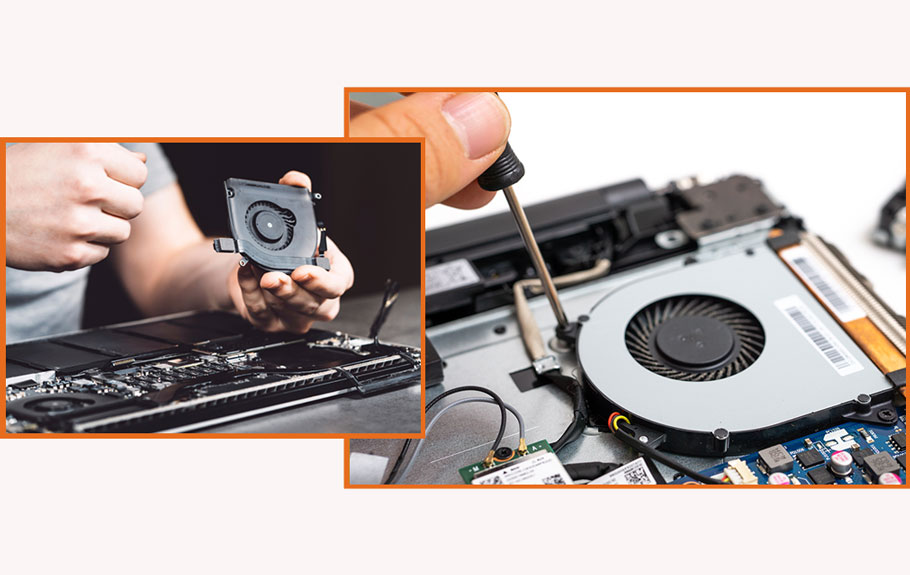
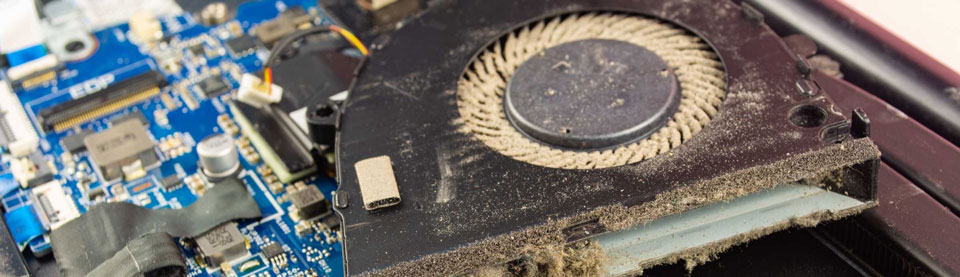
Is your Dell Inspiron laptop fan making loud noises, overheating during use, or not spinning at all? Guru Computer Solution in Kathmandu, Nepal, provides professional diagnostics and genuine fan repair and replacement services. Our experienced technicians carefully inspect the fan motor, heat sink, thermal paste, exhaust vents, and fan controller to identify the exact cause before performing any repair or replacement.
Common Signs Your Inspiron Fan Needs Repair
- Laptop fan making loud grinding or rattling noise
- Fan spinning at full speed constantly even during light tasks
- Laptop overheating during normal use
- Fan not spinning at all when laptop is turned on
- Laptop shutting down suddenly due to overheating
- Hot air not coming out from the exhaust vent
- CPU or GPU running at very high temperatures
- Fan error message appearing on startup
- Laptop performance slowing down due to thermal throttling
- Burning smell coming from the bottom of the laptop
Why Choose Guru Computer Solution for Inspiron Fan Repair?
At Guru Computer Solution, we focus on quality service and customer satisfaction. Here’s why we are the top choice for Dell inspiron fan repair and replacement in Kathmandu:
- Genuine and high-quality Dell Inspiron compatible fan parts and replacements
- Fresh thermal paste application included with every fan service
- Warranty coverage for all fan repairs and replacements
- Same-day repair service available for common fan faults
- Free diagnostic check for Dell laptops
- Complete cooling system inspection including heat sink and exhaust vents
- Skilled IT technicians with years of experience in laptop cooling systems
- Careful handling of your device throughout the repair process
- Affordable and transparent pricing with no hidden charges
Why Choose Guru Computer Solution for Inspiron Fan Repair?
- Genuine and high-quality Dell Inspiron compatible fan parts and replacements
- Fresh thermal paste application included with every fan service
- Warranty coverage for all fan repairs and replacements
- Same-day repair service available for common fan faults
- Free diagnostic check for Dell laptops
- Complete cooling system inspection including heat sink and exhaust vents
- Skilled IT technicians with years of experience in laptop cooling systems
- Careful handling of your device throughout the repair process
- Affordable and transparent pricing with no hidden charges

1. Genuine & Compatible Parts
We supply and install high-quality, fully compatible replacement parts and components designed specifically for your laptop model.

2. Expert Technicians
Our highly experienced hardware technicians accurately diagnose and repair complex device issues with absolute precision.

3. Fast Repair Service
Most repairs and component replacements are completed swiftly as soon as parts availability is confirmed.

4. Comprehensive Warranty Support
Selected repairs and replacement services include a dedicated service warranty for your complete peace of mind.
Frequently Asked Questions
It means the laptop cooling fan has failed, is making noise, or is not spinning properly.
Dust buildup or a worn-out fan motor causes loud grinding or rattling noises.
Yes, a faulty fan cannot cool internal components, leading to overheating.
A failed fan motor or faulty fan controller on the motherboard can stop the fan from spinning.
Yes, the laptop shuts down automatically to protect components from heat damage.
Overheating from a faulty fan causes thermal throttling, reducing performance.
Yes, dust buildup blocks airflow and strains the fan motor over time.
Cleaning helps in minor cases but a worn-out motor requires full fan replacement.
Yes, prolonged overheating from a failed fan can permanently damage motherboard components.
The BIOS detects abnormal fan speed and displays a fan error warning.
Yes, dried or insufficient thermal paste increases heat and makes the fan work harder.
Yes, replacing with a quality fan restores full cooling performance long term.
Yes, a failing fan causes GPU temperatures to rise, affecting graphics performance.
Poor heat dissipation due to a blocked or faulty fan causes the bottom to overheat.
It is not recommended as continued use risks permanent hardware damage.
It depends on your warranty terms and the nature of the fault.
Most fan repairs are completed within 1–2 hours.
Yes, GPU overheating from poor cooling can cause screen flickering or artifacts.
Yes, regular cleaning and proper ventilation help extend fan life.
You can visit Guru Computer Solution located at Thapagaun, Kathmandu.
