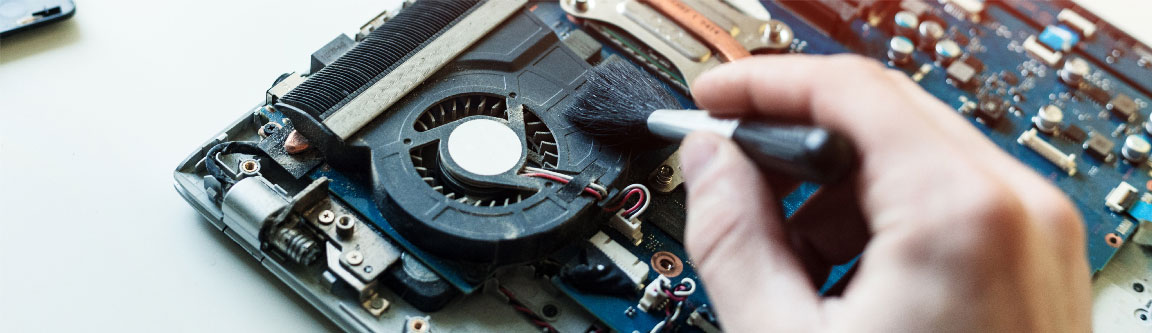
Fan Issues
Reliable Fan Issue Repair in Nepal at Guru Computer Solution
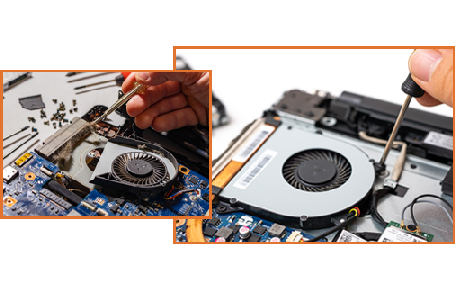
Looking for trustworthy and cost-effective Dell laptop fan repair services in Nepal? You do not have to look any further since Guru Computer Solution is the best choice for Dell fan repair service in Kathmandu, Nepal. Our skilled experts offer the best fan repair services, keeping your laptop cool and functional. We can immediately identify and effectively repair any issues with your laptop's fan. Guru Computer Solution provides the best quality and standard fan repair service to keep your laptop working smoothly.
Understanding overheating, noisy fans, and unreliable fan operation makes it possible to provide the most reliable and quick Dell laptop fan repair service near you with the greatest conclusion. Guru Computer Solution offers on-site service, which means that our skilled technicians will visit your location and conduct the necessary repairs immediately. Guru Computer Solution's professionals are extremely skilled and well-trained to handle Dell laptop fan difficulties, and they will provide you with satisfactory outcomes.
Visit Guru Computer Solution for trustworthy Dell laptop repair at an affordable price.
The common signs that indicate your Dell Laptop Fan Issue needs to be repaired
If you have a Dell laptop then various fan issues can arise that create problems for a laptop to function properly. The following signs can be the reason why your Dell Laptop Fan Issue should be repaired:
- Loud or Unusual Noises
- Overheating Problems
- Fan Not Spinning
- Unexpected Shutdowns
- Slow Performance
- Error Messages Related to Cooling
- Visible Dust
- Frequent Freezing
Your Go-To Source for Dell Laptop Fan Repair
At Guru Computer Solution, we recommend that consumers trust us to provide high-quality, dependable laptop servicing, and we are the best Dell laptop fan repair center in Nepal.
Our professional technicians have a full understanding of Dell laptop fan issues and have designed an alternate approach to ensure that your Dell laptop fan repair is handled to a high degree in a friendly setting. Whether the issue is peculiar noises, not working at all, or overheating, our expert technicians can fast identify and resolve it, using high-quality replacement parts to ensure that your laptop runs smoothly and silently following the repair.
With our commitment to customer satisfaction, you can rely on us to deliver the finest possible service for your laptop fan. Visit us to experience our excellent repair services.
Why us for your Dell Laptop Fan Issue Repair?
- Genuine Components
- Expert team of Fan Issue Repair
- Quick Turnaround for Fan Issues
- Customer Feedback on Repairs
- Availability of Fan Replacement
- Post Repair Support
- Warranty options
- Communication throughout the process
- Affordable price range

1. Genuine & Compatible Parts
We supply and install high-quality, fully compatible replacement parts and components designed specifically for your laptop model.

2. Expert Technicians
Our highly experienced hardware technicians accurately diagnose and repair complex device issues with absolute precision.

3. Fast Repair Service
Most repairs and component replacements are completed swiftly as soon as parts availability is confirmed.

4. Comprehensive Warranty Support
Selected repairs and replacement services include a dedicated service warranty for your complete peace of mind.
Frequently Asked Questions
If your laptop frequently overheats, shuts down at random, or makes weird noises (such as grinding or clicking), there may be an issue with the fan.
If your laptop's fan is making weird or loud noises, you should shut it down immediately and have it inspected by a skilled expert. If the fan on the laptop isn't working properly, using it longer could do further harm.
The cost of repairing or replacing a Dell laptop fan varies based on the brand of the laptop, the amount of damage, and whether it is still under warranty.
To clean the fan in your Dell laptop, use compressed air to remove any dirt or dust that has gathered. Before attempting to clean the fan, turn off the laptop and remove its battery.
Here are some quick tips to keep your laptop quiet:
1. Close background apps and processes.
2. Close open tabs in your browser.
3. Run a malware scan.
4. Increase airflow around your laptop vents.
5. Clean out dust in ports and vents.
6. Turn off your laptop, wait a few minutes, and then turn it back on again.
Yes. We use high-quality, compatible replacement fans to ensure reliable cooling performance and long-lasting operation.
Yes. Excessive dust can block airflow, reduce cooling efficiency, and even prevent the fan from spinning correctly. Regular cleaning helps prevent these problems.
Yes. We repair cooling fan issues for all major Asus laptop series, including VivoBook, ZenBook, TUF Gaming, ROG, ExpertBook, Chromebook, and many other models.
Guru Computer Solution offers experienced technicians, fast diagnostics, affordable pricing, quality replacement parts, same-day service for most repairs, on-site support, and reliable customer service to keep your Asus laptop running smoothly.
Common causes include dust and debris buildup, worn-out fan bearings, motor failure, a damaged fan blade, or a loose connection to the motherboard.
No. A faulty fan can cause the internal components to overheat, which may lead to reduced performance, unexpected shutdowns, or long-term damage to the CPU and GPU.
We recommend cleaning the fan and vents every 6 to 12 months, or sooner if you notice increased noise or overheating.
Yes, most Dell fan cleaning and repair services are completed within a few hours, and same-day service is available in most cases.
Yes, we service fans for all Dell laptop models including Inspiron, Latitude, XPS, Vostro, and Precision.
This can be caused by dust buildup restricting airflow, outdated BIOS or driver settings, high background CPU usage, or a fan sensor malfunction.
In most cases no, but the system may automatically shut down shortly after boot as a safety measure to prevent overheating damage.
A worn bearing usually causes a grinding, rattling, or high-pitched whining noise, especially when the laptop is under load.
Yes, we offer genuine OEM Dell fans as well as high-quality compatible alternatives depending on your preference and budget.
Basic external cleaning with compressed air is fine at home, but a full internal cleaning requires disassembly and is best handled by trained technicians to avoid damaging other components.
We offer free diagnosis, genuine parts, CTEVT-certified technicians, transparent pricing, and same-day service — with over a decade of experience repairing Dell laptops in Kathmandu.