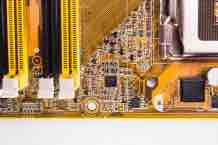
Ram Upgrade
Lenovo Computer RAM Repair and Replacement
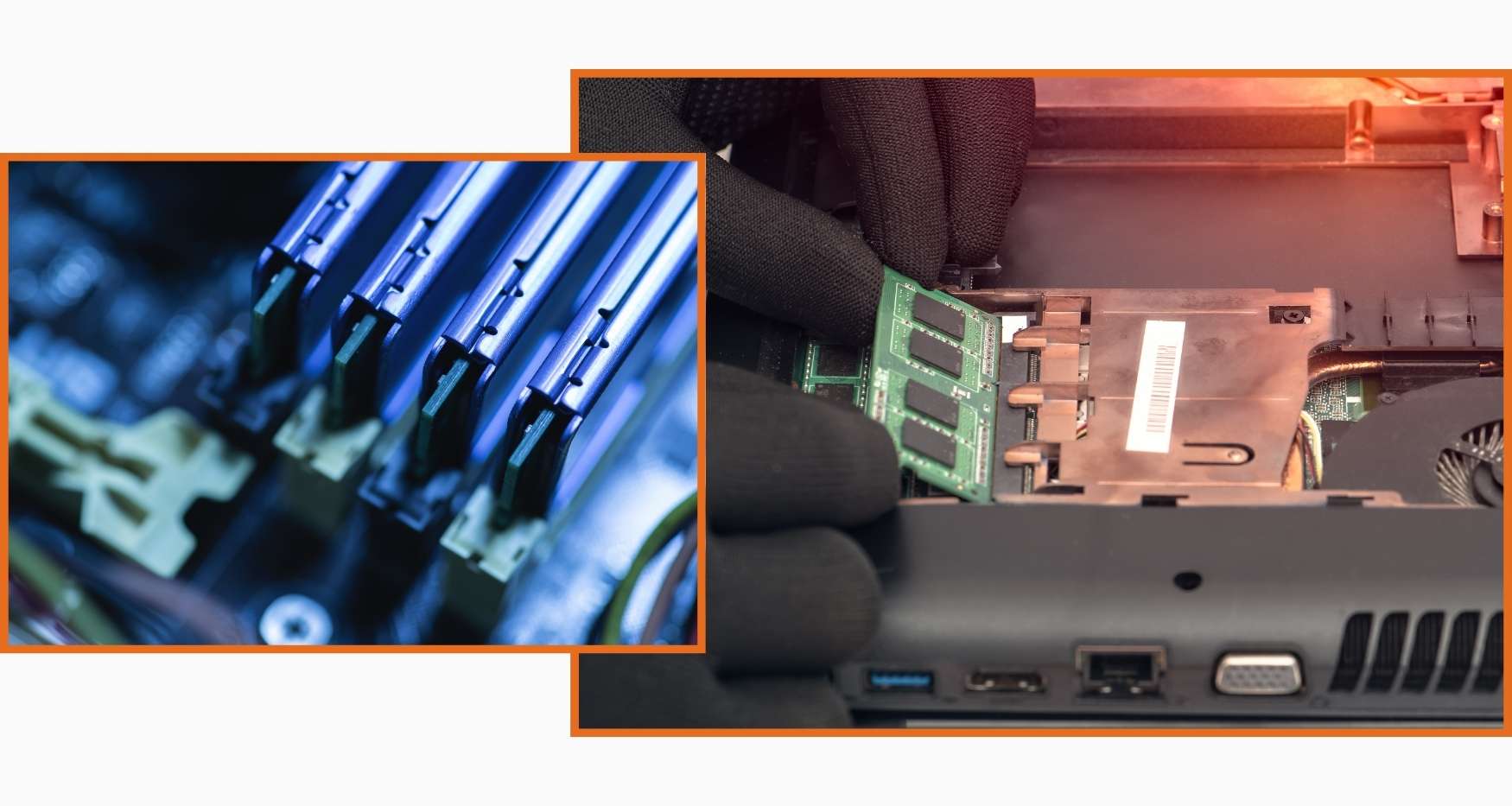
Is your Lenovo computer freezing, showing low memory warnings, or unable to run multiple programs smoothly? Guru Computer Solution in Kathmandu, Nepal, provides professional diagnostics and reliable RAM repair and replacement services. Our experienced technicians carefully inspect the memory modules, RAM slots, and system compatibility to identify the exact cause before performing any repair or upgrade.
Common Signs Your Lenovo Computer Has a RAM Issue
If you are using a Lenovo computer, look out for these RAM problem symptoms:
- Frequent freezing or crashing
- Low memory warnings
- Slow performance with multiple programs open
- Blue screen errors
- Computer fails to boot properly
- Random restarts during use
- Programs closing unexpectedly
- Beeping sounds during startup
- RAM not detected by the system
- Sluggish multitasking performance
Choose Guru Computer Solution for safe, cost-effective, and professional Lenovo computer RAM services.
Why Choose Guru Computer Solution for Lenovo Computer RAM Repair?
At Guru Computer Solution, we focus on quality service and customer satisfaction. Here's why we are the top choice for Lenovo computer RAM repair in Kathmandu:
- Original and high-quality replacement RAM modules
- Warranty coverage for repairs
- Same-day repair service available
- Free diagnostic check for Lenovo computers
- Skilled IT technicians with years of experience
- Careful handling of your device
- Affordable and transparent pricing
We bring comfort to your location with professional repairs at your doorstep. Our team ensures your Lenovo computer RAM issues are solved quickly and safely, restoring your system's performance in no time.
Our Repair Process
Complete hardware diagnosis → RAM module testing → Slot and connector inspection → Compatibility check → RAM replacement or upgrade if required → Full performance and stability testing → Final cleaning and delivery
Fast and Reliable Lenovo Computer RAM Repair
Visit Guru Computer Solution for fast and reliable Lenovo computer RAM repair and replacement in Kathmandu, Nepal. Whether your computer freezes, shows low memory warnings, or struggles with multitasking due to faulty or insufficient RAM, our expert technicians provide accurate diagnostics and quality upgrades using genuine compatible replacement parts. Get your Lenovo computer back to smooth, reliable performance with professional service and warranty support.

1. Genuine & Compatible Parts
We supply and install high-quality, fully compatible replacement parts and components designed specifically for your laptop model.

2. Expert Technicians
Our highly experienced hardware technicians accurately diagnose and repair complex device issues with absolute precision.

3. Fast Repair Service
Most repairs and component replacements are completed swiftly as soon as parts availability is confirmed.

4. Comprehensive Warranty Support
Selected repairs and replacement services include a dedicated service warranty for your complete peace of mind.
Frequently Asked Questions
It means the memory module is faulty, insufficient, or not properly detected, causing performance problems.
Running multiple programs, heavy software, or modern operating systems often requires more memory than older RAM configurations provide.
Yes, faulty or insufficient RAM is one of the most common causes of freezing and crashing.
Yes, faulty RAM modules can trigger blue screen errors during use.
Look for frequent freezing, low memory warnings, random restarts, or slow multitasking performance.
Yes, aging RAM modules can develop faults that affect system stability.
It is not directly dangerous, but it can lead to data loss during crashes or unexpected shutdowns.
Yes, the computer may slow down, freeze, or fail to run multiple programs at once.
Basic reseating of RAM may help in some cases, but professional diagnosis is safer and more reliable.
Not always, sometimes reseating or cleaning the RAM slot resolves the issue without replacement.
In rare cases, a faulty RAM slot can affect the motherboard, so early diagnosis is important.
Yes, most RAM repairs and upgrades take less than an hour depending on parts availability.
Yes, sudden crashes or restarts caused by faulty RAM can occasionally lead to unsaved data loss.
Back up important data and have the computer professionally diagnosed if freezing or crashing continues.
Sometimes cleaning the RAM slot or reseating the module is enough to resolve the issue.
No, cost depends on the RAM capacity and type needed for your specific Lenovo model.
Yes, insufficient or faulty RAM can cause significant lag during demanding tasks.
Yes, you may see low memory warnings or error messages related to memory management.
Unresolved RAM issues can lead to repeated crashes that may strain other components over time.
You can visit Guru Computer Solution located in Kathmandu.
Customer Testimonials What our customers have to say.
“They fixed my laptop’s overheating issue quickly and professionally. They identified the problem, cleaned the internal components, and now it runs smoothly without shutting down. Very satisfied with the service.”

Pairabi Paudel ★★★★★
“Mero laptop ma charging issue thiyo ra battery backup pani dherai kam thiyo Suruma malai battery kai problem hola jasto lageko thiyo, tara Guru Computer Solution ma dekhauda uniharule clearly check garera DC port ko problem ho bhanera patta lagaunu bhayo,Proper tarikale repair gardinu bhayo ra ahile...”

Serene Samira ★★★★★
“⭐⭐⭐⭐⭐ My laptop was not powering on, and other repair centers in New Road couldn’t find the problem. Then I visited Guru Computer Solution.They quickly identified the exact issue and explained everything clearly.They also guided me honestly on whether repair was possible or not. Very profession...”

Waves of Samira ★★★★★
“Fast service.”

Pradyumna Upadhyay ★★★★★
“Very professional mechanic. I got my laptop repaired in no time. The price was less than expected.”

Bijaya Ghimire ★★★★★
“Best pc repair service in ktm”

raam basnet ★★★★★


“Best repair I have ever done before . Nice experience”

Gaurab thapa Magar ★★★★★
“After a software crash, I visited Guru Computer Solution. They repaired it smoothly with no data loss. Definitely the best laptop repair centre in Kathmandu.”

Subarna Thapa Subarna Thapa ★★★★★
“Best laptop repair shop of nepal....”

Achyut Kc ★★★★★
“Best pc repair center”

Hemant official ★★★★★
“Best genuine part replacement”

Wom Rana ★★★★★
“Went for chip-level repair after water damage. They handled it professionally. Best laptop repair centre — no doubt!”

Migin Magar ★★★★★
“Frit wellee diagnosis helped a lot! They found my laptop’s motherboard needed chip-level repair and handled”

Nischal Kshetri ★★★★
“The staff is so cooperative and polite. My Lenovo had overheating problems, and they fixed it quickly.”

Kopila Magar ★★★★
“Best laptop repair centre”

Ishwor Magar ★★★★★

“My charging port was loose. Guru Computer Solution fixed it perfectly. Highly recommended!”

Hirdesh Magar ★★★★★
“Professional and transparent! My laptop’s charging port was damaged, and they fixed it fast with genuine parts”

Mr BídS ★★★★★
“The touchpad on my Dell wasn’t working. Guru Computer Solution fixed it in one visit. Great service!”

Bimal Chaudhary ★★★★★
“Professional and transparent! My laptop’s charging port was damaged, and they fixed it fast with genuine parts”

Anonymous Serial killer ★★★★★
“The touchpad on my Dell wasn’t working. Guru Computer Solution fixed it in one visit. Great service!”

Sristi Chaudhary ★★★★★
“Top-notch repair quality and skilled technicians.”

Abhinav Chaudhary ★★★★★
“Upgraded RAM and got a cooling fix for my gaming laptop.”

Abhinav Chaudhary ★★★★★
“best computer shop i have ever been. Service is great”

Sirjana Sigdel ★★★★★
“staff are very polite and service is great. loved it”

Purnima shahi ★★★★★
“After a software crash, I visited Guru Computer Solution. They repaired it smoothly with no data loss. Definitely the best laptop repair centre in Kathmandu.”

Sujan Khadka ★★★★★
“Upgraded RAM and got a cooling fix for my gaming laptop. Top-notch repair quality and skilled technicians.”

Noobs Kc ★★★★★
“I upgraded my RAM and graphics card here. Skilled technicians and fair pricing. Totally the best computer shop I’ve been to.”

Roshan Thakuree ★★★★★
“They did a chip-level repair on my motherboard. Impressive work by skilled technicians!”

Alina Magar ★★★★★
“Free diagnosis and fair pricing — what more can you ask for? My HP’s software glitch is gone!”

Maya Thapa ★★★★★
“My charging port was loose. Guru Computer Solution fixed it perfectly. Highly recommended!”

Prayash TM ★★★★★
“My laptop’s charging port was damaged. Guru Computer Solution replaced it with genuine parts and delivered top-notch repair quality. Highly recommend!”

Dipen Mogor ★★★★★
“Super cooperative team! My MacBook had water damage, and they did a chip-level repair perfectly. Recommended!”

naru sarumagar ★★★★★
“My charging port was broken. They repaired it the same day using a genuine part replacement. So impressed”

nishma saru magar ★★★★★
“I upgraded my ROM and graphics card here. The technician explained everything clearly. Loved the fair pricing!”

Dikshaa saru ★★★★★
“The display of my Dell laptop cracked, and they replaced it using a June part replacement. Quick and affordable. For me, this is the best laptop service centre in Kathmandu.”

Krish chaudhary ★★★★★
“I had an overheating problem for weeks. These guys did a free diagnosis and repaired it on time. The technician was skilled and polite. Definitely the best computer shop in town.”

Rv Thapa ★★★★★
“Brother, make my laptop a fool.”

Siwa Subedi ★★★★★
“Laptop tea special has been made”

Nishu Tamang ★★★★★
“Laptop service ramro lagyo”

0773H Sroj ★★★★★
“It is a vey good workshop”

janaki janaki ★★★★★

“Laptop service best lagyo”

Rikesh Stha ★★★★★
“Highly Recommended! I had a great experience with Guru Computer Solution. The team was super helpful and really knew what they were doing. They fixed my issue quickly and explained everything clearly. It’s nice to find a place that’s both professional and friendly. Definitely my go-to for any comput...”

Rajdeep Marsaini ★★★★★
“Guru Computer Solution fixed my computer quickly and professionally. The staff was helpful, and the price was fair. Highly recommended!”

Sampada Subedi ★★★★★
“Wow i like your service guru computer”

pasang Tamang ★★★★★
“I am very happy to see my laptop in fresh condition ☺️. If you want to fix your laptop and others then visit to guru computer solution”

Anmol Kc ★★★★★
“Must visit if you want your laptop fixed asap”

Yashraj Ghimire ★★★★★
“I had my best experience”

Sushila Karki ★★★★★

“Best laptop service❤️”

Rachu Khatri ★★★★★
“Great, visit here once guys!!!”

pranisha shrestha ★★★★★
“Best service”

Anjana k.c ★★★★★

“Best laptop repair center.”

sanzu lama ★★★★★

“i had my hinge and HDMI port fixed at Guru computer solution. Greate service, quick and fair pricing. laptop feels like new again. highly recommend their repair work!”

Prabin moktan ★★★★★
“I had a great experience here. I gave my old Dell laptop for repair and Windows 10 installation, something other service centres couldn’t manage. They fixed it quickly and professionally. I’m very satisfied with their service.”

Rechal ★★★★★
“If you are looking for the best laptop repair center in Kathmandu, I highly recommended GURU Computer Solution, located at New road, Pipalbot.”

Puspa Ojha ★★★★★
“I had a great experience with Guru Computer Solutions. Their team is knowledgeable, professional, and truly dedicated to customer satisfaction. Whether it was hardware repairs, software installation, or troubleshooting, they handled everything quickly and efficiently. The service was honest, afforda...”

Bire Tamang ★★★★★
“I had my Lenovo Legion laptop’s CPU replaced recently, and the repair service was excellent. The technician was quick and professional, completing the job within a day. My laptop now runs faster and cooler. I’m very happy with the results and would recommend their service for major repairs.”

Lalita Saud ★★★★★
“Amazing service! My laptop was fixed within hours, and the staff was super helpful. Highly recommended!”

Abisha Neupane ★★★★★
“Nice service”

Kushal Raut ★★★★★
“Good service and genuine parts”

Pratap Ghimire ★★★★★
“Had my laptop keyboard replaced and the service was excellent quick efficient and reasonable price .the team provide outstanding customer service keeping me inform through out.Highly recommended for hassle -free repairs”

SAMRTPHONE GALLARY ★★★★★
“I replaced my laptop's SSD recently, and the service was fantastic. The original SSD was upgraded seamlessly, significantly improving speed and performance. The price was very low compared to others, making it a cost-effective and reliable choice.”

Puskar Bhatt ★★★★★
“I recently had my laptop serviced, and I’m very satisfied. They used original thermal paste, ensuring excellent cooling, and performed thorough cleaning, leaving the laptop in top condition. The service was efficient, and the price was reasonable. Highly recommended for quality and affordability!”

Tek Ayer ★★★★★
“I recently replaced my laptop screen, and I’m impressed with the quality and service. The replacement screen is original, offering the same clarity and performance as the old one. The price was surprisingly low, making it a fantastic value. Highly recommended!”

Isha Bhatta ★★★★★
“"Great experience with this laptop repair service! They quickly fixed my no-display issue, explained the problem clearly, and completed the repair faster than expected. The staff was friendly, professional, and the pricing was reasonable. My laptop is working perfectly now. Highly recommend them for...”

Deepesh Dhami ★★★★★
“Amazing and superfast service.Also the staff behavior is very good and helpful.I have been there for dell laptop service.”

Sirina Chiluwal ★★★★★


“"I brought in my laptop because the screen started flickering randomly, and I couldn’t figure out what was causing it.Guru Computer Solution repair team quickly diagnosed the issue as a faulty display connector. They explained the problem clearly, gave me a reasonable quote, and fixed it within just...”