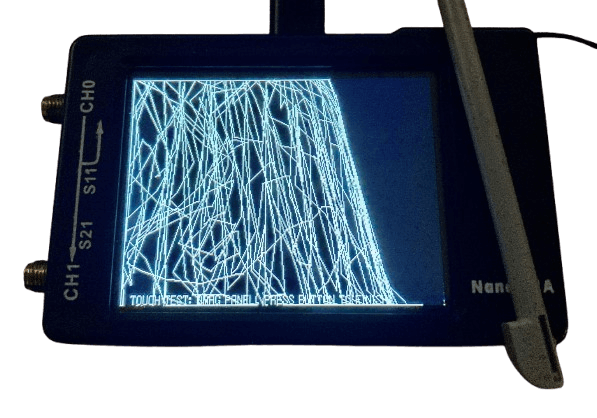
Touch Calibration Problem
Samsung Touch Calibration Issue Repair in Nepal
Looking for reliable Samsung Smartboard touch calibration repair in Nepal? Is your Samsung Smartboard not responding correctly to touch, or are touch inputs registering in the wrong location? Don't let calibration problems disrupt your classroom, office, or meeting room. Guru Computer Solution in Kathmandu, Nepal, provides professional Samsung Smartboard touch calibration repair services.
Our experienced technicians inspect the touch sensors, IR frame, touch controller, drivers, firmware, and internal components of your Samsung Smartboard. We identify the exact cause of the problem, whether it is a calibration error, software issue, sensor failure, or hardware fault. Using professional diagnostic tools and proper recalibration methods, we restore accurate and smooth touch performance for your interactive display.
Signs of Touch Calibration Issues
If you are using a Samsung Smartboard, watch for these common symptoms:
- Touch input registers in the wrong location
- Touchscreen does not respond to touch
- Delayed or inaccurate touch response
- Random or ghost touches appear on the screen
- Multi-touch functionality stops working
- Touch works only in certain screen areas
- Calibration settings reset automatically
- Writing and annotation tools appear misaligned
- Connected computer does not detect touch functions
Best Choice for Samsung Smartboard Touch Calibration Issue Repair
Guru Computer Solution is one of the leading service providers for Samsung Smartboard repair in Kathmandu, Nepal. Our trained technicians specialize in diagnosing and fixing touch calibration issues in Samsung interactive displays.
We provide high-quality Samsung Smartboard touch calibration repair services for schools, colleges, training centers, offices, conference rooms, and organizations across Nepal. We also offer on-site support where our technicians visit your location to inspect and repair your smartboard. Whether the issue is caused by faulty sensors, firmware problems, software conflicts, or damaged touch components, we provide effective and long-lasting solutions.
Choose Guru Computer Solution for dependable, affordable, and professional Samsung Smartboard repair services.
Why Guru Computer Solution?
At Guru Computer Solution, customer satisfaction and service quality are our highest priorities. Here's why customers choose us:
- Genuine replacement parts when required
- Warranty coverage on repairs
- Same-day diagnosis service
- Free inspection and checkup
- Skilled and certified technicians
- Advanced touch calibration tools
- Safe handling of smartboards and displays
- Transparent and affordable pricing
- On-site repair service available
- Fast turnaround time
Our experts work quickly to restore accurate touch functionality and minimize downtime, helping you get back to teaching, presenting, and collaborating without interruption.

1. Genuine & Compatible Parts
We supply and install high-quality, fully compatible replacement parts and components designed specifically for your laptop model.

2. Expert Technicians
Our highly experienced hardware technicians accurately diagnose and repair complex device issues with absolute precision.

3. Fast Repair Service
Most repairs and component replacements are completed swiftly as soon as parts availability is confirmed.

4. Comprehensive Warranty Support
Selected repairs and replacement services include a dedicated service warranty for your complete peace of mind.
Frequently Asked Questions
A touch calibration problem happens when the screen does not respond correctly to your finger or stylus touch.
It may be caused by incorrect calibration, software issues, hardware faults, or a dirty screen.
If the cursor appears in a different place than where you touch, the board may need calibration.
Yes, most Samsung Smartboards have a built-in calibration option in the settings menu.
Inaccurate touch points are usually caused by calibration errors or touch sensor issues.
Common causes include software glitches, outdated firmware, damaged touch sensors, and improper setup.
Sometimes. A simple restart can resolve temporary software-related touch problems.
Yes, updating the Smartboard software can fix bugs that affect touch performance
This usually happens when the touch system is out of calibration.
Calibration is only needed when touch accuracy becomes poor or after certain updates.
Yes, physical damage to the screen can affect touch accuracy and calibration.
A faulty touch sensor, damaged screen area, or calibration issue may be the cause.
Yes, excessive dust, dirt, or moisture on the screen can interfere with touch detection.
Try restarting the board, updating the software, and recalibrating. If the issue continues, contact a technician.
No, multiple users do not usually cause calibration problems, but improper settings changes might.
This may indicate a software issue, firmware problem, or failing touch hardware.
Yes, proper calibration ensures accurate writing, drawing, and interaction on the Smartboard.
A factory reset can resolve software-related calibration issues.
If calibration does not solve the problem or touch stops working completely, professional repair is recommended.
Most touch calibration problems can be fixed through calibration, software updates, or hardware repair depending on the cause.
