If your HP or Dell laptop suddenly shows no display, crashes during graphics-intensive work, or stops booting properly, someone may eventually give you the classic advice:
“Just heat the GPU.”
You may even hear the infamous version:
“Put the motherboard in an oven and bake it.”
While heating a BGA chip can sometimes make a faulty laptop temporarily work again, that does not mean the underlying problem has been properly repaired.
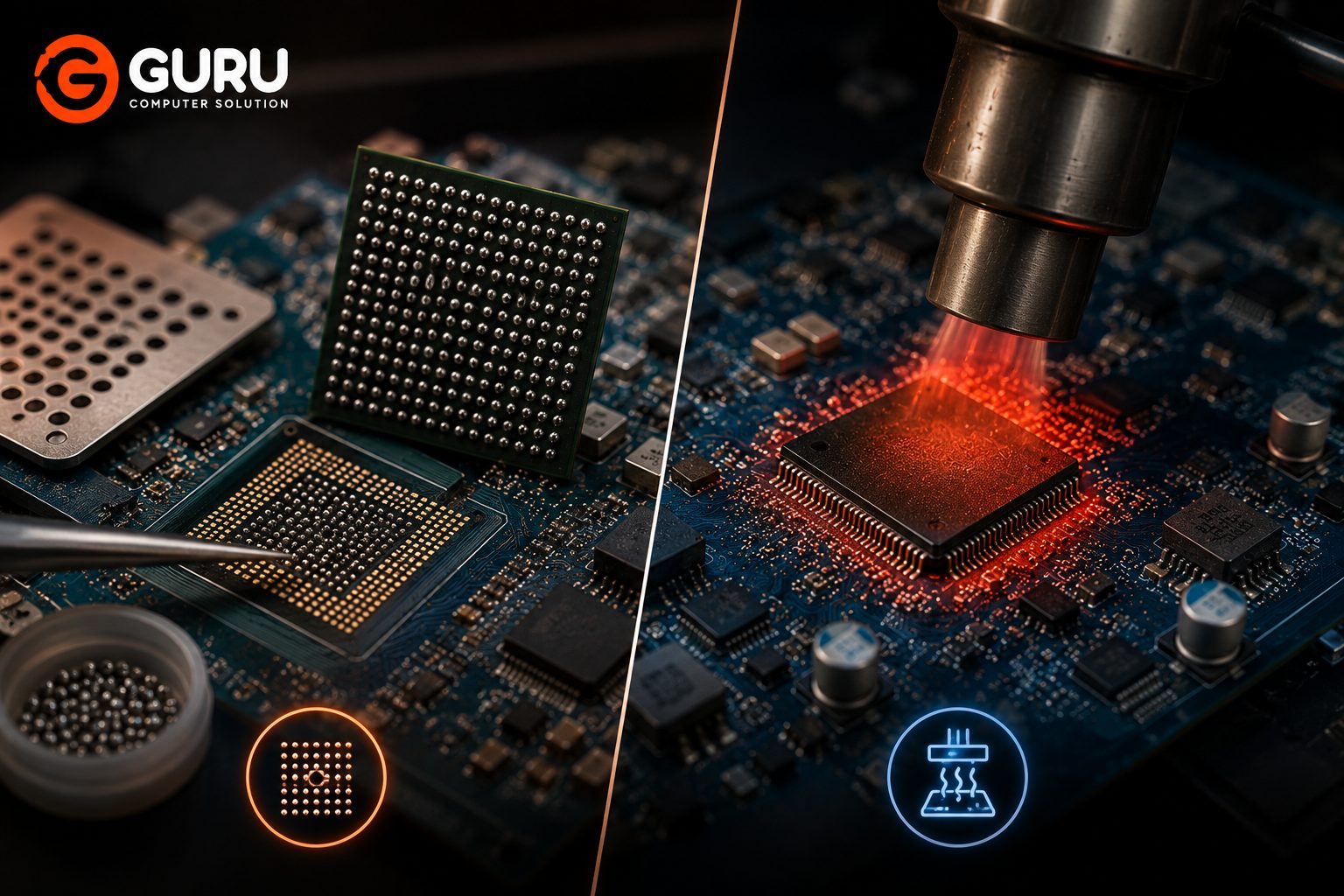
There is a major difference between BGA reflow and BGA reballing. One attempts to re-melt existing solder connections, while the other involves removing the chip, cleaning the old solder, applying new solder balls, and properly reinstalling the chip.
Understanding that difference can help you avoid wasting money on temporary fixes.
What Is BGA and Why Is It Used in Laptop Motherboards?
BGA stands for Ball Grid Array.
Unlike traditional components that use visible pins around their edges, a BGA chip connects to the motherboard through an array of tiny solder balls underneath the chip.
Laptop manufacturers use BGA packages for components such as:
- GPUs
- Chipsets
- CPUs
- Embedded controllers
- Other high-density integrated circuits
The solder balls create both the electrical and mechanical connection between the chip and motherboard.
Because the connections are located underneath the chip, they cannot simply be inspected with the naked eye.
This is one reason BGA-related problems require specialized diagnostic and repair techniques.
What Is BGA Reflow?
BGA reflow is a process where controlled heat is applied to a BGA chip so that the existing solder connections reach their melting point and can reform.
The idea is relatively simple:
Heat → Existing solder softens/melts → Solder connections reform → Chip may reconnect
If the problem is caused by a poor or cracked solder connection, reflow can sometimes restore electrical contact.
However, reflow does not normally remove the old solder balls and replace them with new ones.
This distinction is extremely important.
A successful reflow may restore functionality, but the underlying solder material and any mechanical or thermal problems remain.
What Is BGA Reballing?
BGA reballing is a more involved motherboard-level repair process.
Instead of simply reheating the existing solder, the technician removes the BGA chip from the motherboard and replaces the solder-ball array underneath it.
A typical reballing process involves:
- Removing the motherboard from the laptop.
- Carefully removing the BGA chip.
- Cleaning the old solder from the chip and motherboard.
- Inspecting the pads.
- Applying new solder balls using an appropriate stencil.
- Reinstalling the chip.
- Applying a controlled thermal profile.
- Testing the motherboard.
The exact process depends on the chip, motherboard design, solder type, and repair equipment.
The major difference is that reballing replaces the solder connection rather than simply reheating the existing one.
BGA Reballing vs. Reflow: What Is the Real Difference?
The main difference between BGA reflow and BGA reballing is how the solder connections underneath the chip are handled. Reflow involves applying controlled heat to the existing solder balls so they melt and reform their connections, which may restore a faulty connection but does not replace the old solder. Reballing, on the other hand, requires removing the BGA chip, cleaning away the old solder, applying new solder balls, and reinstalling the chip using a controlled thermal process. Reflow can sometimes provide a temporary solution when a solder connection has failed, while reballing is a more thorough repair when the solder-ball connections themselves need replacement. However, neither method can fix a physically defective GPU or BGA chip, which may require chip replacement.
Why Do Laptop GPUs and BGA Chips Develop Solder Connection Problems?
Laptop motherboards experience repeated temperature changes throughout their lifetime.
A laptop may go through cycles such as:
Cold startup → Heavy workload → High temperature → Cooling down → Shutdown → Repeat
These repeated thermal cycles cause components and the motherboard materials to expand and contract.
Over a long period, this mechanical stress can contribute to solder-joint fatigue in some designs.
Heat can also become a major factor.
A laptop with:
- Blocked cooling vents
- Dust buildup
- Poor thermal paste
- Failed cooling fans
- High operating temperatures
- Heavy graphics workloads
may experience greater thermal stress.
However, not every GPU failure is caused by cracked solder.
The GPU chip itself can fail, power circuitry can fail, memory can fail, or another motherboard component can create similar symptoms.
That is why diagnosis comes before reballing.
Why the “Put Your GPU in the Oven” Trick Is Not a Professional Repair
The oven trick became popular because some users discovered that heating a graphics card or motherboard could temporarily bring a dead system back to life.
The basic theory is that heating can cause solder connections to soften and sometimes reconnect.
The problem is that a household oven is not a precision BGA rework station.
An oven does not provide the same control over:
- Temperature
- Heating zones
- Ramp rate
- Cooling rate
- Component protection
- Board temperature
- Thermal profile
A laptop motherboard contains many components that were not designed to be baked together in a household oven.
Heating the entire board can also introduce additional risks.
Potential problems include:
- Warped PCB
- Damaged plastic connectors
- Damaged capacitors
- Melted components
- Delaminated board layers
- Contamination
- Additional solder movement
- Damage to nearby components
Even if the laptop starts afterward, that does not prove that the repair is permanent.
The oven trick should therefore not be treated as professional laptop repair.
Why Reflow Can Sometimes Make a Dead Laptop Work Again Temporarily
This is where the oven myth gets its reputation.
Suppose a BGA solder connection has developed a mechanical or electrical problem.
Applying heat may temporarily restore contact.
The laptop might suddenly:
- Turn on
- Display an image
- Boot into Windows
- Detect the GPU
- Stop crashing temporarily
The user naturally assumes:
“The repair worked.”
But if the underlying connection has not been properly restored, the problem can return.
The laptop may work for:
- Hours
- Days
- Weeks
- Months
The duration can vary significantly.
This is why a temporary improvement after heating should not automatically be considered a successful permanent repair.
Why Reflow Is Not the Same as Proper BGA Reballing
The biggest difference is what happens to the solder connection.
With reflow, the existing solder is reheated.
With reballing, the BGA chip is removed and the old solder is replaced with new solder balls before the chip is installed again.
A proper reballing procedure allows the technician to:
- Remove old solder
- Clean the chip
- Inspect motherboard pads
- Inspect the chip
- Apply new solder balls
- Reinstall the chip under controlled conditions
This gives the technician an opportunity to address the solder connection itself.
However, an important point is often overlooked:
Reballing does not repair a defective GPU chip.
If the GPU silicon itself has failed, installing new solder balls will not make a dead chip healthy.
In such cases, chip replacement may be necessary.
What Happens During a Professional BGA Reballing Service?
Professional BGA reballing is a precision repair.
The motherboard must first be removed and prepared for the repair.
The technician typically:
1. Diagnoses the Fault
The laptop should be tested to determine whether the suspected BGA chip is actually responsible for the problem.
2. Removes the BGA Chip
The chip is carefully removed using controlled heating.
3. Cleans the Chip and Board
Old solder is removed from the chip and motherboard pads.
4. Inspects the Pads
The technician checks for damaged, missing, or contaminated pads.
5. Applies New Solder Balls
A suitable stencil is used to position the solder balls accurately.
6. Reinstalls the Chip
The reballed chip is aligned with the motherboard and soldered using a controlled thermal process.
7. Tests the Motherboard
The laptop is reassembled and tested for:
- Power
- Display
- GPU detection
- Operating system stability
- Graphics performance
- Temperature
- Other related functions
The repair should be based on diagnosis rather than simply performing a reball whenever a laptop has a graphics problem.
Why Leaded Solder Balls Are Used for Some BGA Reballing Repairs
Lead-based and lead-free solder alloys have different characteristics.
Some repair technicians may choose a leaded solder alloy for certain BGA reballing applications because of its melting characteristics and mechanical properties.
Leaded solder generally has a lower melting point than many lead-free solder alloys and can behave differently under thermal cycling.
However, the correct solder alloy should depend on the specific repair, chip, motherboard design, original construction, applicable regulations, and technician's repair methodology.
It is therefore not accurate to say that one solder type is universally the correct choice for every BGA repair.
What matters most is using an appropriate solder material and a controlled rework process.
Common Laptop Problems That May Require BGA Diagnosis
BGA-related problems can produce many symptoms.
These can include:
- No display
- Laptop powers on but screen remains blank
- Graphics artifacts
- Random crashes
- GPU driver failures
- System freezes during graphics workloads
- Unexpected shutdowns
- External display problems
- Failure to detect a dedicated GPU
- Boot problems
However, these symptoms can also be caused by other hardware.
For example, no display could result from:
- RAM problems
- Display cable failure
- LCD failure
- BIOS problems
- GPU power failure
- Motherboard power issues
- GPU chip failure
- BGA connection problems
Therefore, no-display symptoms should never automatically lead to a reballing job.
How to Tell Whether Your Laptop Needs Reflow, Reballing, or Chip Replacement
This is where professional diagnosis becomes important.
Reflow
Reflow may be considered when the diagnosis indicates that reheating and reforming the existing solder connections is appropriate.
It is not automatically a permanent solution.
Reballing
Reballing may be appropriate when the BGA solder connections need to be replaced and the chip itself is considered functional.
Chip Replacement
If the GPU or other BGA chip itself is defective, reballing will not solve the underlying problem.
The defective chip may need to be replaced.
The correct repair therefore depends on what actually failed:
Solder connection problem → Possible reballing
Suitable reflow situation → Controlled reflow may be considered
Defective chip → Chip replacement
Different motherboard fault → Repair the actual faulty circuit
This diagnostic approach is far better than automatically heating the GPU.
Why Proper BGA Equipment Matters for a Successful Repair
BGA work requires controlled heating and accurate positioning.
Professional equipment can provide better control over the thermal process than improvised heating methods.
Depending on the repair setup, equipment can include:
- BGA rework station
- Preheater
- Infrared or hot-air heating system
- BGA stencils
- Solder balls
- Microscope
- Temperature monitoring equipment
- Board holders
- Precision soldering tools
A professional setup helps reduce unnecessary thermal stress on the motherboard and nearby components.
The technician also needs to understand the correct heating profile for the board and component.
Equipment alone does not guarantee a successful repair; experience and proper diagnosis are equally important.
Can BGA Reballing Permanently Fix a Laptop GPU?
BGA reballing can provide a long-lasting repair when the underlying problem is genuinely related to the BGA solder connection and the GPU chip itself is healthy.
However, no responsible technician should guarantee that every GPU reball will permanently fix every laptop.
If the GPU silicon has deteriorated, the laptop has a serious thermal problem, or another motherboard component is failing, reballing alone may not solve the problem.
A good repair should therefore address the actual cause.
For example, if overheating contributed to the original failure, the cooling system should also be inspected.
That may include:
- Fan condition
- Heatsink condition
- Thermal paste
- Airflow
- Dust buildup
- Thermal performance
Repairing the solder connection without addressing a serious cooling problem can increase the chance of future failure.
How Much Does BGA Reballing Cost in Kathmandu?
BGA reballing does not have one fixed price for every laptop.
The cost can depend on:
- Laptop brand and model
- Type of BGA chip
- GPU or chipset involved
- Motherboard design
- Difficulty of chip removal
- Required soldering work
- Whether the chip itself needs replacement
- Availability of replacement components
- Additional motherboard repairs
A laptop requiring a straightforward BGA reball is different from one that needs GPU replacement or additional power-circuit repair.
For this reason, a proper diagnosis should be performed before confirming the repair and final cost.
Why Choose Guru Computer Solution for BGA Reballing in Kathmandu?
BGA problems require more than simply applying heat to a motherboard.
Guru Computer Solution can diagnose laptop motherboard and graphics-related problems before recommending reflow, reballing, chip replacement, or another repair.
The diagnostic process can consider:
- No-display symptoms
- GPU detection
- Power-related faults
- Graphics artifacts
- Motherboard condition
- Thermal problems
- BGA solder connection issues
- GPU chip condition
Where component-level repair is appropriate, the repair can be planned around the actual fault rather than using a generic heating method.
For laptop users in Kathmandu dealing with HP, Dell, and other laptop motherboard or graphics problems, proper diagnosis can help avoid unnecessary motherboard replacement or unreliable temporary fixes.
Stop Using the Oven Trick: Get the BGA Problem Properly Diagnosed
The oven trick may be entertaining as an internet experiment, but your laptop motherboard is not something you should treat like a baking tray.
Heating a motherboard can sometimes produce a temporary improvement, but it does not mean the underlying fault has been repaired.
A proper BGA repair should begin with diagnosis.
The technician needs to determine whether the problem is:
- A solder connection
- A defective GPU
- A power circuit
- A memory issue
- A BIOS problem
- A display circuit
- Another motherboard fault
If the problem is genuinely related to BGA solder connections, professional reballing may be a more appropriate repair than repeatedly heating the board.
Frequently Asked Questions
What Is the Difference Between BGA Reflow and Reballing?
Reflow reheats the existing solder connections underneath a BGA chip. Reballing involves removing the chip, cleaning the old solder, applying new solder balls, and reinstalling the chip.
Is BGA Reballing Better Than Reflow?
It depends on the actual fault. If the solder-ball connection needs replacement and the chip itself is functional, reballing can be a more thorough repair than simply reheating the existing solder.
Does Reflow Permanently Fix a Laptop GPU?
Not necessarily. Reflow can sometimes restore a faulty connection, but it does not replace the existing solder balls or repair a defective GPU chip. Its longevity depends on the actual cause of the failure.
Does BGA Reballing Replace the Solder Balls?
Yes. In a conventional reballing process, the old solder is removed and new solder balls are applied to the BGA package before it is reinstalled.
Why Do People Put GPUs in an Oven?
The oven trick became popular because heating can sometimes temporarily restore an electrical connection in a failing BGA assembly. However, a household oven does not provide the controlled thermal conditions required for professional BGA repair.
Is the Oven Trick Safe for a Laptop Motherboard?
No. A household oven is not an appropriate tool for laptop motherboard repair. It can damage connectors, components, PCB materials, and other parts of the motherboard.
Can Reflow Damage a Laptop Motherboard?
Improper heating can damage a motherboard. Excessive or uncontrolled heat can affect PCB materials, nearby components, connectors, and solder joints.
What Symptoms Indicate a BGA GPU Problem?
Possible symptoms include no display, graphics artifacts, GPU detection problems, crashes during graphics workloads, freezing, or boot problems. These symptoms can have many other causes, so diagnosis is necessary.
Can HP and Dell Laptop GPUs Be Reballed?
Some HP and Dell laptops use BGA graphics chips that can be serviced using professional BGA techniques. Whether reballing is appropriate depends on the specific laptop model, motherboard, chip, and diagnosed fault.
Does Every No-Display Laptop Need BGA Reballing?
No. No-display problems can be caused by RAM, display cables, screens, BIOS issues, GPU power circuits, motherboard faults, or other components. Reballing should only be considered after diagnosis.
What Equipment Is Used for Professional BGA Reballing?
Professional BGA repair can involve a controlled BGA rework station, preheater, microscope, temperature monitoring equipment, BGA stencils, solder balls, and precision soldering tools.
Why Are Leaded Solder Balls Used for Some Reballing Repairs?
Some technicians use leaded solder alloys because of their lower melting temperatures and different mechanical characteristics. The appropriate solder alloy depends on the specific board, chip, repair methodology, and applicable requirements.
How Much Does BGA Reballing Cost in Nepal?
The cost depends on the laptop model, BGA chip, motherboard condition, repair complexity, and whether the chip itself needs replacement. Diagnosis is recommended before confirming the final repair cost.
Can BGA Reballing Fix a Laptop Permanently?
It can provide a long-lasting repair when the actual fault is a failed BGA solder connection and the chip itself remains healthy. However, reballing cannot repair a physically defective GPU chip or unrelated motherboard faults.
When Should I Bring My Laptop to Guru Computer Solution?
Bring your laptop for diagnosis if it has no display, graphics artifacts, GPU detection problems, repeated crashes, or other symptoms that may indicate a motherboard or graphics-chip fault. A technician can determine whether the problem actually requires reflow, reballing, chip replacement, or another repair.






