"My charger only works if I hold it at a weird angle" is one of the most common complaints we hear — and it almost always traces back to the DC jack. What's less obvious is that this single symptom can mean two very different repairs, at two very different price points, depending on the actual cause.
Why the Same Symptom Has Two Different Fixes
A loose, unstable, or unresponsive charging connection can come from either the DC jack itself failing, or the solder joints connecting the jack to the motherboard cracking under repeated stress. The symptoms look nearly identical from the outside — that's exactly why proper diagnosis matters before assuming which repair is needed.
What "Repair" Actually Means
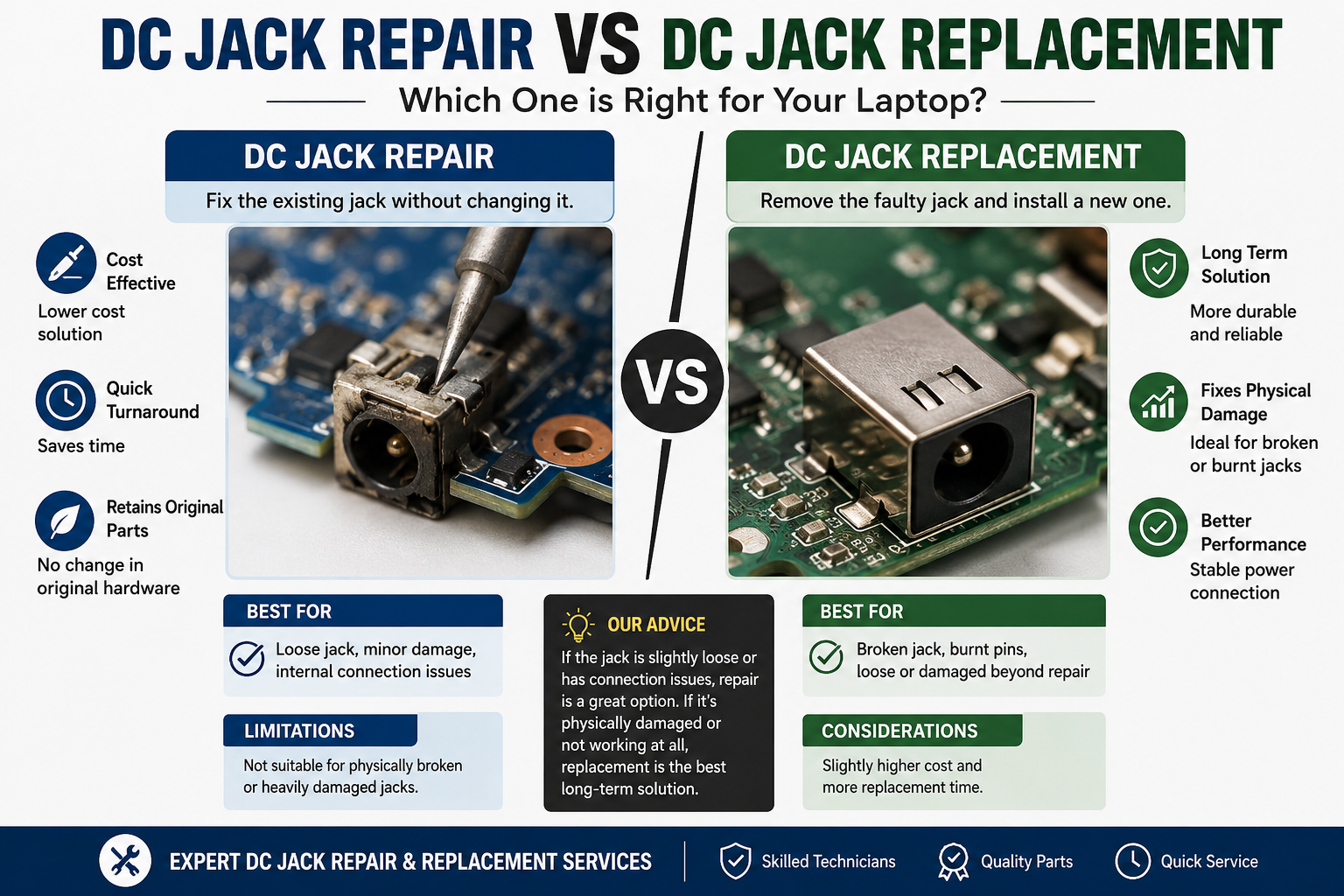
DC jack repair typically refers to reflowing or resoldering the existing connection points, without replacing the physical jack component itself.
When repair is the right call:
- The jack itself is physically intact — no bent pins, no cracked housing
- The issue is intermittent connection (charges only at certain angles) rather than complete failure
- A multimeter test confirms the port is receiving power inconsistently, pointing to a solder joint issue rather than a dead component
- The board shows no signs of heat damage or additional stress around the jack area
What the repair involves:
- Cleaning the area around the jack and solder points
- Reflowing the existing solder connections with proper flux and temperature control
- Reinforcing joints that show early signs of cracking
- Testing under load before reassembly
Typical outcome: repair restores a fully functional connection at a lower cost and shorter turnaround than replacement, since no new part is needed.
What "Replacement" Actually Means
DC jack replacement means removing the damaged jack component entirely and installing a new one in its place.
When replacement is the right call:
- The jack housing is physically cracked, bent, or visibly damaged
- Pins inside the connector are bent, corroded, or missing
- The jack shows no continuity at all, even after cleaning and testing — pointing to internal component failure, not just a loose connection
- There's visible heat damage or discoloration around the jack from repeated poor connections generating excess heat over time
What the replacement involves:
- Desoldering and removing the failed jack component
- Sourcing a compatible replacement part matching the laptop's connector type and pin configuration
- Soldering the new jack into place with precise alignment
- Full continuity and load testing before reassembly
Typical outcome: replacement resolves the issue completely when the component itself has failed, but requires sourcing the correct part, which can affect turnaround time.
How a Technician Actually Decides
This isn't a guess — a proper diagnosis follows a specific sequence:
1. Visual inspection Checking the jack housing, pins, and surrounding board area for physical damage, discoloration, or obvious wear before anything else.
2. Continuity testing with a multimeter Confirming whether power is reaching the board consistently, intermittently, or not at all — this narrows down whether the fault is the connection (solder) or the component (jack) itself.
3. Physical stability check Gently testing whether the jack itself is loose within its housing, which points toward solder joint failure, versus the jack being solid but simply not making internal contact, which points toward component failure.
4. Board condition around the jack Checking for heat damage, corrosion, or stress marks on the board itself — these can indicate the problem has been developing for a while and may need more than a straightforward fix.
Cost and Turnaround Differences
Repair (solder joint reflow):
- Lower cost, since no replacement part is needed
- Faster turnaround, often same-day or next-day
- Appropriate for early-stage, intermittent connection issues
Replacement (new jack component):
- Higher cost due to the part itself plus more involved desoldering/resoldering work
- Turnaround depends on part availability — in-stock common connectors are quick, less common ones may need sourcing
- Necessary when the component itself, not just the connection, has failed
Why Catching It Early Matters
A DC jack issue caught at the "intermittent connection" stage is usually a repair. Left unaddressed, the constant micro-movement and stress at a failing connection point can progress to full component failure, or in some cases, damage to the surrounding motherboard traces — turning a straightforward repair into a more involved and more expensive fix.
Early warning signs worth acting on:
- Needing to hold the cable at a specific angle to charge
- Charging that cuts in and out when the laptop is moved slightly
- The connector feeling loose or wobbly compared to when the laptop was new
- Visible wear or discoloration starting to appear around the port
Why Choose Guru Computer Solution
Accurate Diagnosis Before Any Repair We test before we recommend — you'll know whether your laptop needs a repair or replacement, and why, before any work begins.
Both Repair and Replacement Capability Our technicians handle solder joint reflow and full component replacement, so the recommendation is based on what your laptop actually needs, not limited by what we're equipped to do.
Genuine and Compatible Replacement Parts When replacement is necessary, we source jacks matching your laptop's exact connector specification.
Transparent Cost Estimates You'll get a clear cost difference between repair and replacement options before committing to either.
Conclusion
DC jack repair and DC jack replacement solve the same underlying complaint — unreliable charging — but they're fundamentally different fixes for different causes. A cracked solder joint calls for a careful reflow; a physically failed jack calls for full replacement. Getting this diagnosis right the first time is what determines whether you pay for a quick fix or a more involved repair.
If your laptop's charging connection has become unreliable, contact Guru Computer Solution for an accurate diagnosis and the right fix — not a guess.






