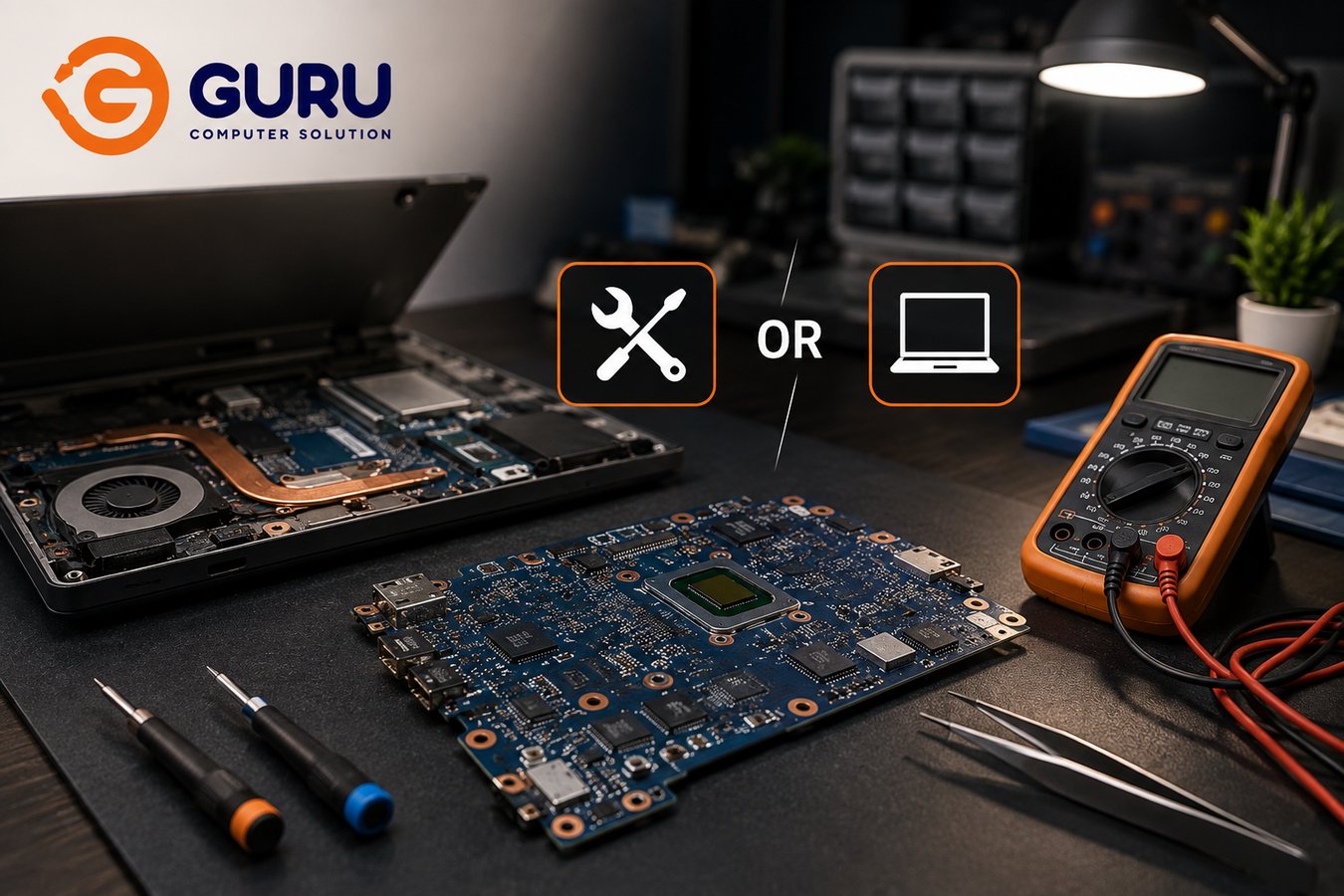
A laptop that shows absolutely no sign of life, no lights, no fans, nothing, feels final. The instinct is to assume the motherboard is dead and the laptop is finished. That assumption is wrong often enough that it's worth challenging before you make any decision about repair, replacement, or buying something new.
Is Your Laptop Really Dead, or Is the Motherboard Repairable?
"No power" is a symptom, not a diagnosis. A laptop that won't turn on can result from a dead battery, a faulty charger, a damaged DC jack, a failed charging circuit, a shorted component, a BIOS or embedded controller problem, a failed power MOSFET, a genuine motherboard component failure, liquid or corrosion damage, or, less commonly than people assume, actual catastrophic damage to the board itself. Several of these have nothing to do with the motherboard being broken at all, and even the ones that do involve the motherboard are frequently repairable at the component level rather than requiring a full board replacement.
What Does "Dead Motherboard" Actually Mean?
These three things get treated as the same problem, but they're genuinely different situations with very different implications. A laptop that won't turn on simply describes the symptom you're seeing, nothing more. A motherboard with a power fault means a specific component in the power delivery chain has failed, something that's very often repairable without replacing the whole board. A motherboard with severe physical or electrical damage, extensive burning, multiple destroyed layers, catastrophic short circuit damage, is a genuinely different and more serious situation. Assuming you're in the third category when you're actually in the second is exactly how people end up paying for a full board replacement, or giving up on a repairable laptop entirely, when a much smaller repair would have solved it.
Common Reasons a Laptop Suddenly Stops Turning On
The realistic list of causes includes charger failure, battery failure, DC jack problems, a failed charging circuit, a shorted power rail, a BIOS or firmware issue, liquid damage, overheating-related stress, a failed IC or MOSFET, or physical damage from an impact or drop. Notice how many of these are individual, isolated components rather than the entire board, which is precisely why "the laptop is dead" and "the motherboard needs replacing" aren't automatically the same conclusion.
What Is Chip-Level Laptop Motherboard Repair?
Chip-level, or component-level, repair means diagnosing and repairing the specific failed part on the board rather than replacing the entire motherboard. This can involve individual ICs, MOSFETs, capacitors, resistors, charging controllers, broader power-management components, connectors, or damaged circuit traces, depending on what actually failed. It's worth being honest that not every board is repairable this way. The realistic repair path depends entirely on which component failed and how extensive the resulting damage is, which is exactly why proper diagnosis has to come before any repair-or-replace decision, not after.
Motherboard Repair vs Motherboard Replacement: What's the Difference?
These sit on a spectrum rather than being a simple either-or choice, and understanding where your situation falls matters more than jumping straight to the most drastic option.
Component-level repair, where a specific faulty component is repaired or replaced directly, sits at the lower end of cost and is the right fit when the failure is genuinely localized to one part. Board-level repair, involving diagnosis and repair across multiple areas of the board, costs more but remains appropriate for complex faults that are still fundamentally repairable rather than catastrophic. Full motherboard replacement, where the entire board is swapped out, carries the highest cost of the three repair options and becomes necessary when the board is severely damaged or genuinely unrepairable. And full laptop replacement, buying an entirely new machine, sits above all of these in cost, and becomes the sensible choice specifically when repair no longer makes economic sense relative to what a replacement would cost and deliver.
The main message underneath this entire comparison: a full motherboard replacement isn't automatically the right or only solution just because a laptop won't turn on. It's one option among several, and often not the cheapest one that actually solves the problem.
Why Motherboard Repair Can Be Much Cheaper Than Buying a New Laptop
This comes down to a simple economic point that's easy to overlook in the moment: a laptop with a failed motherboard often still has real, intact value sitting in its display, RAM, SSD, keyboard, battery, chassis, and cooling system, none of which were affected by the motherboard fault. On top of the physical hardware, there's also your existing software configuration and working environment already set up exactly the way you want it. If the rest of the laptop is genuinely in good condition, repairing the motherboard specifically can make considerably more financial sense than replacing the entire machine and losing all of that intact value along with it.
When Is Motherboard Repair Worth It?
Repair becomes the more attractive option when the laptop is relatively modern, the display and chassis are in good physical condition, the RAM and SSD inside are still valuable components worth preserving, the actual fault is localized to a specific, identifiable part, replacement parts for that specific fault are available, the repair cost is reasonable relative to what full replacement would cost, and you genuinely need your existing setup or the data currently on the machine.
When Is Motherboard Replacement Better Than Repair?
Replacement becomes the more sensible path when there's extensive liquid damage that's gone untreated for too long, the PCB shows severe burning or catastrophic electrical damage, multiple critical board layers or circuit traces have been destroyed, the repair cost is already approaching what a full replacement board would cost anyway, a replacement board is genuinely available and reasonably priced for your specific model, or the repair's long-term reliability simply can't be reasonably assured given the extent of the damage.
When Should You Replace the Entire Laptop Instead?
This is a broader calculation than just the motherboard question, and it's worth working through deliberately rather than reacting emotionally to a dead laptop. Consider the laptop's age, what you originally paid for it, what an equivalent laptop costs to buy today, the actual repair estimate you've received, current performance relative to your needs, battery condition, display condition, the condition of the SSD and RAM, how available parts are for future repairs, and how likely further repairs are down the line given the laptop's overall age and condition.
The key principle to hold onto through all of this: don't compare the repair cost only against what you originally paid for the laptop years ago. Compare it against the cost and actual capability of the laptop you would realistically buy today, which is very often a more useful and more honest comparison than the original purchase price ever was.
How Much Does Laptop Motherboard Repair Cost in Nepal?
Rather than quoting one generic motherboard repair price, which wouldn't reflect reality, actual cost depends on the specific type of fault, your laptop model, component availability, how complex the board itself is, whether liquid or corrosion damage is involved, how much diagnostic work is required, whether IC or component replacement is needed, whether BIOS or embedded controller work is involved, whether circuit trace repair is necessary, and what testing the specific repair requires afterward. Contact us directly with your laptop's symptoms and model for an accurate estimate based on your actual situation rather than a generic figure that wouldn't apply to your specific fault.
Why the Cheapest Motherboard Repair Isn't Always the Best Repair
There's a meaningful difference between "the laptop turns on" and "the laptop has been properly repaired and tested." A quality repair includes genuine diagnostics to confirm the actual root cause, and thorough post-repair testing to confirm the fix holds under real use, not just a visible component swap followed by handing the laptop back the moment it powers on once. A repair that skips proper diagnosis and testing can leave an underlying issue unaddressed, one that resurfaces later as the exact same symptom, or a related one, costing you a second repair for a problem that should have been caught the first time.
How Technicians Diagnose a Dead Laptop Motherboard
A proper diagnostic process moves through this sequence: an external inspection of the laptop, checking the charger itself, checking the battery and DC input separately, testing actual power-on behavior, inspecting the motherboard directly, checking specifically for liquid or corrosion damage, checking for short circuits, identifying the relevant power rails, testing the specific components those rails depend on, diagnosing which ICs or components have actually failed, determining whether the board is realistically repairable given what's found, and finally testing the repaired board under appropriate conditions before it's ever considered finished. This transparency matters, since it's exactly what separates a genuine diagnosis from a guess.
What Happens During a Chip-Level Motherboard Repair?
Without revealing proprietary specifics, the general process follows a clear path: diagnosis first, then isolating the actual fault, then the component-level repair itself, followed by electrical testing to confirm the fix is sound, and finally functional testing to confirm the laptop performs correctly under real use, not just that it powers on. Depending on the specific board and component involved, this can require microscopic soldering and precision rework, particularly for the small, densely packed components found on modern laptop motherboards.
Can a Laptop Motherboard Be Repaired After a Power Surge or Voltage Fluctuation?
Often, yes, though it depends on which components were actually affected. Abnormal power conditions can potentially damage the adapter, the DC jack, input protection circuitry, MOSFETs, the charging circuit, or broader power-management circuitry on the board. It's worth being careful not to overstate this connection, though: not every laptop failure that happens to occur after a power fluctuation was necessarily caused by that fluctuation, and proper diagnosis is what actually confirms or rules out this cause rather than assuming it based on timing alone.
Can Liquid Damage or Corrosion Be Repaired on a Laptop Motherboard?
Often, yes, particularly when caught early, though it genuinely depends on how extensive the damage is. Some corrosion can be cleaned and the affected components repaired or restored to working condition. More severe, longer-standing damage can reach a point where repair is technically possible but no longer economically sensible compared to the cost of a replacement board. For a deeper look at how humidity and moisture damage develops in the first place, particularly relevant during Nepal's monsoon months, see our guide on preventing laptop motherboard corrosion.
Should You Try to Turn On a Completely Dead Laptop Repeatedly?
No, and this is worth being direct about. Repeatedly pressing the power button isn't a diagnostic step, it's just repeating the same action and hoping for a different result, and it can genuinely make things worse in certain situations. This matters especially after liquid exposure, any burning smell, a sudden and otherwise unexplained electrical failure, visible physical damage, or any suspicion of a short circuit. In these situations, disconnect power entirely and get the laptop properly assessed rather than continuing to test it yourself.
Can Your Data Be Recovered If the Motherboard Is Dead?
A dead motherboard does not automatically mean your data is gone. Whether recovery is possible depends heavily on your laptop's specific storage setup. A removable SSD or HDD can often be accessed directly, independent of the motherboard's condition, once removed from the affected laptop. Soldered storage, increasingly common on thinner laptops, is a more complex situation requiring different recovery techniques. Encryption, if enabled, adds another factor that affects what's actually recoverable regardless of the storage type. And if the storage itself was physically damaged, by the same event that killed the motherboard, that changes the recovery picture as well. We'd rather give you an honest assessment after actually examining your specific laptop than promise a recovery outcome without having seen the device.
Motherboard Repair vs Replacement: A Real Cost-Benefit Checklist
Before spending money in either direction, work through these questions directly: What exactly failed? Can that specific failed component realistically be repaired? What's the actual repair estimate, not a guess? What would a full replacement motherboard cost for this specific model? How old is the laptop? What condition are the display, battery, SSD, and chassis actually in? What would an equivalent new laptop cost you today? And what warranty is actually offered on the repair being proposed? Working through these questions in order, rather than reacting to the first number you hear, is what leads to a decision you won't regret in six months.
Why Choose Guru Computer Solution for Laptop Motherboard Repair in Kathmandu
We Diagnose Before We Recommend Replacement This is our core positioning, and it matters: we determine what's actually wrong with the board before ever telling you it needs replacing.
Component-Level and Chip-Level Repair Where a targeted repair is genuinely possible, we pursue it rather than defaulting to a full board swap.
Power and Charging Circuit Diagnosis We isolate power-related faults to the specific failed component rather than assuming the whole board is compromised.
No-Power Troubleshooting For a laptop showing zero signs of life, we have a structured process for identifying the actual cause rather than guessing.
Liquid and Corrosion Inspection We assess the real extent of moisture-related damage and what's realistically repairable versus what isn't.
BIOS and Firmware-Related Diagnosis Where Appropriate Some no-power situations trace back to firmware rather than hardware, and we check for this specifically.
Support for Major Laptop Brands Dell, HP, Lenovo, ASUS, Acer, MSI, and Apple MacBook motherboard diagnosis and repair.
Transparent, Repair-First Recommendations We aim to repair before we recommend replacement, and we'll explain exactly why whenever we do recommend it.
Don't Throw Away Your Laptop Until the Motherboard Has Been Properly Diagnosed
A laptop that won't turn on isn't necessarily a dead laptop. A failed charging IC, a bad MOSFET, a blown power rail, a damaged connector, or another specific motherboard component may well be repairable without replacing the entire board at all.
Bring your dead laptop to Guru Computer Solution for a proper motherboard diagnosis and an honest repair-versus-replacement recommendation.
Frequently Asked Questions
Can a Completely Dead Laptop Motherboard Be Repaired?
Often, yes, particularly when the cause is a specific failed component like a charging IC, MOSFET, or power rail rather than catastrophic physical or electrical damage across the entire board. Proper diagnosis is what determines this for your specific case.
How Do I Know If My Laptop Motherboard Is Actually Dead?
"No power" alone doesn't confirm this. The cause could be the battery, charger, DC jack, a specific motherboard component, or in less common cases, genuine catastrophic board damage. Only proper diagnosis distinguishes between these.
What Causes a Laptop Motherboard to Fail?
Common causes include charger or battery failure, DC jack damage, charging circuit failure, power rail shorts, liquid damage, overheating-related stress, failed ICs or MOSFETs, and physical impact damage.
Is Laptop Motherboard Repair Cheaper Than Replacement?
Often significantly, particularly for component-level and chip-level repairs addressing a specific, localized fault. Full motherboard replacement costs considerably more and is typically reserved for boards with extensive, non-repairable damage.
What Is Chip-Level Laptop Repair?
Repairing or replacing the specific failed component on the motherboard, ICs, MOSFETs, capacitors, or similar parts, rather than replacing the entire board.
Can You Repair a Laptop Charging IC?
Often, yes, when the fault is isolated to the charging IC itself rather than more extensive surrounding damage. This is a common and often relatively affordable chip-level repair.
Can a Power Surge Damage a Laptop Motherboard?
Yes, power surges and voltage fluctuations can affect the adapter, DC jack, input protection, MOSFETs, and charging circuitry. However, not every failure occurring after a power event was necessarily caused by it, which is why diagnosis matters rather than assumption.
Can a Water-Damaged Motherboard Be Repaired?
Often, yes, particularly when caught early. More extensive or long-standing corrosion damage can reach a point where repair becomes technically possible but not economically worthwhile compared to replacement.
Is Motherboard Replacement Better Than Repair?
Only in specific situations, extensive liquid damage, severe PCB burning, multiple destroyed circuit layers, or when repair cost approaches replacement cost anyway. For localized, repairable faults, component-level repair is typically the more economical choice.
When Should I Stop Repairing an Old Laptop?
When repair costs approach or exceed what an equivalent laptop costs today, when the display, battery, or other major components are also failing, or when the laptop's age means further repairs are increasingly likely regardless of this specific fix.
How Much Does Laptop Motherboard Repair Cost in Kathmandu?
Cost depends on the specific fault, laptop model, component availability, and repair complexity. Contact Guru Computer Solution with your laptop's symptoms and model for an accurate estimate.
How Long Does Motherboard Repair Take?
This varies by fault complexity and part availability. Simple component-level repairs are often faster; more involved board-level repairs or those needing sourced parts take longer.
Can My Data Be Recovered From a Dead Laptop?
Often, yes, particularly with removable storage. Recovery possibility depends on your specific storage type, whether it's soldered, and whether the storage itself was physically affected by whatever caused the motherboard failure.
Do You Repair Laptop Motherboards at Component Level?
Yes. We diagnose and repair at the chip and component level where the fault allows for it, rather than defaulting to full board replacement.
What Laptop Brands Do You Repair?
Dell, HP, Lenovo, ASUS, Acer, MSI, and Apple MacBook laptops.
Do You Replace Laptop Motherboards?
Yes, when replacement is genuinely the appropriate option based on diagnosis, we source and install replacement boards as well.
Do You Diagnose the Laptop Before Giving a Repair Quote?
Yes. We diagnose the actual fault first and base our recommendation and quote on what we find, rather than quoting a generic price before examining the laptop.
When Should I Bring My Dead Laptop to Guru Computer Solution?
As soon as possible after it stops turning on, especially if there's been any liquid exposure, burning smell, or suspected electrical issue. Avoid repeated power-on attempts in these situations and get it assessed instead.






