When you hand over an expensive laptop for repair, you're not simply handing someone a piece of electronics.
You're trusting them with your work, photos, business files, projects, passwords, and often a device that cost a significant amount of money.
That's why we believe laptop repair should be about more than "making it turn on."
At Guru Computer Solution, our approach is built around proper diagnosis, appropriate tools, quality materials, precision workmanship, and honest communication.
We don't believe every motherboard needs to be replaced. We don't believe every overheating laptop needs expensive parts. And we don't believe a repair is successful simply because the laptop powers on once after servicing.
Our philosophy is straightforward:
Diagnose properly. Repair carefully. Use the right materials. Test thoroughly. And tell the customer the truth—even when the truth is that repair isn't worth the money.
What Does Professional Laptop Repair Actually Mean?
There is a major difference between replacing a part and diagnosing a problem.
Suppose a laptop doesn't charge.
One approach is to immediately assume that the motherboard is faulty and recommend a replacement.
A professional approach asks:
Why isn't it charging?
The problem could be the adapter, battery, charging port, connector, charging IC, MOSFET, power circuit, or another component on the motherboard.
The same principle applies to laptops that:
- Don't turn on
- Overheat
- Shut down randomly
- Have no display
- Have USB problems
- Stop charging
- Lose Wi-Fi
- Experience keyboard problems
Professional repair begins with finding the cause.
Our First Rule: Diagnose Before We Replace
Replacing an expensive component without confirming that it has failed is one of the easiest ways to make a laptop repair unnecessarily expensive.
At Guru Computer Solution, we believe diagnosis should come before major parts replacement.
Depending on the problem, diagnosis may involve testing the:
- Charger
- Battery
- DC input
- Power button
- Charging circuit
- Motherboard
- Display
- Storage
- RAM
- Cooling system
- Other relevant components
Only after understanding the problem can a technician recommend the appropriate repair.
This approach is particularly important with gaming laptops and premium machines where motherboard replacement can be expensive.
Why We Use Quality Thermal Paste and Thermal Putty
Thermal materials aren't simply accessories added during laptop servicing.
They are part of the cooling system.
The CPU and GPU generate heat, and that heat needs to be transferred efficiently to the cooling assembly.
Depending on the laptop design, different components may use different thermal interface materials.
Some areas use thermal paste, while others may use thermal pads or thermal putty.
Using the wrong material can affect contact and thermal performance.
That's why we don't believe in applying whatever thermal material happens to be available.
The material needs to be appropriate for the laptop's cooling design.
Thermal Putty Isn't Just "Putty": Why Thickness and Placement Matter
This is one area where a repair can look perfectly fine from the outside while still being technically poor.
Thermal putty can be used around components such as memory and power circuitry where the gap between the component and heatsink requires a flexible thermal interface.
Its thickness and placement matter.
Too little material may result in inadequate contact.
Too much material can interfere with the proper seating of the heatsink.
The objective isn't simply to put thermal material on the motherboard.
The objective is to create proper thermal contact between the relevant components and cooling assembly.
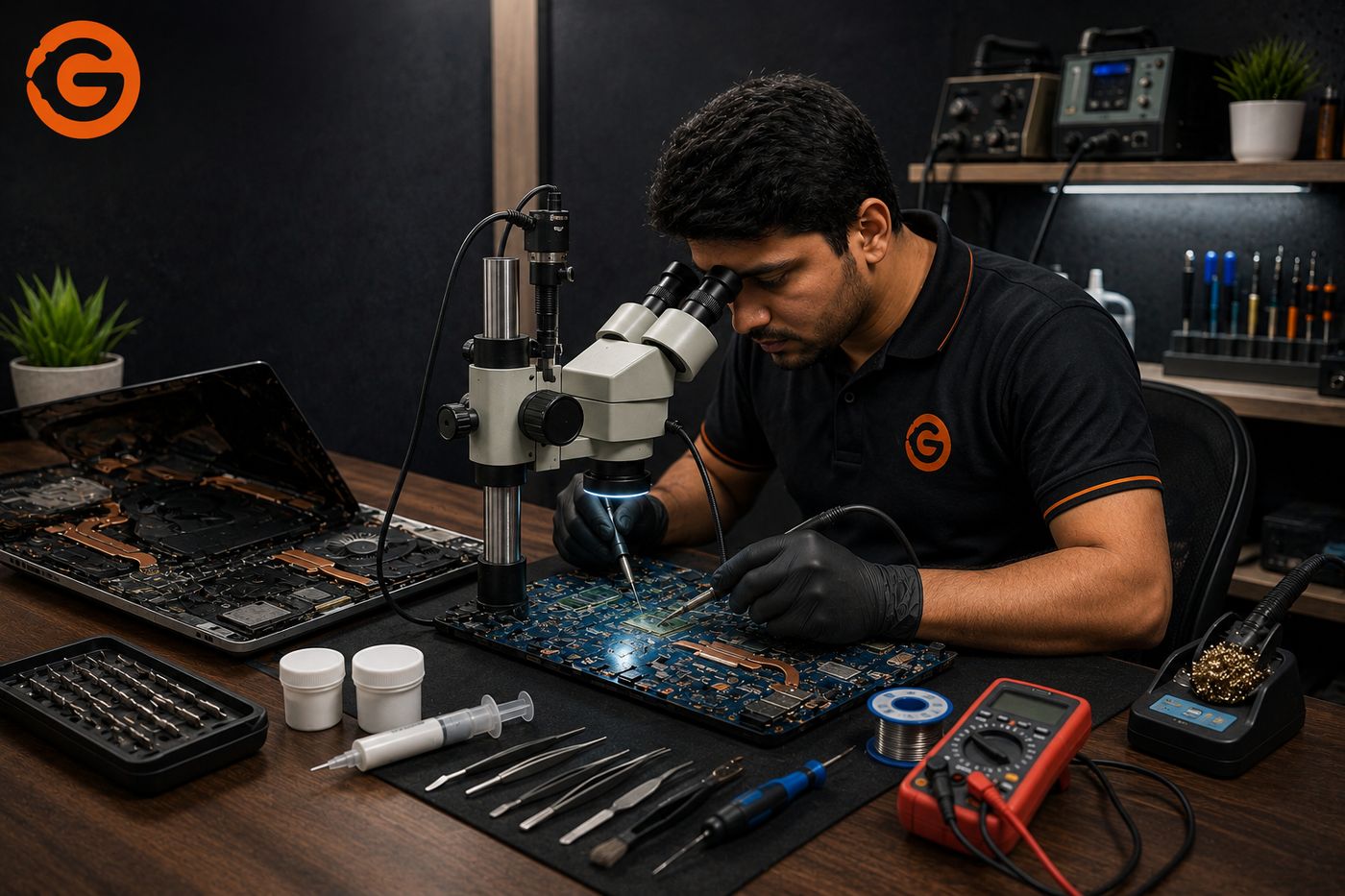
Why We Use Microscope Soldering for Motherboard Repairs
Modern laptop motherboards contain extremely small components.
A component-level repair may involve parts that are difficult or impossible to inspect accurately with the naked eye.
That's where microscope-assisted work becomes important.
A microscope allows a technician to inspect:
- Tiny solder joints
- Small ICs
- Component damage
- Corrosion
- Broken pads
- PCB traces
- Connectors
- Solder quality
It also allows greater precision during delicate soldering work.
For motherboard repair, precision matters.
A poor soldering job can create additional problems instead of solving the original one.
What Is Chip-Level Laptop Repair?
Chip-level repair, often called component-level repair, means diagnosing and repairing problems at the motherboard component or circuit level where technically feasible.
Instead of automatically replacing the entire motherboard, a technician may identify a failed component or circuit.
Depending on the fault, this could involve:
- Charging circuits
- Power circuits
- MOSFETs
- ICs
- Shorted components
- USB circuits
- Display power circuits
- Backlight circuits
Not every board-level problem can be repaired this way.
Some faults may require motherboard replacement.
But the important distinction is that a diagnosis should determine which option makes sense.
Why We Don't Use a "One Solution Fits All" Approach
A laptop isn't simply a laptop.
A Dell, HP, Lenovo, ASUS, Acer, MSI, or MacBook can have completely different motherboard designs and cooling systems.
Even two laptops from the same manufacturer can use different:
- Motherboards
- Power circuits
- Thermal materials
- Connectors
- ICs
- Cooling assemblies
That's why repair procedures should be based on the actual machine.
The exact model, board design, symptoms, and failure point all matter.
Why We Never Cut Corners to Make a Repair Cheaper
Cutting corners can make a repair appear cheaper today while creating a more expensive problem tomorrow.
Examples include:
- Skipping proper diagnosis
- Using unsuitable thermal materials
- Poor soldering
- Ignoring corrosion
- Replacing parts unnecessarily
- Failing to address the root cause
- Returning a device without proper testing
We would rather explain why a repair costs what it does than provide an artificially low quote that doesn't represent the work required.
A professional repair isn't necessarily the cheapest repair.
It should be the repair that makes technical and financial sense.
Cheap Repair vs Proper Repair: What's the Real Difference?
When comparing laptop repair shops, customers naturally compare prices.
That's understandable.
But two quotes can look very different because the actual work included may also be different.
One repair quote might include diagnosis, quality materials, component-level work, testing, and service support.
Another might simply include a quick replacement or temporary fix.
So instead of asking only:
"How much does it cost?"
also ask:
"What exactly are you repairing?"
and:
"Why does that component need to be replaced?"
Understanding the repair is often more valuable than simply choosing the lowest number.
How We Diagnose a Laptop Before Opening the Toolbox
The customer's description is often the first diagnostic clue.
If someone says:
"My laptop suddenly stopped charging."
We want to know:
- Did it happen suddenly?
- Was there a power fluctuation?
- Does the battery still work?
- Is the charger detected?
- Does the charging light turn on?
- Was the charging port loose?
- Was there any physical damage?
If someone says:
"My laptop is overheating."
We want to know:
- When does it overheat?
- During gaming or normal use?
- Is the fan running?
- Has it been cleaned recently?
- Does performance drop?
- Does it shut down?
- Was the laptop recently opened?
The more accurately the symptoms are understood, the more effectively the technician can diagnose the problem.
What Happens During a Motherboard-Level Repair?
Motherboard repair is not simply a matter of applying heat to a board.
A proper process can involve:
Diagnosis → inspection → fault isolation → component testing → microscope examination → repair/replacement → cleaning → testing
The technician may need to identify power rails, test components, inspect solder joints, locate shorts, and determine which part of the circuit is responsible for the failure.
This is why motherboard repair requires both equipment and technical knowledge.
Why Testing After Repair Is Just as Important as the Repair Itself
A laptop turning on doesn't necessarily mean the repair is complete.
Depending on the problem, the repaired laptop should be tested for relevant functions.
That can include:
- Power
- Charging
- Battery
- Display
- Keyboard
- Touchpad
- USB ports
- Wi-Fi
- Audio
- Temperature
- CPU/GPU performance
- Sleep and wake
- General stability
The exact tests depend on what was repaired.
The objective is to make sure the original problem has been addressed and that the laptop is functioning properly before it returns to the customer.
How We Handle Liquid-Damaged and Corroded Motherboards
Liquid damage is one of the situations where "it dried out, so it's fine" can be a dangerous assumption.
Liquid can reach motherboard components and connectors.
Even if the laptop appears to work after drying, corrosion can develop later.
A liquid-damaged laptop may require:
- Internal inspection
- Board cleaning
- Corrosion assessment
- Connector inspection
- Component testing
- Short-circuit diagnosis
- Microscope inspection
If liquid has entered your laptop, repeatedly powering it on to see whether it works can potentially make the situation worse.
Early professional inspection gives the technician a better opportunity to identify and address damage.
When We Tell Customers Not to Repair Their Laptop
This is perhaps one of the most important parts of our philosophy.
Not every laptop should be repaired.
Sometimes the financially responsible recommendation is replacement.
That can happen when:
- Several major components have failed.
- Parts are unavailable.
- The machine is severely outdated.
- Liquid damage is extensive.
- The repair cost is too close to replacement cost.
- The laptop no longer meets the customer's performance needs.
A repair center should not recommend a repair simply because the customer is willing to pay.
The repair needs to make sense.
Why Transparency Matters More Than a Low Repair Quote
A customer should know what they're paying for.
If a repair requires a motherboard component replacement, the customer should understand that.
If the laptop only needs a cooling service, there is no reason to recommend an expensive motherboard replacement.
And if a laptop isn't economically worth repairing, the customer deserves to know that too.
Our goal isn't simply to complete another repair.
It's to help the customer make an informed decision about their device.
Our Repair Philosophy: Fix the Problem, Not Just the Symptom
A temporary improvement isn't the same thing as a proper repair.
If a laptop is overheating, cleaning the visible exterior isn't necessarily enough.
If a laptop isn't charging, replacing a battery without testing the charging circuit may not solve the problem.
If a motherboard has a short, replacing unrelated components won't fix the underlying issue.
Our philosophy is:
Find the cause. Address the cause. Test the result.
That's what we mean when we say we don't cut corners.
The Tools Behind Professional Laptop Repair
Good technicians need appropriate equipment.
Depending on the repair, professional laptop servicing can involve:
- Microscope
- Precision soldering equipment
- Hot-air rework equipment
- Multimeter
- DC power supply
- Diagnostic equipment
- Thermal testing equipment
- ESD protection
- Professional cleaning equipment
But tools alone don't make someone a good technician.
A microscope is only useful when the technician knows what they're looking for.
A soldering station doesn't automatically produce a good repair.
Equipment and expertise have to work together.
Why Experience and Equipment Must Work Together
Professional repair is a combination of:
Knowledge + experience + diagnosis + tools + quality materials + patience.
A technician may have excellent equipment but misdiagnose the fault.
Another may have years of experience but lack the appropriate tools for modern board-level work.
The best repair environment combines both.
That's particularly important for modern laptops where components are smaller, boards are more complex, and repairs require increasing precision.
What "Never Cut Corners" Means at Guru Computer Solution
For us, it means:
Diagnose before replacing.
Use appropriate thermal materials.
Use microscope-assisted precision work when required.
Don't recommend unnecessary parts.
Don't hide repair limitations.
Test repaired devices properly.
Explain the available options.
Tell customers when replacement is the better decision.
These principles are more important to us than making every repair look cheap.
Why Customers Should Trust a Repair Center With Expensive Hardware
Trust shouldn't come from a slogan alone.
It should come from the process.
When choosing a laptop repair center, look for evidence of:
- Proper diagnosis
- Appropriate repair equipment
- Technical capability
- Quality materials
- Clear communication
- Testing
- Honest recommendations
Especially with expensive gaming laptops, MacBooks, and business machines, you want a technician who understands that replacing a motherboard isn't always the first or only solution.
Why Choose Guru Computer Solution for Laptop Repair in Kathmandu?
Guru Computer Solution works with laptops ranging from everyday office machines to high-performance gaming laptops and systems requiring motherboard-level diagnosis.
Services can include:
- Laptop internal cleaning
- Thermal servicing
- Fan cleaning
- Battery replacement
- Charging repair
- DC jack repair
- Display repair
- Keyboard repair
- Motherboard diagnosis
- Chip-level repair
- Liquid-damage diagnosis
- Gaming laptop repair
The objective remains the same:
Identify the actual problem and recommend the repair that makes the most technical and financial sense.
Our Promise: Repair It Properly or Tell You Honestly When It Isn't Worth Repairing
A good repair center shouldn't promise that every laptop can be saved.
Some laptops can be repaired.
Some need component replacement.
Some need motherboard replacement.
And sometimes, replacing the entire laptop is the financially sensible option.
What matters is that the customer receives an honest diagnosis and a clear explanation of the available choices.
That's the repair philosophy behind Guru Computer Solution.
We use appropriate materials. We use precision equipment when necessary. We don't treat every motherboard problem as a motherboard replacement. We don't believe in shortcuts that compromise reliability.
Because ultimately, laptop repair isn't just about fixing hardware.
It's about earning the customer's trust every time that laptop comes back through the door.





