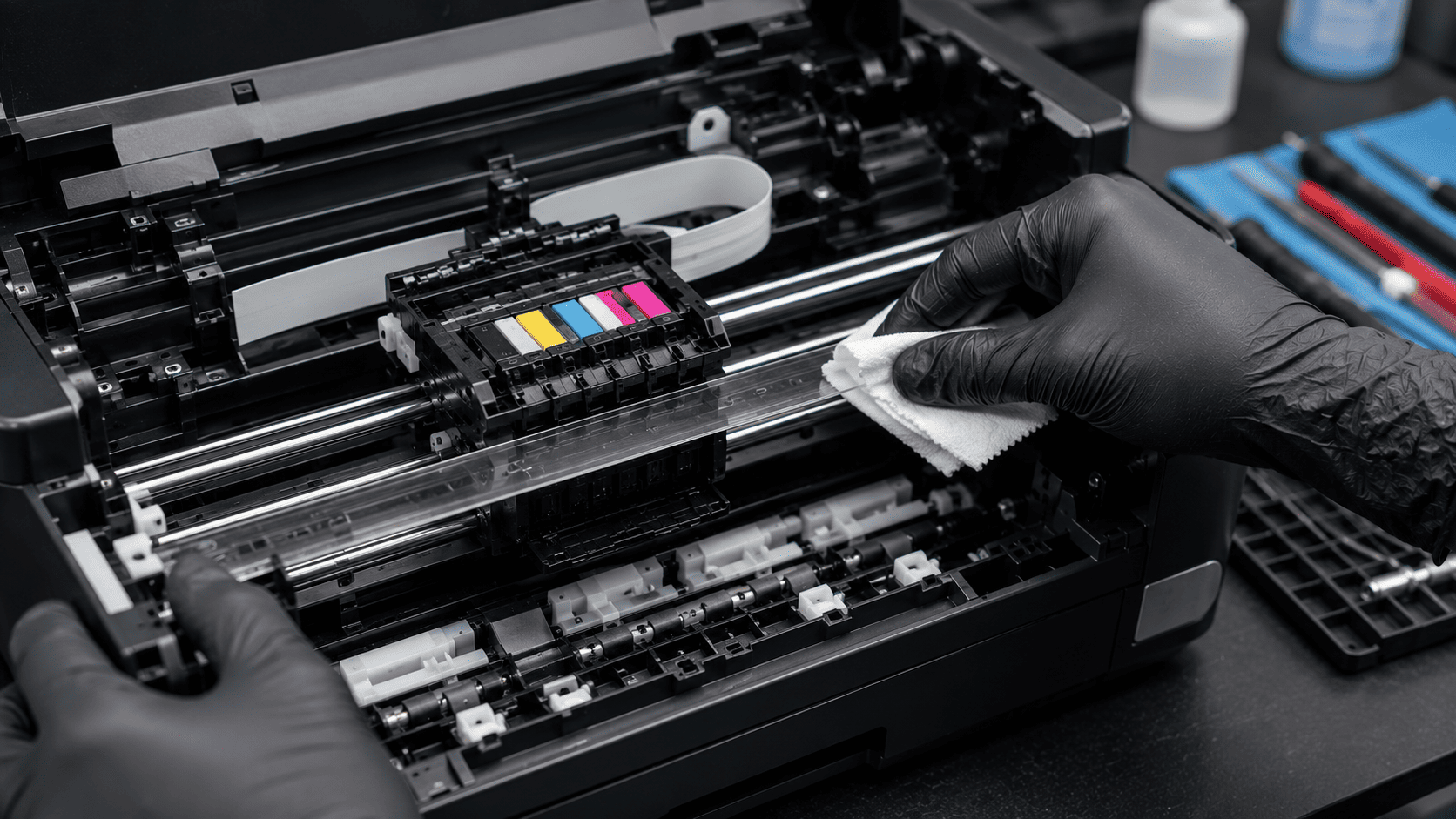
A printer's encoder strip is one of the most important yet overlooked components inside an inkjet printer. This thin, transparent strip helps the printer track the exact position of the printhead carriage as it moves across the page. When dust, ink mist, grease, or debris accumulates on the encoder strip, the printer can lose track of the carriage position, resulting in print quality issues, carriage errors, grinding noises, or even repeated carriage crashes. Understanding how the encoder strip works and how to clean it properly can help restore normal printer operation and prevent unnecessary repairs.
What problem is the customer facing?
Users may experience:
- Printhead carriage crashing into the side of the printer
- Loud grinding or clicking noises
- "Carriage Jam" error messages
- Misaligned printing
- Skewed text or graphics
- Incomplete print jobs
- Printer refusing to initialize properly
- Random print quality issues
Many of these symptoms are caused by a dirty or contaminated encoder strip rather than a failed printhead or motor.
Why Does It Happen?
1. Dust Accumulation
Dust particles can block the optical sensor from reading the encoder strip accurately.
2. Ink Overspray
Tiny ink droplets can build up on the strip over time.
3. Fingerprints and Oils
Touching the strip during maintenance can leave residue behind.
4. Paper Dust
Frequent printing generates fine paper particles that settle inside the printer.
5. Environmental Contamination
Smoke, grease, and airborne contaminants can coat the strip.
6. Improper Cleaning
Using harsh chemicals or excessive force can damage the strip.
How can customers identify the issue?
Common signs include:
- Carriage moving erratically
- Printhead slamming into the printer frame
- Repeated carriage jam errors
- Distorted or misaligned print output
- Horizontal shifts in printed text
- Printer initialization failures
- Clicking or grinding sounds during startup
Visual Signs
- Smudges on the transparent strip
- Ink spots along the strip
- Dust accumulation
- Fingerprint marks
- Visible contamination near the carriage sensor
Possible solutions.
Step 1: Turn Off and Unplug the Printer
Disconnect power before performing any maintenance.
Step 2: Locate the Encoder Strip
The strip is typically a thin, transparent plastic band running behind the printhead carriage.
Step 3: Prepare Cleaning Materials
Use:
- Lint-free cloth
- Microfiber cloth
- Distilled water (if necessary)
Avoid:
- Abrasive materials
- Excessive moisture
- Strong solvents
Step 4: Clean the Encoder Strip Carefully
Gently wipe the strip from one end to the other while supporting it to avoid damage.
Step 5: Allow It to Dry
Ensure the strip is completely dry before powering on the printer.
Step 6: Test Printing
Run alignment and print-quality tests after cleaning.
Additional Repairs If Needed
If cleaning does not resolve the issue:
- Inspect carriage sensors
- Check carriage belt condition
- Examine guide rails
- Test carriage motor operation
- Replace damaged encoder strips
Why Choose Guru Computer Solution?
1.Certified Technicians
Experienced in diagnosing and repairing printer carriage and print-quality issues.
2.Genuine Parts
Quality replacement components for reliable performance.
3.Fast Turnaround
Quick diagnostics and repair services to reduce downtime.
4.Warranty Support
Service backed by repair warranty for added confidence.
5.Affordable Pricing
Cost-effective printer maintenance and repair solutions.
Conclusion
A dirty encoder strip can cause a wide range of printer problems, from print misalignment and carriage errors to loud grinding noises and repeated carriage crashes. Because the encoder strip helps the printer track the precise position of the printhead, even small amounts of dust, ink, or debris can interfere with normal operation. Regular cleaning and proper maintenance can often resolve these issues before they lead to more serious printer damage.
If your printer is experiencing carriage jams, alignment problems, or unusual movement errors, Guru Computer Solution can provide professional diagnostics, encoder strip cleaning, component inspection, and repair services to restore smooth and reliable printer performance.






