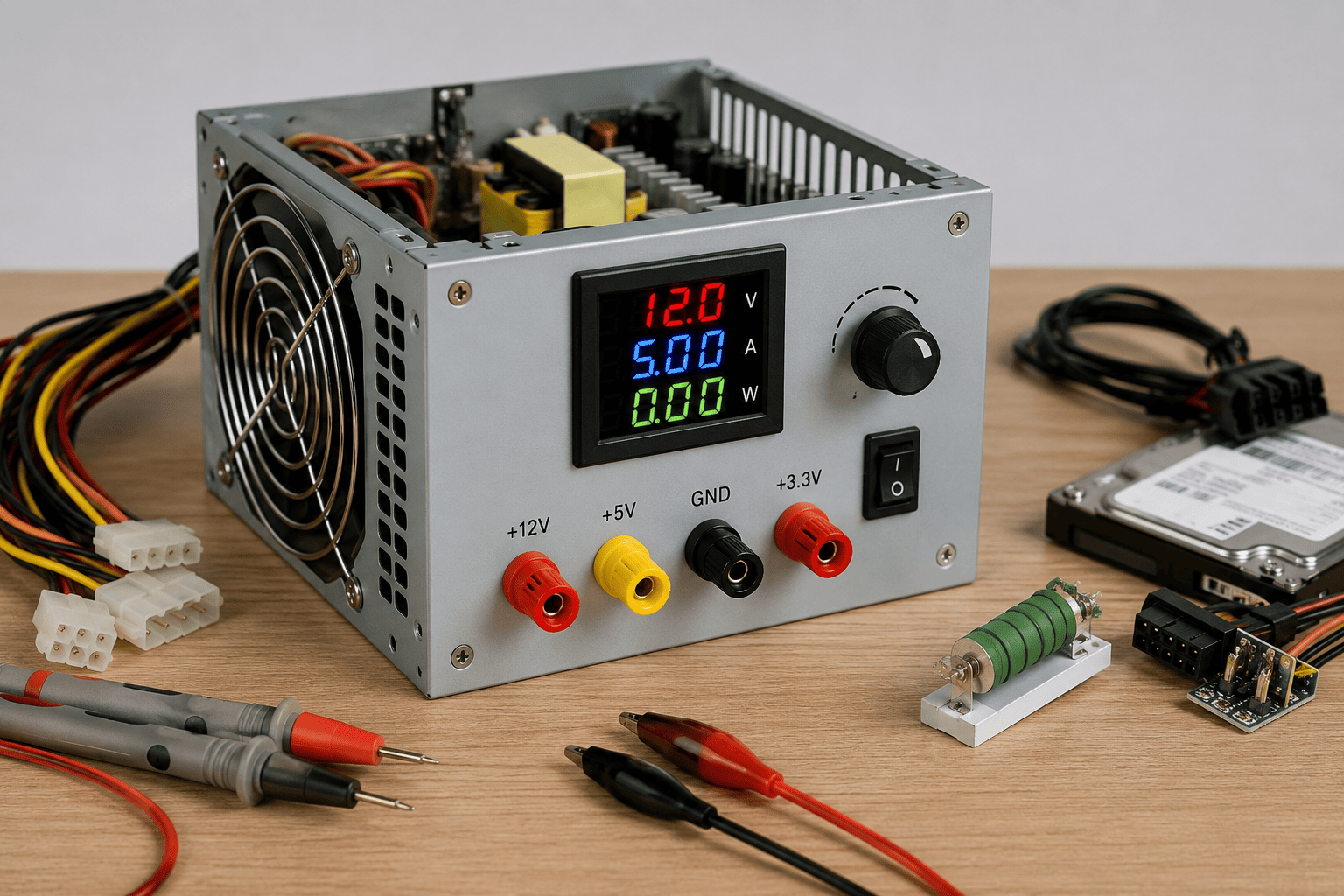
An old desktop ATX power supply can be useful for testing low-voltage computer components and basic electronics. Instead of throwing it away, you can repurpose its regulated outputs as a convenient bench power source.
However, an ATX PSU is connected to mains electricity, so it should never be opened or modified internally unless handled by a qualified professional. The safer approach is to use the PSU externally with a proper ATX breakout board, PSU tester, suitable connectors, and appropriate protection.
Problem
Technicians and electronics enthusiasts often need different low-voltage DC supplies for testing fans, LEDs, drives, motors, and other computer hardware.
Buying a dedicated bench power supply can be expensive, while an unused desktop PSU already provides several regulated DC outputs.
What Problem Is the Customer Facing?
Customers may have:
- An unused or old desktop PSU
- No dedicated bench power supply
- Need for basic 5V or 12V testing
- Multiple computer components to test
- A need for a simple workshop power source
- Difficulty diagnosing whether a PC component is receiving power
An old ATX PSU can be repurposed for basic fixed-voltage testing, but it does not provide all the control and protection features of a professional laboratory bench supply.
Root Causes of the Problem
A spare desktop PSU is often replaced because of:
- PC upgrades
- Higher wattage requirements
- Old computer systems being retired
- PSU replacement
- System modernization
- Unused working components
Rather than discarding a functional PSU, technicians can repurpose it as a low-voltage workshop supply.
How Can Customers Identify the Issue?
Before repurposing an old PSU, check for:
- PSU does not start
- Fan does not operate normally
- Burning smell
- Damaged cables
- Melted connectors
- Corrosion
- Visible physical damage
- Unstable output
- PSU previously caused PC shutdowns
- Unknown PSU history
Do not repurpose a PSU that shows signs of electrical damage or unstable operation.
Possible Solutions
1. Test the PSU Before Repurposing It
The PSU should first be checked using a suitable ATX PSU tester or professional diagnostic equipment.
Confirm that the unit is functioning normally before connecting it to other equipment.
2. Never Open the PSU Housing
This is one of the most important safety precautions.
ATX power supplies contain components that can retain dangerous electrical energy even after the PSU has been unplugged.
Do not remove the PSU cover or modify its internal circuitry for this project.
3. Use an ATX Breakout Board
A purpose-built ATX breakout board provides safer access to the PSU's low-voltage outputs.
It can expose commonly used rails such as:
- +12V
- +5V
- +3.3V
- Ground
This is much safer and cleaner than cutting and manually modifying the PSU wiring.
4. Add Suitable Connectors
A bench setup can use properly rated connectors or terminals to make it easier to connect test equipment.
Use connectors appropriate for the expected current and insulate exposed electrical contacts.
5. Label Every Output
Clearly identify each output:
3.3V | 5V | 12V | GND
Clear labeling helps prevent accidental connection of a component to the wrong voltage.
6. Use a Proper PSU Tester or Breakout With Power Control
Some ATX breakout boards provide a controlled method of starting the PSU and monitoring its outputs.
Using a purpose-built device is preferable to making electrical modifications to the PSU itself.
7. Add Appropriate Protection
For a workshop setup, consider professionally designed protection such as:
- Appropriate fusing
- Overcurrent protection
- Insulated terminals
- Enclosed connectors
- Proper strain relief
- Clearly labeled outputs
Protection should be selected according to the PSU and intended load.
8. Use a Load Appropriate for the PSU
An old ATX PSU should not automatically be treated like a laboratory power supply.
Different rails have different current capabilities, and the PSU's label should be checked before connecting a load.
9. Use It for Suitable Low-Voltage Testing
A repurposed ATX PSU can be useful for testing things such as:
- PC fans
- LED lighting
- Certain DC motors
- SATA-powered accessories
- Computer cooling components
- Low-voltage electronics within the PSU's specifications
Always verify the required voltage and current before connecting a device.
10. Don't Use It as a Precision Bench Supply
An ATX PSU generally provides fixed regulated outputs, not the adjustable voltage and current limiting found on a laboratory bench supply.
For sensitive electronics, a dedicated bench power supply is a much better choice.
Safe Conversion Process
A safer workshop approach is:
Inspect PSU → Test PSU → Do not open PSU → Use ATX breakout board → Label outputs → Add proper connectors/protection → Check voltage requirements → Test low-voltage equipment
The important point is that repurposing should involve the PSU's accessible low-voltage outputs, not modification of the high-voltage section inside the PSU.
Why Choose Guru Computer Solution?
1. Certified Technicians
Our technicians can test and diagnose desktop power supplies before recommending reuse or replacement.
2. Genuine Parts
We use reliable connectors, adapters, and compatible components for computer repair and testing.
3. Fast Turnaround
PSU diagnostics and basic computer power testing can often be completed quickly.
4. Warranty Support
Eligible repair and replacement services come with warranty support.
5. Affordable Pricing
We help determine whether an old PSU is safe and suitable for continued use before you spend money on unnecessary replacements.






