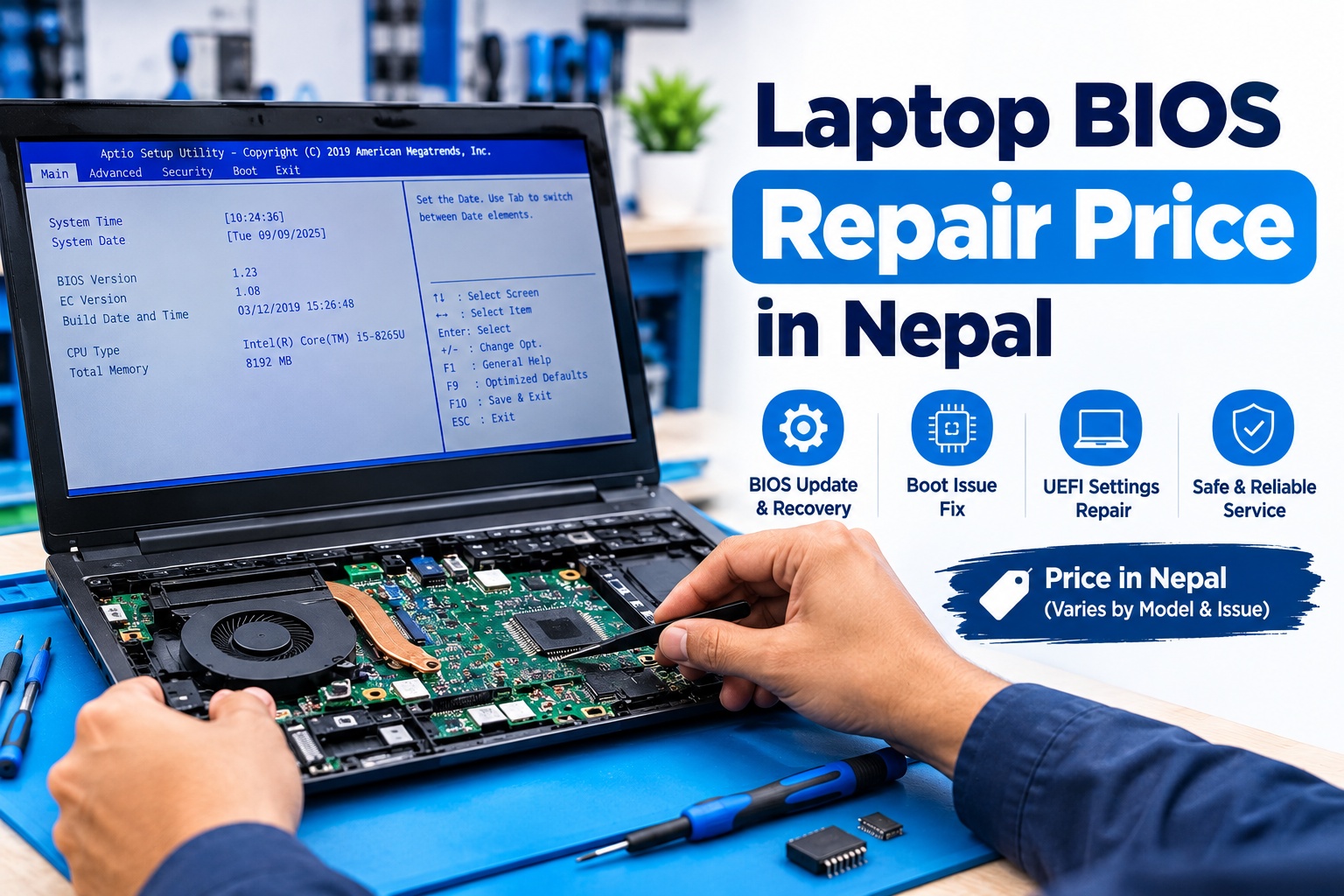
BIOS is one of the most important pieces of firmware inside a laptop. It helps initialize the hardware when the laptop starts and allows the system to communicate with components such as the processor, RAM, storage drive, keyboard, display, and other devices.
When the BIOS becomes corrupted, an update fails, or the BIOS chip develops a problem, a laptop may stop booting properly. In some cases, the laptop may show a black screen, restart repeatedly, or appear completely dead even though other hardware components are working.
The cost of fixing these problems depends on the type of BIOS issue, laptop model, BIOS chip, programming method, and whether the problem requires chip-level motherboard work. This guide explains Laptop BIOS Repair Price in Nepal, BIOS programming, chip replacement, BIOS recovery, BIOS updates, and related services.
What Is BIOS and Why Is It Important?
BIOS stands for Basic Input/Output System. On many modern laptops, the firmware responsible for this function is implemented through UEFI firmware, although people commonly continue to call the entire firmware system "BIOS."
When you press the power button, the firmware performs an initial hardware check and prepares the laptop to load the operating system. It also provides configuration options for hardware and boot settings.
A BIOS or firmware problem can therefore prevent the laptop from reaching Windows or another operating system even when the SSD, RAM, and other components appear to be functional.
Laptop BIOS Repair Price in Nepal
The Laptop BIOS Repair Price in Nepal does not have one fixed rate because BIOS problems can range from a simple firmware update to chip-level programming or replacement.
A straightforward BIOS update or recovery may cost less than a repair requiring a BIOS programmer and motherboard-level work. If the BIOS chip itself needs to be programmed externally or replaced, the total cost can increase depending on the laptop model and chip.
The final repair cost may depend on:
- Laptop brand and exact model
- BIOS/UEFI version
- Type of firmware corruption
- BIOS chip type
- Whether the chip can be reprogrammed
- BIOS chip replacement requirements
- Availability of the correct firmware
- Motherboard condition
- Required programming equipment
- Additional hardware faults
Because of these variables, a technician should normally diagnose the laptop before providing a final repair price.
Laptop BIOS Programming in Nepal
Laptop BIOS programming is used when normal BIOS recovery or software-based flashing is not enough to restore the firmware.
A technician may remove or access the BIOS chip and use specialized programming equipment to write the correct firmware directly to the chip. This approach can be useful when the laptop cannot boot far enough to perform a normal BIOS recovery.
BIOS programming requires the correct firmware file and proper identification of the BIOS chip. Programming the wrong file can create additional problems, so the laptop's exact model and motherboard information should be verified before the process.
For chip-level BIOS programming, professional equipment and technical knowledge are important because the BIOS chip is located on the laptop motherboard.
Laptop BIOS Chip Replacement
In some cases, BIOS corruption can be corrected by reprogramming the existing chip. However, if the chip is physically damaged or cannot reliably retain firmware, laptop BIOS chip replacement may be required.
The process generally involves identifying the correct chip, removing it from the motherboard when necessary, installing a compatible replacement, and programming it with the appropriate firmware.
The replacement cost varies according to the laptop model, motherboard design, chip type, and availability of compatible components.
A BIOS chip replacement should therefore be treated as a motherboard-level repair rather than a standard software service.
Laptop BIOS Corruption Repair
BIOS corruption can happen after an interrupted firmware update, incorrect firmware installation, power interruption during flashing, or other firmware-related problems.
A corrupted BIOS may cause symptoms such as:
- Laptop powers on but shows no display
- Laptop does not complete the startup process
- Repeated restarting
- BIOS recovery screen
- Boot failure after a BIOS update
- Keyboard or hardware initialization problems
- No response after a failed firmware flash
Depending on the situation, the repair may involve BIOS recovery, firmware reprogramming, BIOS chip programming, or chip replacement.
Before replacing major hardware, it is important to determine whether the problem is actually related to BIOS firmware.
Laptop BIOS Update Service in Kathmandu
A BIOS update can improve compatibility with certain hardware, address firmware bugs, or provide manufacturer-specific improvements. However, BIOS updates should not be performed unnecessarily.
If a laptop is working normally, users should generally follow the manufacturer's documentation and update instructions rather than flashing random firmware files.
Problems can occur when:
- The wrong BIOS version is selected
- The update is interrupted
- Power is lost during the process
- An incompatible firmware file is used
- The update process fails
If a laptop develops a boot problem after a BIOS update, professional diagnosis can help determine whether firmware recovery or another hardware repair is required.
For customers looking for a laptop BIOS update service in Kathmandu, a technician can first verify the laptop model and current firmware condition before proceeding.
Laptop BIOS Recovery
BIOS recovery is designed to restore firmware when the normal BIOS environment cannot start correctly.
Depending on the laptop manufacturer and model, recovery may be possible using a dedicated recovery procedure, USB firmware recovery, or another manufacturer-supported method.
When those methods do not work, external BIOS programming may be required.
A technician should first determine whether the laptop supports a manufacturer recovery method before moving to chip-level programming.
Laptop BIOS Password Removal
A BIOS or UEFI password can prevent unauthorized access to firmware settings or restrict boot configuration.
The method for dealing with a forgotten BIOS password varies considerably between manufacturers and models. Some laptops provide manufacturer-supported recovery procedures, while business-class systems may have additional security mechanisms.
BIOS password handling should therefore be approached differently from simply resetting a Windows password.
For supported models, a professional technician can identify the laptop's security mechanism and determine what legitimate recovery or service options are available.
Common Signs of a BIOS Problem
A BIOS problem can sometimes look similar to a hardware failure. Some common symptoms include:
Laptop Turns On but Shows a Black Screen
If the laptop powers on but does not display the manufacturer's logo or BIOS screen, firmware corruption can be one possible cause. However, display, RAM, motherboard, and other hardware faults can produce similar symptoms.
Laptop Does Not Boot After BIOS Update
A failed or interrupted firmware update can prevent the laptop from completing startup. BIOS recovery or external programming may be required depending on the model.
Laptop Repeatedly Restarts
Repeated restarting during the early startup stage can be related to firmware, motherboard, memory, storage, or power problems.
BIOS Recovery Screen Appears
Some laptops automatically enter a BIOS recovery environment after detecting firmware problems.
Laptop Does Not Detect Hardware Correctly
Firmware problems can sometimes affect the initialization or recognition of hardware components.
BIOS Problem vs Hardware Problem
Not every laptop that fails to boot has a BIOS problem.
For example, a laptop with a damaged RAM module, motherboard power circuit, display problem, faulty SSD, battery issue, or charging fault can show symptoms that look like a BIOS failure.
This is why diagnosis is important before attempting BIOS programming.
If your laptop is completely dead, for example, the problem may involve the power circuit or motherboard rather than BIOS firmware. Similarly, if the laptop powers on but has no display, the cause could involve the display system, RAM, motherboard, or firmware.
Understanding the difference can prevent unnecessary BIOS flashing or component replacement.
What Causes BIOS Problems?
Several situations can lead to BIOS or firmware-related problems:
- Interrupted BIOS updates
- Incorrect firmware files
- Power interruption during firmware flashing
- Failed firmware updates
- BIOS chip failure
- Motherboard damage
- Firmware corruption
- Incorrect BIOS configuration
- Hardware changes that create compatibility problems
- Improper BIOS programming
Some failures are software-related, while others require motherboard-level repair.
Can a Laptop With a Corrupted BIOS Be Repaired?
In many cases, a laptop with corrupted BIOS firmware can be repaired.
The appropriate method depends on the laptop model and the extent of the problem. A technician may use manufacturer-supported recovery tools, restore the firmware through an external programmer, reprogram the existing BIOS chip, or replace the chip when necessary.
However, BIOS corruption is not always the only possible cause of a laptop's startup failure. A proper diagnosis is important before deciding on a repair method.
What to Do Before Getting BIOS Repair
If you suspect a BIOS problem, avoid repeatedly trying random firmware files or flashing tools.
Instead:
- Note the exact laptop brand and model.
- Record what happened immediately before the problem appeared.
- If the issue started during a BIOS update, note the update version if available.
- Avoid interrupting manufacturer-supported recovery procedures.
- Do not install firmware intended for another laptop model.
- Avoid unnecessary motherboard modifications.
- Take the laptop to a qualified technician if recovery does not work.
If the laptop is still under warranty, checking the manufacturer's warranty or authorized service options may also be appropriate.
Laptop BIOS Repair Service in Kathmandu
Guru Computer Solution provides professional laptop repair and motherboard-level technical services in Kathmandu.
Our technicians can diagnose BIOS-related problems involving firmware corruption, failed updates, boot problems, BIOS programming, and BIOS chip-related faults. Depending on the laptop and motherboard condition, the repair may involve firmware recovery, BIOS programming, or chip-level repair.
Guru Computer Solution operates as a Laptop, Printer, CCTV, Mobile, and Computer Repair Center in Kathmandu, with service locations including New Road and New Baneshwor.
Our repair approach focuses on proper diagnosis before replacing components. For motherboard-level BIOS problems, specialized tools and appropriate firmware are used according to the laptop model and motherboard configuration.
For customers outside Kathmandu Valley, laptop courier arrangements may also be available. You can contact Guru Computer Solution to discuss your laptop's symptoms and repair requirements.
How to Choose a Laptop BIOS Repair Service in Nepal
When choosing a BIOS repair technician, consider whether the service provider has experience with motherboard-level laptop repair rather than only basic software installation.
You can ask whether the technician:
- Diagnoses the laptop before BIOS programming
- Identifies the exact motherboard and BIOS chip
- Uses appropriate BIOS programming equipment
- Verifies firmware compatibility
- Explains the repair method before proceeding
- Checks for underlying motherboard problems
- Tests the laptop after the repair
A proper diagnosis is particularly important because BIOS symptoms can overlap with other hardware failures.
Frequently Asked Questions
How much does laptop BIOS repair cost in Nepal?
The price depends on the type of BIOS problem, laptop model, firmware condition, and repair method. Simple recovery or update services may cost less, while external BIOS programming or chip replacement can require additional labor and equipment.
Can a corrupted BIOS be repaired?
Yes, many corrupted BIOS problems can be repaired through manufacturer-supported recovery, firmware programming, or BIOS chip replacement depending on the laptop.
What is BIOS programming?
BIOS programming is the process of writing the correct firmware directly to a BIOS chip, often using an external programmer when normal firmware recovery is not possible.
Does every BIOS problem require chip replacement?
No. A BIOS chip may often be reprogrammed without replacing it. Replacement is generally considered when the chip itself is damaged or cannot be programmed reliably.
Can a BIOS update damage a laptop?
A BIOS update performed incorrectly or interrupted during the flashing process can cause firmware problems. Using the correct firmware and following the manufacturer's update procedure is important.
Can you repair a laptop that does not boot after a BIOS update?
Depending on the laptop model and cause, BIOS recovery or external programming may be possible. The laptop should be diagnosed to determine whether the issue is actually firmware-related.
Can a forgotten BIOS password be removed?
The available recovery options depend on the laptop manufacturer, model, and security system. Some systems have manufacturer-supported recovery procedures, while others use stronger security mechanisms.
Is BIOS repair the same as motherboard repair?
Not necessarily. BIOS repair can involve firmware recovery or programming, while motherboard repair involves physical electronic components and circuits. However, BIOS chip work can require motherboard-level technical skills.
How long does BIOS repair take?
Repair time depends on the laptop model, firmware condition, availability of the correct BIOS file or chip, and whether additional motherboard problems are discovered during diagnosis.
Where can I get laptop BIOS repair in Kathmandu?
Professional laptop BIOS diagnosis and repair services are available from laptop repair centers in Kathmandu. Guru Computer Solution provides laptop and motherboard-level repair services through its New Road and New Baneshwor locations.
Conclusion
BIOS problems can prevent a laptop from booting even when major components such as the processor, RAM, or SSD are otherwise functional. From failed firmware updates and corrupted BIOS files to BIOS chip problems, the required repair depends on the underlying cause.
The Laptop BIOS Repair Price in Nepal therefore varies according to the laptop model, firmware issue, programming requirements, chip condition, and overall motherboard condition. A proper diagnosis should be performed before BIOS programming, recovery, or chip replacement.
If your laptop is not booting after a BIOS update, showing a black screen, experiencing firmware corruption, or requires BIOS programming, professional diagnosis can help identify the correct repair method.





