A laptop screen is one of the most important parts of your device, allowing you to work, study, browse the internet, and enjoy entertainment. While it is normal for the screen to turn off when your laptop enters sleep mode, it should not randomly go black during normal use. If your laptop screen suddenly turns black, flickers, or loses display without warning, it could be caused by outdated graphics drivers, overheating, loose display cables, faulty RAM, power setting issues, or failing hardware components. Ignoring these warning signs may lead to more serious problems over time.
Understanding the possible causes can help you troubleshoot the issue, prevent further damage, and know when it's time to seek professional laptop repair.
What Problem Is the Customer Facing?
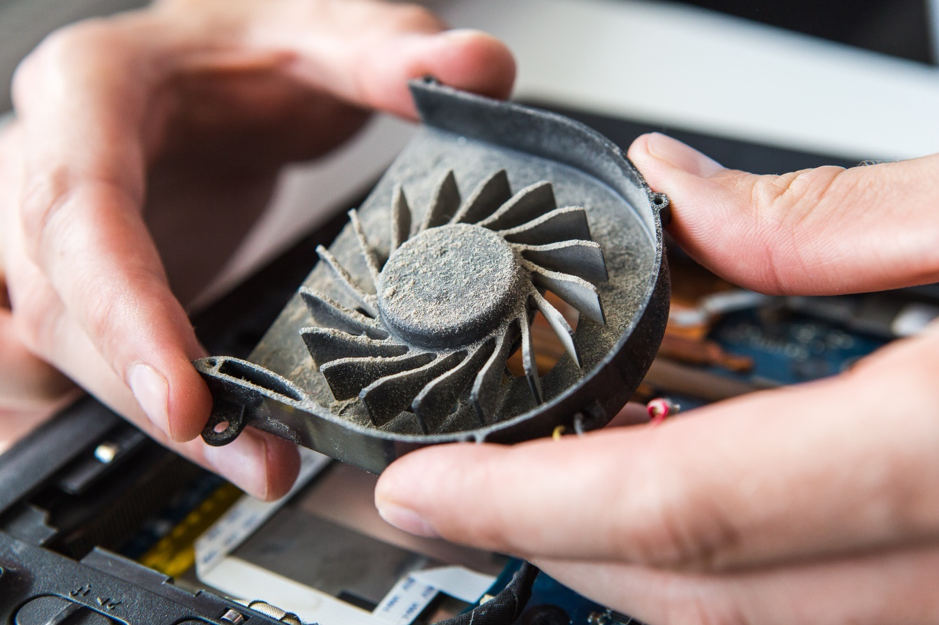
Many laptop users notice that their laptop fan becomes louder than usual, even during normal tasks.
Common problems include:
- The fan makes a loud, continuous noise.
- The laptop becomes hot quickly.
- The fan runs at full speed all the time.
- The laptop slows down during use.
- The device shuts down unexpectedly.
- The fan noise increases while browsing or watching videos.
These problems can affect your work, studies, gaming, and overall user experience.
Why Does It Happen?
Root Causes of the Problem
There are several reasons why your laptop fan may become noisy.
1. Dust Inside the Laptop
Dust can block the cooling fan and air vents, making the fan work harder to cool the laptop.
2. Overheating
When the laptop gets too hot, the fan automatically spins faster to reduce the temperature.
3. Too Many Background Programs
Running many applications at the same time increases the workload on the processor, causing more heat.
4. Old or Dried Thermal Paste
Thermal paste helps transfer heat from the processor to the cooling system. Over time, it can dry out and become less effective.
5. Faulty or Worn-Out Fan
After years of use, the cooling fan may become damaged or worn, creating unusual noise.
6. Malware or Viruses
Viruses can cause the processor to work harder, increasing heat and making the fan run continuously.
Symptoms
How Can Customers Identify the Issue?
Your laptop may need professional attention if you notice:
- The fan is much louder than before.
- The laptop becomes very hot.
- The fan keeps running even when you are doing simple tasks.
- The laptop slows down or freezes.
- The bottom of the laptop feels unusually hot.
- The laptop shuts down because of overheating.
If these signs continue, it is important to have your laptop checked.
Solutions
Possible Solutions
You can reduce fan noise and improve cooling by following these steps:
- Clean the laptop's air vents regularly.
- Close unnecessary applications running in the background.
- Keep Windows and drivers updated.
- Scan your laptop for viruses and malware.
- Use your laptop on a hard, flat surface to improve airflow.
- Replace old thermal paste if needed.
- Replace the cooling fan if it is damaged.
- Schedule regular laptop maintenance.
These simple steps can improve cooling and reduce fan noise.
Why Choose Guru Computer Solution?
AtGuru Computer Solution, we provide professional laptop repair and maintenance services to keep your device running quietly and efficiently.
Our services include:
- Laptop fan cleaning
- Internal dust removal
- Thermal paste replacement
- Cooling fan replacement
- Virus and malware removal
- Performance optimization
- Complete laptop diagnostics
- Hardware repair and maintenance
Our experienced technicians identify the exact cause of the problem and provide reliable, affordable solutions to restore your laptop's performance.
Conclusion
A loud laptop fan is often a warning sign that your laptop needs attention. Ignoring the problem can lead to overheating, slower performance, and expensive repairs.
Regular maintenance and early diagnosis can help keep your laptop cool, quiet, and running smoothly.
Visit Us: New Baneshwor, Kathmandu, Nepal
Call Us: +977-9841976380
Email: info@gurucomputer.com.np
Website: https://gurucomputer.com.np





