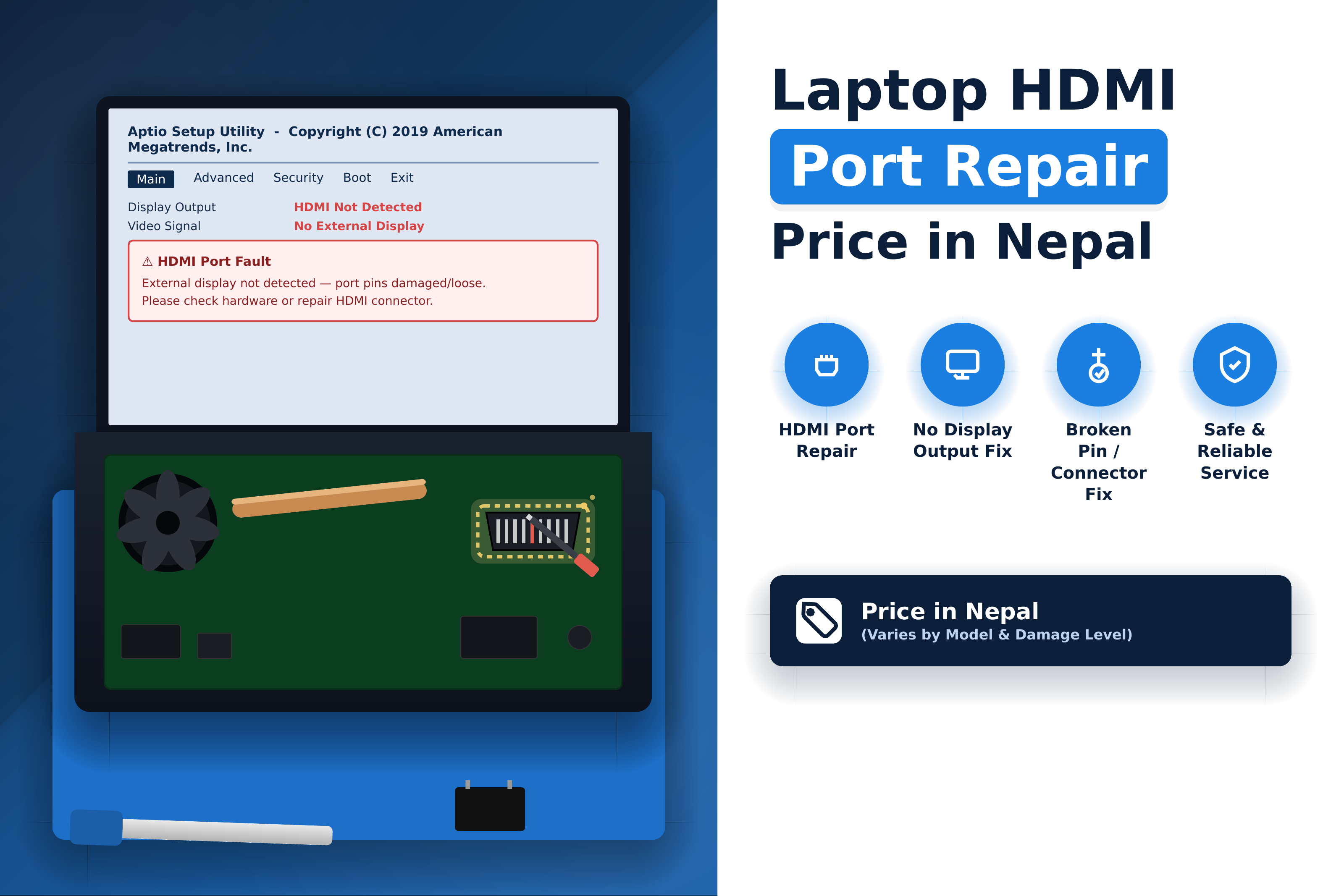
If your laptop HDMI port is not working, has become loose, or no longer sends a signal to your TV, monitor, projector, or external display, the problem may be with the HDMI port, motherboard circuit, cable, display settings, or graphics driver.
The laptop HDMI port repair price in Nepal depends on the type of damage and the laptop model. A simple port-related issue may require basic repair, while a physically broken connector or motherboard-level HDMI fault can require component-level repair or HDMI port replacement.
In this guide, we explain laptop HDMI repair and replacement in Nepal, common HDMI problems, DisplayPort issues, external monitor connection problems, and what can affect the final repair cost.
What Is a Laptop HDMI Port?
HDMI, or High-Definition Multimedia Interface, is a digital connection used to send video and audio from a laptop to an external device such as a monitor, television, projector, or other compatible display.
Many laptops use HDMI as a convenient way to connect to an external screen. Depending on the laptop model, the port may support different resolutions and refresh rates.
When the HDMI port or its supporting circuitry develops a problem, the laptop may fail to detect an external display, show a "No Signal" message, produce video without audio, or work only when the cable is held in a particular position.
Laptop HDMI Port Repair Price in Nepal
There is no single fixed laptop HDMI port repair price in Nepal because HDMI problems can originate from different parts of the system.
A technician normally needs to inspect the HDMI connector, motherboard connection, display-output circuitry, software configuration, cable, and external display before determining the required repair.
For example, a loose connection or minor port problem may be simpler to resolve than a physically broken connector that needs replacement. If the HDMI circuit on the motherboard is damaged, the repair can become more technically involved.
Current Kathmandu repair listings also show that port-repair services may charge an inspection or diagnostic amount before confirming the final repair cost. One Kathmandu Valley provider currently lists computer port repair/replacement from NPR 1,100 as an inspection rate, with the final amount determined after inspection.
Therefore, the most reliable way to know your laptop HDMI repair cost is to have the exact laptop model and HDMI fault diagnosed before approving the repair.
Laptop HDMI Replacement in Nepal
A laptop HDMI port may need replacement when the connector itself is physically damaged.
Common examples include:
- Broken HDMI connector
- Bent or damaged internal pins
- Loose HDMI port
- Port pulled away from the motherboard
- Damaged solder joints
- HDMI port damaged after inserting or removing a cable forcefully
- Port that intermittently loses connection
During HDMI replacement, the technician may need to disassemble the laptop, remove the damaged connector, inspect the surrounding motherboard area, install a compatible replacement port, and test the connection.
The replacement process is different from simply changing an HDMI cable. Because the HDMI connector is mounted to the laptop's motherboard, proper soldering and motherboard inspection are important.
Laptop HDMI Not Working – Common Causes
A laptop HDMI port not working does not always mean the port itself is damaged.
The problem can also be caused by:
Damaged HDMI Port
Physical damage is one of the most common reasons an HDMI connection stops working. A loose connector, broken pin, or damaged solder joint can prevent a stable signal.
Faulty HDMI Cable
Before repairing the laptop, the HDMI cable should be tested with another device. A damaged cable can produce symptoms that look like a laptop HDMI problem.
Incorrect Display Settings
Windows may not automatically switch to the external display. Depending on the setup, the display mode may need to be changed using Windows display settings.
Graphics Driver Problem
A corrupted, outdated, or incompatible graphics driver can prevent an external monitor from being detected correctly.
Motherboard HDMI Circuit Fault
In some laptops, the HDMI connector may be physically intact while the circuitry responsible for processing the display signal has a fault. This requires more advanced diagnosis.
External Monitor or TV Problem
The problem can also be on the receiving side. A faulty monitor input, incorrect input source, or damaged TV/monitor port can prevent the HDMI connection from working.
Laptop Display Port Repair
Not every laptop uses a standard HDMI connector. Some laptops use DisplayPort, Mini DisplayPort, USB-C with DisplayPort functionality, or other display-output technologies.
If your laptop cannot connect to an external monitor through one of these interfaces, the problem may involve the physical connector, motherboard circuitry, drivers, adapter, or display configuration.
Laptop display port repair therefore starts with diagnosis rather than immediately replacing the connector.
For USB-C display output, additional testing may also be necessary because USB-C can support multiple functions, including charging, data transfer, and video output depending on the laptop's hardware and port implementation.
Laptop External Monitor Port Repair
External monitor problems can be frustrating when the laptop works normally on its built-in screen but refuses to display anything on a second monitor.
Common symptoms include:
- External monitor shows "No Signal"
- Laptop does not detect the monitor
- HDMI display works intermittently
- External screen flickers
- Monitor connects but displays a black screen
- Video works but HDMI audio does not
- Display disconnects when the HDMI cable moves
- Laptop works with one monitor but not another
A proper diagnosis should determine whether the problem is caused by the laptop's port, cable, monitor, adapter, graphics driver, or motherboard.
HDMI Port Damage vs Software Problem
Before replacing an HDMI port, it is important to determine whether the problem is hardware-related.
If the HDMI connection works after updating or reinstalling the graphics driver, changing Windows display settings, or replacing the cable, the physical HDMI port may not need repair.
However, symptoms such as a physically loose port, visible connector damage, intermittent connection when the cable moves, or complete failure with multiple known-good cables and displays can indicate a hardware problem.
This distinction can prevent unnecessary port replacement.
Signs Your Laptop HDMI Port Needs Repair
Your laptop may require HDMI port repair when you notice one or more of the following symptoms:
No Signal on External Display
The monitor or TV remains on but reports that no HDMI signal is being received.
Loose HDMI Port
The HDMI connector feels unusually loose when the cable is inserted.
HDMI Works Only in Certain Positions
If moving the HDMI cable causes the display to connect or disconnect, the port or its solder connections may be damaged.
External Monitor Is Not Detected
The laptop may fail to recognize a known-working monitor even after trying another HDMI cable.
HDMI Display Flickers
A damaged connector or unstable connection can cause intermittent display output.
HDMI Audio Does Not Work
Video may appear correctly while audio continues to come from the laptop. This can also be caused by Windows or driver settings, so diagnosis is important.
Visible Physical Damage
A bent connector, damaged housing, or broken internal section of the HDMI port is a strong indication that hardware inspection is required.
Can a Laptop HDMI Port Be Repaired?
Yes, in many cases a laptop HDMI port can be repaired or replaced.
The appropriate solution depends on the condition of the connector and the surrounding motherboard.
If the port has a loose connection or damaged solder joints, a technician may be able to repair the existing connection. If the connector itself is broken, replacement may be necessary.
If the HDMI output circuitry on the motherboard is damaged, component-level motherboard repair may be required instead of simply replacing the port.
This is why replacing the connector without diagnosing the underlying problem is not always the correct solution.
How Is a Laptop HDMI Port Replaced?
Professional HDMI port replacement generally involves several steps:
1. Initial Diagnosis
The technician checks the laptop with a known-working HDMI cable and compatible external display.
2. Port Inspection
The HDMI connector is examined for physical damage, loose connections, bent pins, and broken solder joints.
3. Motherboard Inspection
The area around the HDMI connector and relevant display circuitry is checked for damage.
4. Port Repair or Replacement
If the connector is damaged, it may be removed and replaced with a compatible component. If the existing connector is repairable, the technician may repair the relevant connection instead.
5. Display Testing
After the repair, the laptop is tested with an external monitor, TV, or projector to verify stable video output.
6. Final System Check
The technician confirms that the HDMI connection remains stable and that the laptop properly handles the external display.
Laptop HDMI Repair Kathmandu
If you are searching for laptop HDMI repair in Kathmandu, choose a repair center that can diagnose both connector-level and motherboard-level problems.
A good repair process should not begin with immediate port replacement. The technician should first determine whether the problem is actually caused by the HDMI connector.
Guru Computer Solution provides laptop repair services in Kathmandu and handles hardware-level laptop problems, including motherboard and component-related repairs. The company operates repair services across Kathmandu Valley and provides laptop repair support for different brands.
For HDMI-related problems, diagnosis can include checking the physical HDMI port, connection, display output, related circuitry, and other possible causes of external-display failure.
Laptop HDMI Port Repair vs Replacement
Repair and replacement are not always the same thing.
If the HDMI connector is intact but has a loose solder connection, repair may be possible. If the connector itself is physically broken, replacement may be more appropriate.
In cases where the HDMI port is working but the laptop still cannot produce an external display, replacing the connector may not solve the problem. The graphics system, motherboard circuitry, driver, cable, or external display may need to be investigated.
The correct approach is therefore to diagnose the fault first and then select the appropriate repair.
What Affects Laptop HDMI Repair Cost in Nepal?
Several factors can affect the final laptop HDMI repair price.
Laptop Brand and Model
Different laptops use different motherboard layouts and HDMI connectors. Access to the port can also vary significantly between models.
Type of HDMI Damage
A loose connection, broken connector, damaged solder joint, and motherboard circuit fault require different levels of repair.
Port Availability
Some laptop HDMI connectors are readily available, while uncommon models may require sourcing a compatible replacement component.
Motherboard Damage
If the HDMI fault extends beyond the connector into the motherboard circuitry, additional component-level repair may be required.
Repair Complexity
Some laptops allow relatively direct access to the HDMI port, while others require more extensive disassembly and motherboard work.
Parts and Service Requirements
The final cost can include the replacement component, technician's labor, diagnostic work, and any additional motherboard repair required.
Because of these variables, a repair center should inspect the laptop before giving a final price.
How to Choose a Laptop HDMI Repair Service in Nepal
When choosing a laptop HDMI repair center, consider whether the technician can diagnose motherboard-level problems instead of simply replacing ports.
Look for a service center that:
- Tests the laptop before replacing components
- Checks the HDMI port and motherboard connection
- Uses appropriate soldering and diagnostic equipment
- Tests the repaired port with an external display
- Explains the repair requirement before starting the work
- Provides clear information about parts and service charges
- Offers a repair warranty where applicable
For branded laptops that are still under warranty, checking the manufacturer's authorized service options may also be appropriate. For example, ASUS Nepal lists authorized service centers in Kathmandu and Lalitpur for ASUS products.
Laptop HDMI Repair Service at Guru Computer Solution
Guru Computer Solution provides professional laptop repair and hardware troubleshooting services in Kathmandu.
The repair team handles laptop hardware problems ranging from component replacement to advanced motherboard-level diagnosis. The company's laptop repair service states that it provides diagnosis before proceeding with repair and supports laptops from different brands.
For a laptop with an HDMI problem, the repair process can involve checking the connector, testing external display output, inspecting the motherboard, and identifying whether the problem is related to the port, connection, display circuitry, driver, or another component.
Guru Computer Solution has service locations across Kathmandu Valley, including New Road, New Baneshwor, Chabahil, Boudha, Koteshwor, Gongabu, Lagankhel, Maitidevi, Thamel, Bhaktapur, and other locations listed on its laptop repair service page.
If your laptop HDMI port is broken, loose, not detecting an external monitor, or producing an unstable display signal, professional diagnosis can help determine whether repair or replacement is required.
Frequently Asked Questions
How much does laptop HDMI port repair cost in Nepal?
The cost depends on the laptop model, HDMI connector, type of damage, parts availability, and whether the motherboard also needs repair. A final price should be provided after diagnosis rather than assuming every HDMI problem has the same repair cost.
Can a damaged laptop HDMI port be replaced?
Yes. A physically damaged HDMI connector can often be replaced if a compatible component is available and the motherboard is suitable for the repair.
Why is my laptop HDMI not working?
Possible causes include a damaged HDMI port, faulty cable, incorrect display settings, graphics-driver problems, external monitor issues, or a motherboard-level display-output fault.
Can a loose HDMI port be repaired?
A loose HDMI port may be repairable if the connector or solder joints are the source of the problem. If the connector is physically damaged, replacement may be necessary.
Can an HDMI port be replaced without replacing the motherboard?
In many laptops, the HDMI connector is mounted directly to the motherboard but can be replaced without replacing the entire motherboard. The exact repair depends on the laptop design and condition of the board.
Why does my laptop detect the monitor but show no display?
This can happen because of incorrect display settings, graphics-driver problems, incompatible resolution or refresh-rate settings, a faulty cable, monitor issues, or a hardware problem with the laptop's display output.
Can a laptop DisplayPort be repaired?
Depending on the laptop design and type of connector, DisplayPort or Mini DisplayPort hardware can sometimes be repaired or replaced. USB-C display output requires additional diagnosis because the port may support several different functions.
How long does laptop HDMI port repair take?
Simple connector repairs may be completed relatively quickly when the required part is available. More complicated motherboard-level repairs can take longer because additional diagnosis and component work may be required.
Can HDMI damage affect the laptop motherboard?
Yes. Physical damage to an HDMI connector can affect its solder connections or nearby motherboard circuitry. Electrical faults can also damage components involved in display output.
Where can I repair a laptop HDMI port in Kathmandu?
You can take the laptop to a professional laptop repair center that provides hardware and motherboard-level diagnostics. Guru Computer Solution provides laptop repair services in Kathmandu and supports hardware troubleshooting for different laptop brands.
Conclusion
A laptop HDMI problem does not always mean that the HDMI port itself needs to be replaced. The problem may originate from the connector, cable, display settings, graphics driver, external monitor, or motherboard circuitry.
The laptop HDMI port repair price in Nepal therefore varies according to the actual fault, laptop model, replacement-part availability, and complexity of the repair.
If your laptop HDMI port is loose, physically damaged, not detecting an external monitor, or producing an unstable display connection, professional diagnosis is the safest way to determine whether the solution requires HDMI repair, port replacement, software troubleshooting, or motherboard-level repair.






