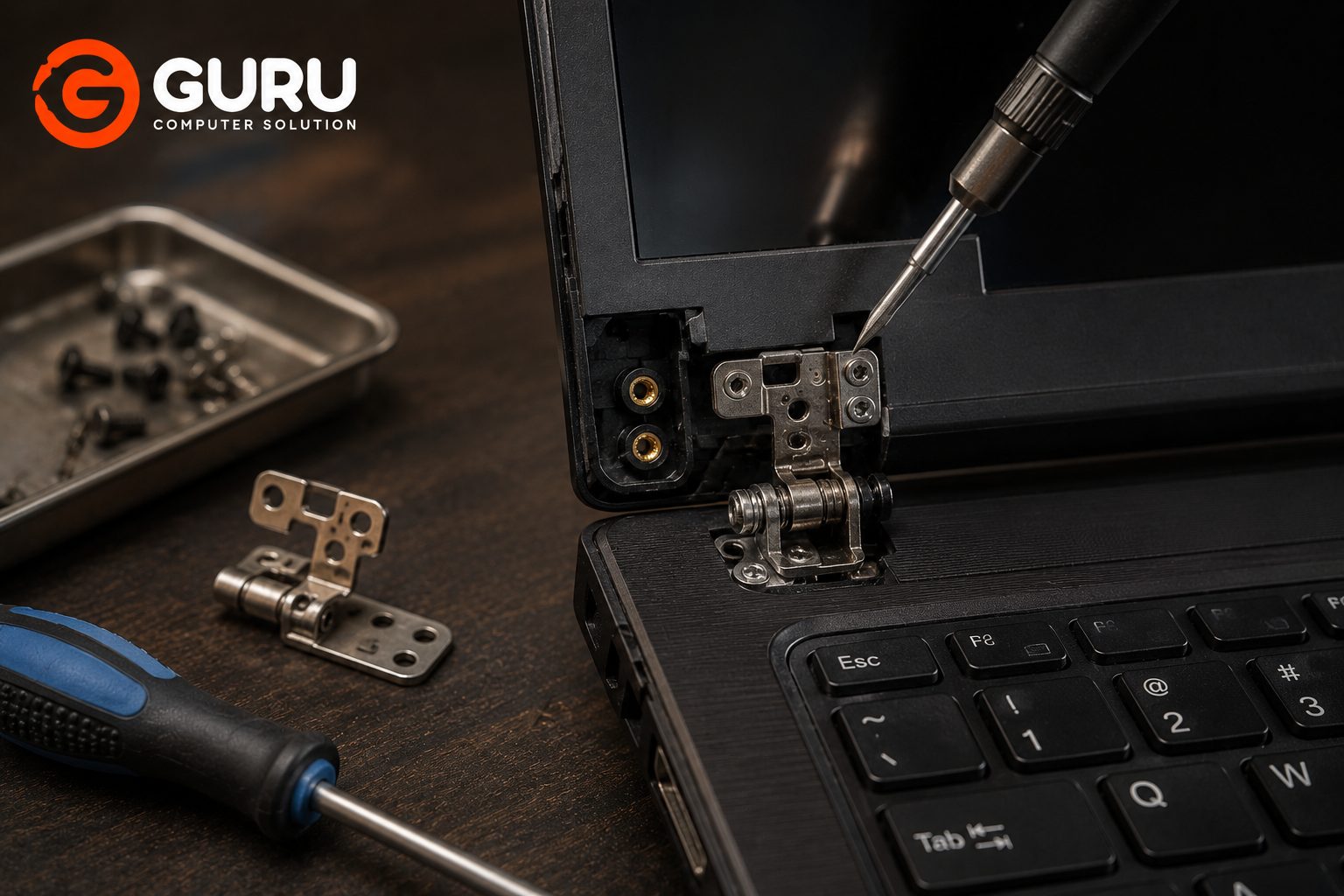
A laptop hinge may look like a small mechanical component, but it carries an important job: connecting the display assembly to the laptop's base while allowing the screen to open and close.
When a hinge becomes stiff, cracks, or completely breaks away from its mounting points, many people try a quick DIY solution such as superglue.
That can make the situation worse.
A broken hinge may involve damaged plastic mounts, loose brass inserts, broken brackets, or even damage around the laptop's display and motherboard areas. Simply gluing the visible crack does not necessarily restore the structural strength needed to open and close the laptop safely.
Professional laptop hinge repair in Kathmandu can sometimes restore the damaged mounting area without replacing the entire palmrest or bottom chassis.
Why Do Laptop Hinges Break?
Laptop hinges experience mechanical stress every time you open or close the screen.
Over time, several problems can contribute to hinge failure:
- Hinge mechanism becoming excessively tight
- Repeated opening and closing
- Accidental drops
- Carrying the laptop by the screen
- Opening the screen from one corner
- Cracked plastic mounting points
- Weak hinge brackets
- Manufacturing-related structural weaknesses
- Previous improper repairs
Sometimes the hinge itself is not the original problem.
A hinge may become unusually stiff, putting excessive force on the plastic mounting structure surrounding it.
Eventually, the mounting points can crack or separate.
This is why simply replacing or gluing the visible plastic may not solve the underlying problem.
Common Signs Your Laptop Hinge Is Damaged
A damaged hinge does not always break completely at once.
Watch for early warning signs such as:
- Screen movement becoming unusually stiff
- Cracking sounds when opening the laptop
- Display wobbling
- One side of the screen lifting before the other
- Plastic separating around the hinge
- Visible gaps around the hinge
- Screen bezel popping out
- Laptop body cracking near the hinge
- Hinge becoming extremely tight
- Display assembly becoming difficult to open
If you notice these symptoms, avoid repeatedly opening and closing the laptop forcefully.
Continuing to use a damaged hinge can turn a relatively manageable repair into a much more expensive structural or display repair.
Why You Should Never Use Superglue on a Broken Laptop Hinge
Superglue seems attractive because it is cheap and readily available.
You apply it to the cracked plastic, wait for it to dry, and expect the hinge to become strong again.
The problem is that the hinge experiences repeated mechanical force.
Every time you open the screen, the hinge transfers force into the mounting points.
Superglue is not a proper structural restoration for a damaged laptop hinge mount.
It can also create additional problems during future repairs.
For example, excessive glue can:
- Bond components that should remain removable
- Make future disassembly difficult
- Contaminate surrounding areas
- Create brittle repair points
- Hide the actual structural damage
- Fail when the hinge continues to experience mechanical stress
The better approach is to determine why the hinge broke and how the mounting structure can be properly restored.
What Happens When a Broken Hinge Is Left Unrepaired?
A damaged hinge rarely becomes better by itself.
Continued use can cause the damage to spread.
A loose or broken hinge may place additional stress on:
- LCD panel
- Display bezel
- Back cover
- Display cable
- Webcam cable
- Wi-Fi antenna cables
- Motherboard-side mounting area
- Palmrest or chassis
In severe cases, the screen assembly can become partially detached from the laptop body.
A repair that initially involved only the hinge mount can then turn into a larger body or display repair.
That is why early hinge repair is usually preferable.
Can a Broken Laptop Hinge Be Repaired Without Replacing the Palmrest?
In some cases, yes.
Whether the palmrest or chassis needs replacement depends on the extent of the damage.
If the hinge itself is still usable but its mounting structure has broken, a technician may be able to restore the mounting area.
Possible repair methods can include:
- Restoring damaged mounting points
- Installing brass inserts
- Reinforcing broken plastic
- Using suitable structural epoxy
- Repairing damaged brackets
- Reinstalling and adjusting the hinge
This can sometimes avoid the cost of replacing an otherwise functional palmrest.
However, if the chassis is severely damaged or the mounting structure cannot be reliably restored, replacement may be the better option.
What Is Brass Insert Restoration for Laptop Hinge Repair?
Many laptop hinge mounting points use threaded inserts or similar hardware embedded into the plastic chassis.
When these mounting points break, the screw may no longer have a secure place to attach.
Brass insert restoration involves rebuilding or restoring the mounting structure so that the hinge can once again be securely fastened.
The exact technique depends on the laptop's chassis design and the condition of the mounting area.
A successful restoration should provide enough mechanical strength for normal screen movement.
The objective is not simply to make the damaged area look good.
The repaired mounting point must be able to handle the repeated mechanical forces created by the hinge.
What Is Epoxy Welding for Broken Laptop Hinge Mounts?
Epoxy can sometimes be used to reinforce damaged plastic structures around laptop hinge mounts.
Unlike simply applying a thin layer of superglue, a proper structural repair involves preparing the damaged area and rebuilding the mounting structure where necessary.
Depending on the situation, a technician may:
- Disassemble the affected laptop section.
- Inspect the hinge and mounting points.
- Remove loose or damaged material.
- Restore the mounting structure.
- Reinforce the area using an appropriate structural adhesive or epoxy.
- Reinstall the hinge.
- Test the opening and closing movement.
The exact repair material and technique should depend on the laptop's chassis material and the extent of the damage.
Laptop Hinge Repair vs. Complete Palmrest Replacement
When a hinge mount breaks, many users immediately assume they need an entirely new palmrest or chassis.
That is not always the case.
Hinge Repair
A hinge repair may be suitable when:
- The main chassis is otherwise healthy
- The damage is localized
- The hinge can still be used
- The mounting structure can be restored
Palmrest Replacement
Replacement may make more sense when:
- The chassis is severely cracked
- Multiple mounting points are destroyed
- Important sections are missing
- The plastic cannot be reliably restored
- A suitable replacement part is available
A technician should inspect the damage before recommending replacement.
In some cases, repairing the existing structure can be more economical than replacing a large laptop body component.
What Happens During a Professional Laptop Hinge Repair?
A professional hinge repair should begin with inspection rather than immediately applying glue.
The technician may follow a process such as:
1. Inspect the Hinge
The hinge is checked for stiffness, damage, and abnormal resistance.
2. Inspect the Mounting Points
The technician checks whether the plastic mounts, inserts, screws, or brackets are damaged.
3. Check the Display Assembly
The screen frame and back cover are inspected for cracks or separation.
4. Check Internal Cables
The technician checks whether hinge movement has damaged display or antenna cables.
5. Restore the Mounting Structure
Depending on the damage, appropriate reinforcement, insert restoration, or structural repair is performed.
6. Reassemble the Laptop
The hinge and surrounding components are carefully reinstalled.
7. Test Hinge Movement
The screen should open and close smoothly without excessive force.
The goal is to restore both structural strength and proper hinge movement.
How Much Does Laptop Hinge Repair Cost in Kathmandu?
Laptop hinge repair costs vary depending on the laptop model and extent of damage.
Factors that can affect the cost include:
- Laptop brand and model
- Type of hinge
- Extent of chassis damage
- Condition of hinge mounts
- Required reinforcement
- Availability of replacement parts
- Whether the hinge itself needs replacement
- Additional display or body damage
A simple mounting repair can be very different from a case where the hinge, palmrest, display cover, and cables have all been damaged.
For that reason, an inspection is the best way to determine the appropriate repair and final cost.
How to Prevent Laptop Hinge Damage in the Future
You can reduce hinge stress with a few simple habits.
Open the Laptop From the Center
Use both hands when possible, or open the screen from the center rather than pulling one corner.
Don't Force a Stiff Hinge
If the screen suddenly becomes difficult to open, don't force it.
A stiff hinge may already be putting excessive stress on the chassis.
Don't Carry the Laptop by the Screen
Always support the laptop from its base when carrying it.
Keep the Hinge Area Clear
Avoid objects getting trapped between the display and keyboard area.
Repair Early
If you hear cracking sounds or notice the chassis separating around the hinge, have it inspected before the damage spreads.
Why Choose Guru Computer Solution for Laptop Hinge Repair in Kathmandu?
A broken hinge should not automatically mean replacing the entire laptop body.
Guru Computer Solution can inspect the hinge, mounting structure, and surrounding chassis to determine whether the damage can be repaired or whether component replacement is more appropriate.
The repair assessment can include:
- Hinge condition
- Mounting-point damage
- Brass insert condition
- Chassis cracks
- Display assembly condition
- Internal cable condition
- Hinge tension
Depending on the damage, suitable restoration methods can be considered instead of immediately replacing a large chassis component.
For laptop users in Kathmandu, professional inspection can help prevent a small hinge problem from becoming a much larger repair.
Fix Your Broken Laptop Hinge Before It Damages the Screen or Body
A broken laptop hinge is more than a cosmetic problem.
Every time you open and close the screen, mechanical force is transferred through the hinge into the laptop's mounting structure.
If that structure is already damaged, continued use can make the problem worse.
And while superglue may look like a quick fix, it does not address the structural problem properly.
Depending on the laptop and damage, professional hinge repair may involve mounting restoration, brass insert repair, structural reinforcement, or hinge replacement.
The earlier the damage is inspected, the more options you may have for repairing the laptop without replacing large sections of its body.
Frequently Asked Questions
Can a Broken Laptop Hinge Be Repaired?
Yes, depending on the type and extent of damage. A technician may be able to restore the hinge mounting structure, reinforce the damaged area, or replace the hinge if necessary.
Is Superglue Safe for a Broken Laptop Hinge?
Superglue is not recommended as a structural repair for a broken laptop hinge. The hinge experiences repeated mechanical force, and a quick glue repair may fail or make future professional repair more difficult.
What Is Brass Insert Restoration?
Brass insert restoration involves rebuilding or restoring the mounting area where the hinge screw or threaded insert attaches to the laptop chassis.
What Is Epoxy Welding in Laptop Hinge Repair?
Epoxy welding is a repair technique where a suitable structural epoxy is used to reinforce or rebuild damaged areas around a hinge mount. The exact method depends on the laptop's construction and damage.
Does a Broken Hinge Always Require a New Palmrest?
No. If the damage is localized and the mounting structure can be reliably restored, hinge repair may be possible without replacing the entire palmrest.
Can a Broken Hinge Damage the Laptop Screen?
Yes. Excessive hinge force or uncontrolled movement can put stress on the display assembly and may contribute to damage to the screen, bezel, back cover, or related components.
Can a Broken Hinge Damage the Laptop Cables?
Yes. Damaged or misaligned hinges can put additional stress on display, webcam, antenna, or other cables routed through the hinge area.
How Do I Know if My Laptop Hinge Needs Replacement or Repair?
The hinge and its mounting structure should be inspected. If the hinge itself is damaged or excessively stiff, replacement may be necessary. If the hinge is functional but its mounting point has broken, structural repair may be possible.
How Much Does Laptop Hinge Repair Cost in Nepal?
The cost depends on the laptop model, hinge condition, extent of chassis damage, and repair method required. An inspection is recommended before confirming the price.
How Long Does Laptop Hinge Repair Take?
Repair time varies according to the laptop model, damage, availability of parts, and repair method. Simple repairs may take less time than extensive chassis restoration or hinge replacement.
Can Gaming Laptop Hinges Be Repaired?
Yes. Gaming laptops can also develop hinge and chassis problems. The repair method depends on the hinge design and condition of the mounting structure.
What Laptop Brands Can You Repair?
Laptop hinge repairs can potentially be performed on brands such as Dell, HP, Lenovo, ASUS, Acer, MSI, and others, depending on the model and availability of suitable parts or repair options.
Should I Keep Using a Laptop With a Broken Hinge?
It is better to avoid unnecessary use until the hinge is inspected. Continued opening and closing can increase damage to the chassis, display assembly, or internal cables.
When Should I Bring My Laptop to Guru Computer Solution?
Bring your laptop for inspection if the hinge is loose, stiff, cracked, making noises, separating from the chassis, or causing the screen assembly to move abnormally. Early repair can help prevent further damage.






