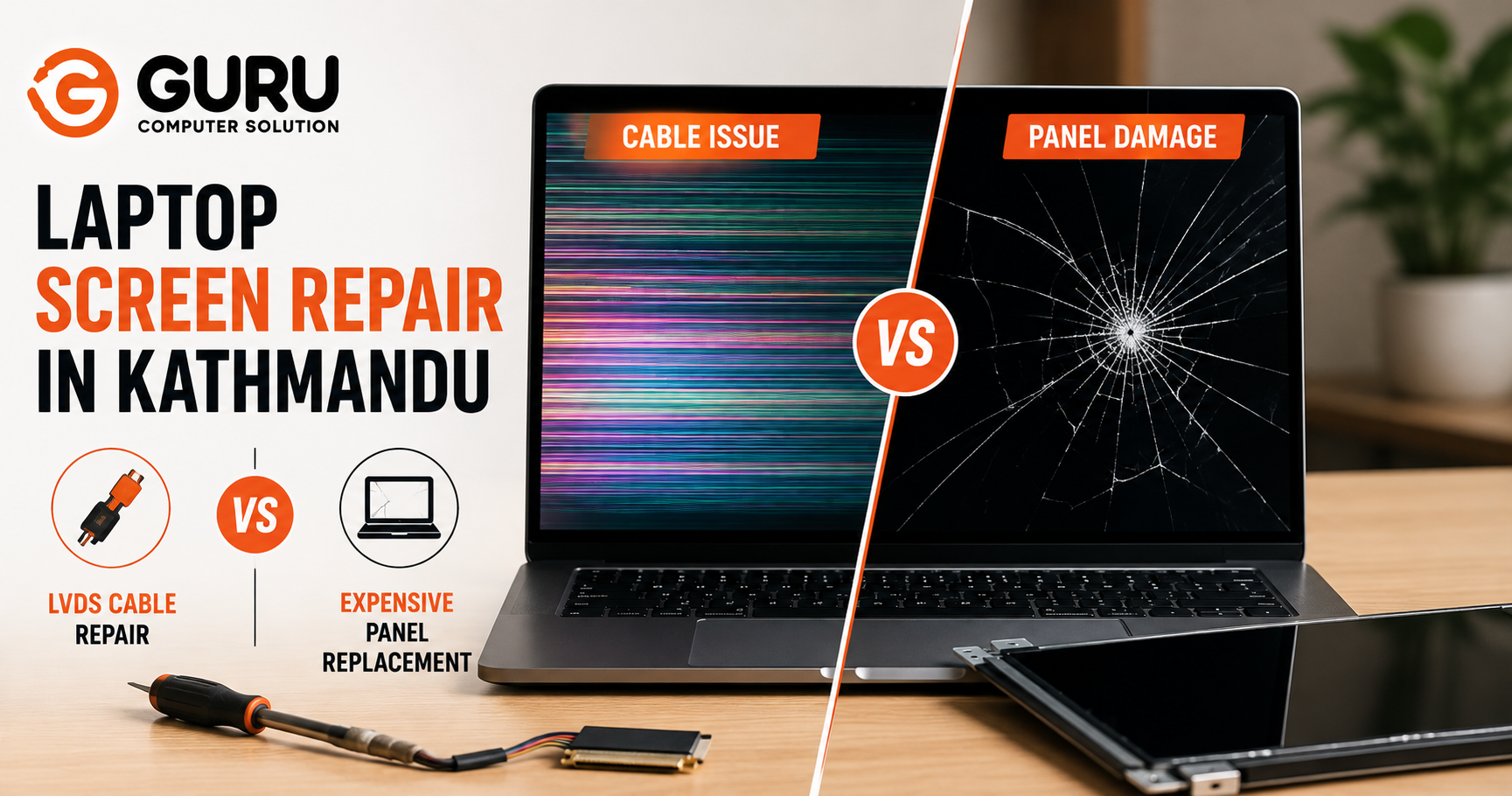
A black, flickering, or distorted laptop screen sends most people straight to one conclusion: the display is broken and needs replacing. That assumption is often wrong, and it's an expensive assumption to get wrong. A worn internal cable can produce nearly identical symptoms to a genuinely failed panel, at a fraction of the repair cost, and proper diagnosis is the only thing that tells the two apart.
Why Your Laptop Screen Problem May Not Require a New Display
A faulty or loose LVDS or eDP display cable, connector, or display circuit can create symptoms that look, at first glance, indistinguishable from panel failure: flickering, dimness, distortion, or a completely black screen. The panel is only one part of a longer signal chain running from the motherboard to the glass in front of you, and a break anywhere earlier in that chain can produce screen symptoms without the panel itself being damaged at all. Proper diagnosis before replacement is what separates a customer who pays for a cable repair from one who pays for a full panel replacement they never actually needed.
What Is an LVDS Cable and What Does It Do?
The LVDS (Low Voltage Differential Signaling) or eDP (embedded DisplayPort) cable is the internal ribbon connecting your motherboard's graphics output to the display panel itself, carrying the video signal across the hinge with every open and close of the lid. Most laptops manufactured before around 2015 use LVDS; most made after use the thinner eDP standard, which is more directly connected to the panel's internal control board. Both carry the same essential signal, and both are physically routed through the single most mechanically stressed point in the entire laptop: the hinge.
This routing matters more than it sounds like it should. Every time the lid opens or closes, this cable flexes. Over months and years, that repeated flexing is exactly what leads to the wear this article is about.
Common Signs of a Faulty Laptop LVDS Cable
The clearest signature of a cable problem, as opposed to a genuine panel failure, is that the symptom responds to physical movement. Watch for:
- Screen flickering specifically when moving or adjusting the lid
- Display working correctly only at certain lid angles
- Random horizontal or vertical lines that come and go
- The screen suddenly going black, sometimes recoverable by adjusting the lid
- Intermittent display that cuts in and out unpredictably
- Image returning only after fully closing and reopening the lid
- An external monitor working completely normally while the internal screen misbehaves
- Backlight or image cutting out specifically as the hinge moves
A simple physical test reinforces this diagnosis: gently tapping the lower bezel near the hinge, or lightly flexing the lid, while watching whether the image responds. A cable or connector problem often flickers or briefly restores in response to this kind of mechanical input. A genuinely failed panel does not respond to tapping or flexing at all, since there's no loose physical connection for the movement to disturb.
When Is the Laptop Screen Panel Actually Damaged?
Genuine panel damage looks and behaves differently from a cable issue, and it's important not to confuse the two:
- Visible cracks, spreading lines, or shattered glass from physical impact
- Black, purple, or ink-like patches that don't change with lid movement
- Dead pixels or permanently stuck pixels in a fixed location
- Damage that's present consistently, regardless of lid angle or physical flexing
- No response whatsoever to tapping or gentle flexing near the hinge or bezel
The key distinguishing test is consistency. Cable problems are typically intermittent and movement-sensitive. Panel damage is typically constant and unaffected by how the lid is positioned.
LVDS Cable Repair vs Laptop Panel Replacement: What's the Difference?
This comparison is the core of the decision, and it's worth walking through directly rather than as a dry list.
A loose display cable is the cheapest and simplest scenario of all. It's diagnosed through a straightforward connector inspection, and the fix is often just reconnecting and securing the cable properly, at low cost. One step up from that is a genuinely damaged LVDS or eDP cable, confirmed through cable continuity testing, which typically means replacing the cable itself at a low to medium cost. A damaged connector sits a bit higher still, since it requires a closer motherboard inspection and connector-level repair, putting it at medium cost.
Panel-related problems sit at the top of the range. A cracked LCD panel, confirmed through physical inspection, and internal panel failure, confirmed through display testing, both mean a full panel replacement, and both carry the highest cost on this list. A motherboard display circuit issue is a separate case entirely, one that needs chip-level diagnosis and board-level repair, and typically falls in the medium to high cost range depending on what's actually affected.
The message underneath all of this is simple: don't replace the entire screen until the cable and display connection have actually been tested. The cheapest possible causes, a loose or worn cable, sit at the very start of this list, and they're also among the most common faults we see, yet they're the ones most often skipped past by an assumption that any screen problem automatically means a new panel.
How a Cheap LVDS Cable Problem Can Look Like an Expensive Screen Problem
Consider a common real scenario: a customer notices their screen flickering whenever they adjust the laptop's position on a desk or shift the lid angle while working. The natural assumption is that the display itself is failing and needs replacing, an expense that can run into a significant repair bill depending on the panel and model. On inspection, a technician finds the LVDS cable worn and partially frayed at the exact point where it bends around the hinge, a wear pattern from years of normal opening and closing. Replacing just the cable resolves the flickering completely, at a fraction of what a panel replacement would have cost, because the panel itself was never actually the problem.
This is precisely the scenario proper diagnosis is meant to catch before money changes hands.
How Technicians Diagnose LVDS Cable and Screen Problems
A proper diagnostic process moves through these steps, in order, before any repair recommendation is made:
- Visual inspection of the physical screen condition for cracks, dead pixels, or ink-like patches
- External monitor test — connecting an external display to isolate whether the issue is specific to the internal panel and cable path, or present system-wide
- Lid angle testing — observing display behavior as the lid is opened, closed, and held at different angles
- Connector inspection at both the panel side and motherboard side for damaged pins, incomplete seating, or discoloration
- Cable continuity testing to check for breaks, shorts, or degraded conductors along the cable's length
- Motherboard-side display circuitry inspection, ruling out a board-level fault rather than the cable or panel
- Testing with a known-good cable or panel where necessary, to conclusively isolate the actual faulty component
- Identifying the specific faulty component based on everything gathered above
- Recommending the appropriate repair, cable, connector, or panel, based on evidence rather than assumption
Why You Shouldn't Replace Your Laptop Screen Without Proper Diagnosis
Replacing a panel without first diagnosing the cable, connector, or motherboard-side circuitry risks paying for the most expensive possible fix when a far cheaper one would have resolved the issue completely. Worse, if the actual fault was a cable or connector issue, a new panel installed without addressing that underlying problem can continue showing the same symptoms afterward, since the new panel is still connected through the same worn cable that caused the original issue. This is why diagnosis has to come before replacement, not after.
Can an LVDS Cable Be Repaired or Does It Need Replacement?
Minor issues, contamination on the connector, a cable not fully seated, or missing strain relief, can often be corrected through cleaning and proper reseating alone. More significant damage tells a different story: torn ribbon cable tails, cracked internal conductors, sharp permanent creases, or a broken latch mechanism are not reliable candidates for a patch repair. For these, replacement is the dependable long-term fix, since LVDS and eDP are high-speed signaling standards where cable length, routing, and shielding all affect signal quality. A cable that's been damaged and simply taped or patched can pass a basic continuity check while still producing noise, flicker, or unstable image output under real use.
How Much Does LVDS Cable Repair Cost Compared to Screen Replacement in Kathmandu?
Rather than quoting a single fixed number, which can be misleading given how much this varies, actual cost depends on several real factors:
- The specific laptop model and how available parts are for it
- Cable availability, since some models use more common, easily sourced cables than others
- Display type and whether the laptop uses LVDS or the thinner eDP standard
- Panel size and resolution, which affects panel replacement cost specifically
- Cable design complexity, since some routing paths are more involved to access and replace
- Whether the underlying issue extends to motherboard-level display circuitry, which adds to the repair scope
- Whether original or compatible replacement parts are used
The one constant across every one of these variables: a cable repair sits meaningfully below a full panel replacement in nearly every case, which is exactly why getting a proper diagnosis before paying for a screen matters as much as it does.
DIY Laptop Display Cable Repair vs Professional Diagnosis
Opening a laptop without the right tools or experience risks damaging the very connectors, cables, clips, and hinge components you're trying to diagnose or fix. Basic external checks, the tapping test, the external monitor comparison, watching behavior at different lid angles, are reasonable for anyone to try before bringing a laptop in. Actual internal cable work is a different matter. ZIF (zero insertion force) connectors used for these cables require lifting a small retaining latch before the cable can be safely removed, and pulling at the wrong angle or without releasing the latch first can damage the connector itself, turning a simple cable swap into a more involved connector repair.
Why Hinge Damage Can Cause Repeated LVDS Cable Problems
If the hinge mechanism itself is damaged, too tight, too loose, or misaligned, it changes how much stress the cable experiences with every open and close cycle. In this situation, simply replacing the cable addresses the immediate symptom but not the underlying cause, and the new cable can begin showing the same wear pattern within a much shorter timeframe than it should. A proper diagnosis checks hinge condition alongside the cable itself specifically to catch this, since fixing the cable while ignoring a damaged hinge often means paying for the same repair twice.
Why Choose Guru Computer Solution for Laptop Display Diagnosis in Kathmandu
Diagnosis Before Replacement, Always We test the cable, connector, and motherboard display circuitry before ever recommending a panel replacement, so you're not paying for a new screen the problem never required.
Full LVDS and eDP Cable Service From reseating and cleaning to full cable replacement, we handle the complete range of cable-related display issues.
Genuine Panel Replacement When It's Actually Needed Where the panel truly is damaged, we source quality replacement panels matched to your exact model and resolution.
Motherboard-Level and Chip-Level Capability If the fault traces back to display circuitry on the board itself, we diagnose and repair at that level rather than defaulting to the most expensive option.
Support Across Major Laptop Brands Dell, HP, Lenovo, ASUS, Acer, MSI, and MacBook display repair, all diagnosed the same careful way.
Transparent Recommendations We explain exactly what we found and why it points to a cable, connector, or panel issue, before any work or cost is agreed to.
Save Money by Fixing the Actual Problem, Not Replacing the Entire Screen
A black or flickering laptop screen doesn't automatically mean you need a new display. Often, the real problem is a far cheaper LVDS or eDP cable or connector issue hiding behind symptoms that look identical to panel failure. Professional diagnosis is what actually separates the two, and it's the difference between a quick, affordable cable repair and an unnecessary full panel replacement.
Bring your laptop to Guru Computer Solution for proper display diagnosis before replacing the screen.
Frequently Asked Questions
What Is an LVDS Cable in a Laptop?
The LVDS (Low Voltage Differential Signaling) cable is the internal ribbon cable connecting the motherboard's video output to the laptop's display panel, routed through the hinge. Newer laptops typically use the thinner eDP standard instead, carrying the same essential function.
How Do I Know If My LVDS Cable Is Damaged?
The clearest sign is a symptom that changes with physical movement, flickering when adjusting the lid, image that returns at certain angles, or display that responds to gently tapping the bezel near the hinge. A genuinely damaged panel doesn't respond to this kind of physical input.
Does a Flickering Laptop Screen Mean the Screen Is Damaged?
Not necessarily. Flickering is one of the most common symptoms of a worn or loose LVDS/eDP cable rather than actual panel damage, particularly if the flickering changes when you move the lid.
Can a Loose LVDS Cable Cause a Black Screen?
Yes. A loose or partially disconnected cable can cause the display to go completely black, sometimes recoverable by adjusting the lid angle, which is a strong indicator of a cable or connector issue rather than a failed panel.
Can Moving the Laptop Lid Cause Display Problems?
Yes, and this is actually one of the most useful diagnostic clues available. If display problems consistently appear or worsen specifically when the lid is moved, this points toward the internal display cable rather than the panel itself.
Is LVDS Cable Repair Cheaper Than Screen Replacement?
In nearly all cases, yes. Cable repair or replacement sits meaningfully below the cost of a full panel replacement, which is exactly why proper diagnosis before assuming you need a new screen matters.
Should I Replace the Screen or the LVDS Cable?
This depends entirely on which component is actually at fault, determined through proper diagnosis. Replacing the screen when the cable was the real issue wastes money and often doesn't resolve the symptom, since the new panel is still connected through the same faulty cable.
Can an External Monitor Help Diagnose a Laptop Screen Problem?
Yes. If an external monitor displays perfectly while the internal screen shows the problem, this narrows the issue to the internal cable, connector, or panel rather than a broader graphics or motherboard fault affecting all outputs.
Can a Damaged Laptop Hinge Break the Display Cable?
Yes. A damaged or misaligned hinge changes the stress the cable experiences with every open and close cycle, and can cause a replacement cable to wear out again within a shorter timeframe if the hinge issue isn't addressed alongside it.
Do You Repair or Replace LVDS Cables?
Both, depending on the specific damage. Minor issues like poor seating or contamination can often be corrected through cleaning and reseating. Torn, cracked, or significantly worn cables are typically replaced for a reliable long-term fix.
What Laptop Brands Do You Repair?
We service Dell, HP, Lenovo, ASUS, Acer, MSI, and Apple MacBook laptops for screen and display cable repair.
How Much Does Laptop Screen Repair Cost in Kathmandu?
Cost depends on the laptop model, whether the issue is a cable, connector, or panel problem, and part availability. Contact Guru Computer Solution for a diagnosis and specific quote before assuming you need a full screen replacement.
How Long Does Laptop Display Repair Take?
Cable reseating or repair is often completed same day. Cable replacement or panel replacement timing depends on part availability for your specific model.
When Should I Bring My Laptop to Guru Computer Solution?
Bring it in as soon as you notice flickering, intermittent display, or a screen that behaves differently at different lid angles, rather than assuming a new screen is required. Early diagnosis is what keeps the repair on the cheaper end of the range.






