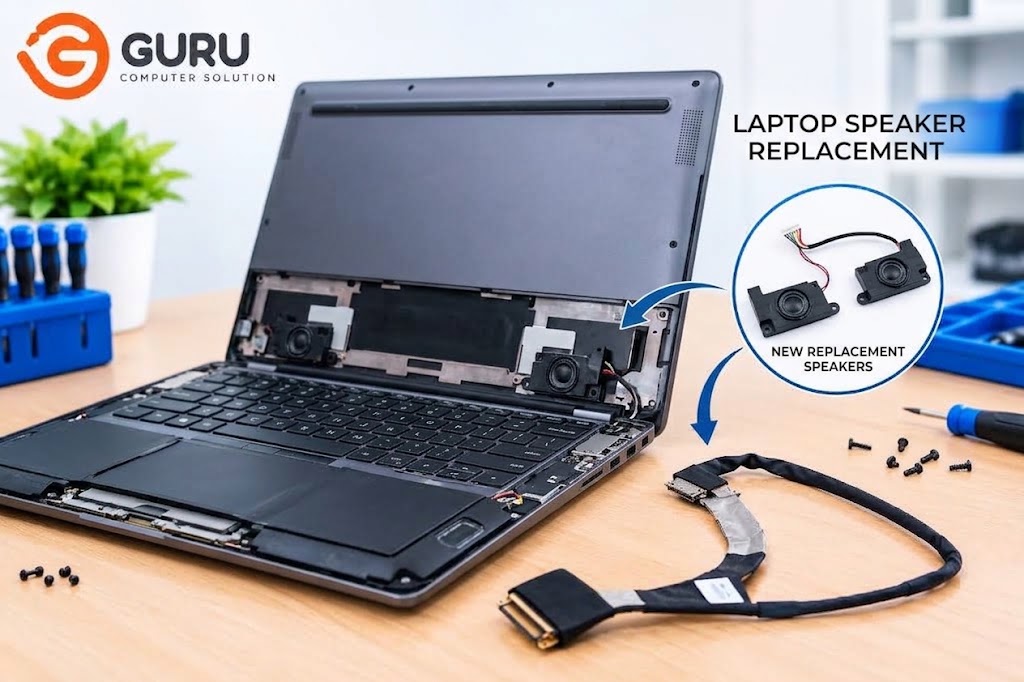
If your laptop speaker has stopped working, sounds distorted, or produces crackling and buzzing noises, you may be wondering about the laptop speaker replacement price in Nepal. The cost depends on the laptop's exact model, the speaker assembly required, part availability, and whether the problem is actually with the speaker or another component.
Based on current online listings for model-specific internal laptop speakers, replacement parts can range from approximately NPR 3,000 to NPR 8,000 or more. For example, some ASUS laptop speaker pairs are listed around NPR 3,000, while certain Lenovo speaker assemblies are listed around NPR 4,000–5,700, with some specialized models reaching NPR 7,000–8,000+. These are indicative online part prices, not fixed Guru Computer Solution service prices, and the actual cost can vary by model and availability.
Before replacing the speaker, however, it is important to diagnose the problem. A laptop with no sound does not necessarily have a damaged speaker. Windows settings, audio drivers, speaker cables, connectors, or the laptop's audio circuitry can also cause similar symptoms.
Laptop Speaker Replacement Price in Nepal
The laptop speaker replacement cost in Nepal varies considerably because internal laptop speakers are model-specific parts. Unlike external computer speakers, laptop speakers are designed to fit a particular chassis and connect to the laptop's motherboard using specific connectors and cables.
Current online listings for internal replacement speakers show that some commonly available assemblies can cost around NPR 3,000–5,700+, while speakers for certain premium or less common models can reach NPR 7,000–8,000 or more. The price can be higher if the required speaker assembly is difficult to source.
These figures should be treated as approximate replacement-part prices based on online listings, not as a fixed repair price. Guru Computer Solution's final quote can depend on the laptop model, required part, availability, and installation work.
If you want an accurate price, providing the laptop's brand and exact model number is much more useful than simply saying you have an HP, Dell, Lenovo, or ASUS laptop.
Do You Really Need to Replace Your Laptop Speakers?
A laptop producing no sound does not automatically mean that the speakers have failed.
Sometimes the touchpad of Windows settings, audio output selection, or a disabled device can cause the problem. An incorrect or corrupted audio driver can also prevent the built-in speakers from working properly.
There can also be a physical problem with the speaker cable or connector. If the connection has become loose or the cable has been damaged, repairing the connection may solve the issue without replacing the complete speaker assembly.
If the speaker itself is physically damaged or has failed after testing, replacement may then be the appropriate solution.
Common Signs of a Faulty Laptop Speaker
A completely silent laptop is one of the most obvious signs of a speaker problem, but there are several other symptoms to watch for.
You may hear crackling, buzzing, rattling, or distorted audio when playing music or videos. The sound may also be unusually quiet even when Windows volume is set to maximum.
Another common problem is when only one side of the laptop produces sound. Depending on the laptop's design, this could indicate a problem with one speaker, its connection, or the speaker assembly.
If the sound cuts in and out when the laptop is moved, a loose connection or damaged cable may also be responsible.
Laptop Speaker Repair vs Replacement
Not every laptop speaker problem requires a new speaker.
If the problem is caused by a loose connector, damaged cable, incorrect driver, or Windows configuration, the issue may be resolved without replacing the speaker itself.
Replacement is more appropriate when the speaker has physical damage, produces permanent distortion, or has stopped functioning despite the cable and software being tested.
This is why professional diagnosis is useful. Replacing a working speaker will not fix a problem caused by the motherboard's audio circuit or an incorrect driver.
Laptop Speaker Replacement Cost by Brand
Laptop speaker prices can vary between HP, Dell, Lenovo, Acer, ASUS, MSI, and other brands. However, the exact laptop model is more important than the brand when determining the replacement cost.
For example, two Lenovo laptops can use completely different speaker assemblies. One may have inexpensive and readily available replacement speakers, while another model may require a more expensive assembly that is harder to source.
The same applies to HP, Dell, Acer, and ASUS laptops. Therefore, a technician should identify the exact model before confirming which speaker is required.
What Affects Laptop Speaker Replacement Price?
The laptop model is one of the biggest factors affecting the price. Different laptops use different speaker sizes, shapes, connectors, and mounting systems.
Part availability also plays an important role. Speakers for popular laptop models are generally easier to find, while parts for older or less common models may need to be specially sourced.
The type of speaker assembly can also affect the cost. Some laptops use separate left and right speakers, while others may have a speaker assembly connected by a shared cable.
Finally, installation and disassembly requirements can affect the overall service cost. A laptop that requires extensive disassembly may take more time to repair than a model with easier access to the speakers.
Can You Replace Only One Laptop Speaker?
It depends on the laptop.
Some laptops have separate left and right speaker modules, meaning a technician may be able to replace only the faulty side if a compatible individual speaker is available.
Other models are supplied as a complete speaker assembly, making it more practical to replace the set.
A technician should inspect the speaker arrangement and check the available replacement part before deciding whether one speaker or the complete assembly needs to be replaced.
Why Is My Laptop Speaker Crackling or Buzzing?
Crackling or buzzing does not always mean the speaker needs to be replaced.
A damaged speaker cone or internal speaker component can produce distorted sound, particularly at higher volume. However, loose connections, damaged cables, driver problems, or issues with the laptop's audio circuit can create similar symptoms.
If the sound becomes worse as you increase the volume, the speaker itself may be damaged. If the sound changes when the laptop is moved, the connection or cable should also be inspected.
Getting the actual cause identified first can prevent unnecessary replacement costs.
How Is a Laptop Speaker Replaced?
The replacement process begins with diagnosis. The technician checks the Windows audio settings, drivers, speaker output, connections, and physical condition of the speaker.
Once a hardware problem is confirmed, the correct replacement speaker is identified using the laptop's model and, where necessary, the part number of the original component.
The laptop is carefully opened and the speaker assembly is disconnected. The replacement speaker is then installed and connected correctly before the laptop is reassembled.
After installation, the speakers should be tested at different volume levels to check for clear audio, distortion, buzzing, and problems with either the left or right channel.
Laptop Speaker Replacement in Kathmandu
If you are looking for laptop speaker replacement in Kathmandu, Guru Computer Solution in New Road can inspect your laptop and determine whether you need speaker replacement, cable repair, software troubleshooting, or another type of audio repair.
Because laptop speakers are model-specific, bringing the laptop to the service center or providing the complete model number can help identify the correct replacement part and provide a more accurate estimate.
Guru Computer Solution can diagnose the issue before proceeding with a replacement, helping avoid unnecessary part replacement when the actual problem is related to software, wiring, connectors, or the motherboard.
Frequently Asked Questions
How much does laptop speaker replacement cost in Nepal?
Current online listings for model-specific internal laptop speakers suggest that replacement parts can cost approximately NPR 3,000 to NPR 8,000 or more, depending on the laptop model and speaker assembly. These are indicative part prices, not fixed Guru Computer Solution service prices.
Why is my laptop speaker not working?
The cause could be a failed speaker, disabled audio device, driver problem, loose speaker cable, damaged connector, or motherboard audio issue. Diagnosis is needed to identify the actual cause.
Can laptop speakers be repaired instead of replaced?
Yes, depending on the problem. A loose connection, damaged cable, or software issue may be repairable without replacing the speaker. A failed or physically damaged speaker usually requires replacement.
Can I replace only one laptop speaker?
Some laptops allow individual left or right speaker replacement, while others use a complete speaker assembly. It depends on the laptop's design and the availability of individual replacement parts.
Why is my laptop speaker making a crackling sound?
Crackling can be caused by a damaged speaker, loose connection, damaged cable, driver problems, or an audio circuit issue. The speaker should be tested before deciding on replacement.
Does the laptop model affect speaker replacement price?
Yes. Different laptop models use different speaker assemblies, and some replacement parts are much easier to source than others. The exact model is therefore important when estimating the cost.
How long does laptop speaker replacement take?
The repair time depends on the laptop's design, the amount of disassembly required, and whether the correct replacement speaker is already available. Simple replacements can be completed relatively quickly, while parts that need to be sourced may take longer.






