If your laptop has started running hotter than usual, its fan is constantly spinning, or its performance drops during gaming and heavy workloads, you may be wondering whether the thermal paste needs to be replaced.
The laptop thermal paste replacement price in Nepal depends on the laptop model, cooling system, type of thermal compound used, and whether the laptop needs only repasting or complete internal cleaning and servicing.
For a standard laptop, thermal paste replacement services in Nepal can commonly fall around NPR 800–2,000, while gaming and high-performance laptops may cost more because they often require more disassembly and may use higher-performance thermal compounds. These are approximate service ranges based on current Nepal listings and should not be treated as fixed Guru Computer Solution prices.
Before paying for repasting, however, it is important to determine whether thermal paste is actually the cause of the overheating.
Laptop Thermal Paste Replacement Price in Nepal
The cost of replacing laptop thermal paste varies depending on the type of laptop and the amount of work required to access its cooling system.
For many standard laptops, a basic thermal paste replacement may cost around NPR 800–2,000. Gaming laptops and high-performance machines can cost more because their cooling systems are more complicated and may require additional disassembly. Some services may also include internal dust cleaning and fan cleaning along with thermal paste replacement.
The price can also depend on the quality of thermal compound used. A basic but reliable thermal compound may be sufficient for an everyday office laptop, while a higher-performance compound may be selected for a gaming laptop or workstation that regularly operates under heavy CPU or GPU loads.
These prices are indicative Nepal market/service ranges, not fixed prices from Guru Computer Solution. The exact cost depends on the laptop model, condition, thermal compound, and service required.
Does Your Laptop Actually Need New Thermal Paste?
A hot laptop does not automatically mean that its thermal paste needs replacing.
Dust buildup is one of the most common causes of overheating. When dust blocks the fan or heatsink fins, hot air cannot escape efficiently. A faulty cooling fan can cause similar problems.
Software can also increase CPU or GPU temperatures. Background applications, demanding games, video editing, and other heavy workloads can naturally make the laptop hotter.
If the laptop is old, has never been serviced, and is consistently running at unusually high temperatures, degraded thermal paste becomes a more likely possibility.
A proper diagnosis is therefore better than replacing thermal paste simply because the laptop feels warm.
Bad Thermal Paste vs Good Thermal Paste: What's the Difference?
Not all thermal paste performs the same way.
Low-quality or very old thermal paste may provide poorer heat transfer and can become less effective as it dries or degrades. This can become more noticeable in laptops that regularly operate under heavy CPU or GPU loads.
A good-quality thermal compound is designed to maintain effective contact between the processor and heatsink and provide consistent heat transfer over time. However, more expensive thermal paste does not automatically mean better results.
The quality of the application is also extremely important. Even an expensive thermal compound will not perform properly if the old paste is not cleaned correctly, the wrong amount is applied, or the heatsink is not making proper contact.
For a normal office laptop, a reliable standard thermal compound can often be sufficient. A gaming or high-performance laptop may benefit from a higher-performance compound depending on its cooling design and workload.
Signs Your Laptop May Need Thermal Paste Replacement
One of the most common signs is a laptop that becomes unusually hot during normal use. You may also notice that the cooling fan runs loudly or continuously even when you aren't doing anything particularly demanding.
Another sign is thermal throttling. When the CPU or GPU becomes too hot, the laptop can automatically reduce performance to control the temperature. This may appear as sudden FPS drops during gaming or a noticeable slowdown during demanding tasks.
In more serious cases, the laptop may shut down or restart when it reaches a high temperature.
However, these symptoms can also be caused by dust, a failing fan, blocked ventilation, or other cooling problems. Thermal paste should therefore be treated as one part of the cooling system rather than the only possible solution.
Thermal Paste Replacement vs Full Laptop Servicing
Thermal paste replacement and full laptop servicing are not necessarily the same thing.
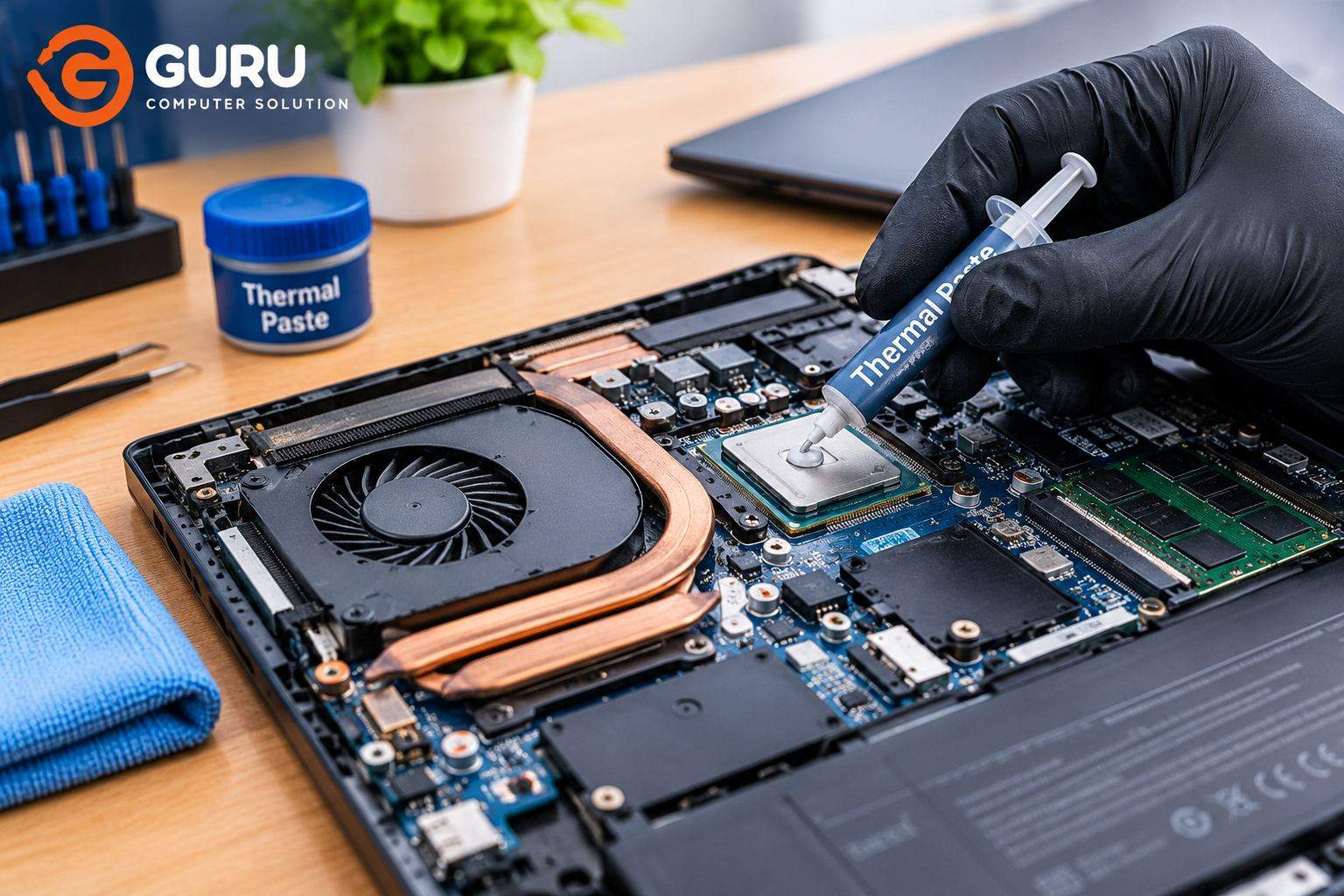
Repasting mainly involves removing the cooling assembly, cleaning the old thermal compound, applying new thermal paste, and reinstalling the heatsink.
Full servicing can involve additional work such as removing internal dust, cleaning the fan and heatsink fins, checking ventilation, inspecting the cooling system, and replacing the thermal paste where necessary.
If your laptop has significant dust buildup, simply replacing the thermal paste may not provide the improvement you expect. The cooling system needs to be able to move heat away from the processor effectively.
For an overheating laptop, a technician should therefore check the entire cooling system rather than assuming that thermal paste is the only problem.
Does a Gaming Laptop Need Different Thermal Paste?
Gaming laptops generally produce more heat than basic office laptops because their CPUs and dedicated GPUs can operate at much higher power levels.
Models such as ASUS TUF and ROG, Acer Nitro and Predator, Lenovo Legion and LOQ, HP Victus and Omen, and other performance laptops can benefit from proper thermal maintenance.
A higher-performance thermal compound may be appropriate for some gaming laptops, but the paste is only one part of the equation. The condition of the fans, heatsink, ventilation, thermal pads, and heatsink contact can have a major effect on temperatures.
Gaming laptops can also take more time to service because their cooling systems may require more extensive disassembly.
Thermal Paste vs Thermal Pads vs Thermal Putty
Thermal paste is normally used between a processor and heatsink to improve heat transfer by filling tiny gaps between the two surfaces.
Thermal pads and thermal putty serve a different purpose. Depending on the laptop's design, they may be used to transfer heat from memory chips, power components, VRMs, or other components to the cooling assembly.
They should not simply be substituted for one another. Using the wrong material or thickness can result in poor contact and potentially worse cooling.
This is particularly important when servicing gaming laptops, where several different thermal materials may be used inside the same cooling system.
How Thermal Paste Is Replaced in a Laptop
A proper repasting service starts with checking the laptop's temperature and cooling behavior.
The laptop is then carefully opened and the cooling assembly is accessed. The old thermal compound is removed from the processor and heatsink surfaces, and the surfaces are cleaned appropriately.
Fresh thermal compound is applied in a suitable amount before the heatsink is correctly positioned and secured. The laptop is then reassembled and tested.
A good service should also check the fan, heatsink fins, ventilation, and any thermal pads or thermal putty that may be present.
Finally, the laptop can be tested under load to determine whether the cooling system is performing properly after the service.
How Often Should You Replace Laptop Thermal Paste?
There is no universal rule that says every laptop must have its thermal paste replaced after a specific number of months.
The replacement interval depends on how the laptop is used, how hot it normally operates, how much dust it accumulates, and the quality of the previous thermal compound and application.
A laptop used for office work may go a long time without needing repasting, while a gaming laptop used heavily every day may require cooling-system attention sooner.
Instead of replacing thermal paste purely according to a calendar, look for increasing temperatures, excessive fan noise, performance throttling, or other signs of cooling problems.
Will New Thermal Paste Reduce Laptop Temperature?
It can, but the amount of improvement depends on the condition of the existing cooling system.
If the old thermal paste has dried out or the heatsink contact has deteriorated, replacing it with a properly applied thermal compound can improve heat transfer.
However, if the real problem is a blocked heatsink, damaged fan, poor ventilation, or another hardware issue, repasting alone may not solve the overheating.
This is why a good technician should inspect the entire cooling system rather than promising a specific temperature reduction before diagnosing the laptop.
Laptop Thermal Paste Replacement in Kathmandu
If you are looking for laptop thermal paste replacement in Kathmandu, Guru Computer Solution in New Road can inspect your laptop's cooling system and determine whether it needs repasting, internal cleaning, fan maintenance, or another repair.
The technician can check the laptop's temperature, cooling fan, heatsink, existing thermal compound, and other components before recommending the appropriate service.
For an accurate quote, it is best to provide the laptop's exact model because different laptops have different cooling systems and disassembly requirements.
If your laptop has been overheating, slowing down during heavy workloads, or running its fan constantly, getting the cooling system checked can help identify the actual cause instead of replacing thermal paste unnecessarily.
Frequently Asked Questions
How much does laptop thermal paste replacement cost in Nepal?
Thermal paste replacement for a standard laptop can commonly cost around NPR 800–2,000, while gaming and high-performance laptops may cost more. The exact price depends on the laptop model, thermal compound, and service required.
How often should I replace laptop thermal paste?
There is no fixed schedule that applies to every laptop. Usage, temperature, dust, and the condition of the existing thermal compound should be considered when deciding whether repasting is necessary.
Does thermal paste replacement reduce laptop temperature?
It can reduce temperatures when degraded thermal paste is contributing to poor heat transfer. However, dust, fans, ventilation, and heatsink contact should also be checked.
Is expensive thermal paste always better?
No. A higher price does not automatically guarantee better performance. The quality of the compound, correct application, and the laptop's cooling design all matter.
Should I replace thermal paste or get full laptop servicing?
If the laptop is dusty or the fan and heatsink are blocked, full servicing may be more appropriate. If the cooling system is clean and the main issue is degraded thermal compound, repasting may be enough.
Does a gaming laptop need better thermal paste?
Some gaming laptops can benefit from higher-performance thermal compounds because of their higher CPU and GPU workloads. However, the correct choice depends on the laptop's cooling design.
Can I use thermal paste instead of thermal pads?
No. Thermal paste and thermal pads are designed for different applications. Replacing a thermal pad with paste without considering the required gap and component design can result in poor thermal contact.
Can I replace laptop thermal paste myself?
It is possible, but laptops can be difficult to disassemble and the heatsink must be reinstalled correctly. Incorrect application or poor heatsink contact can make cooling worse rather than better.






