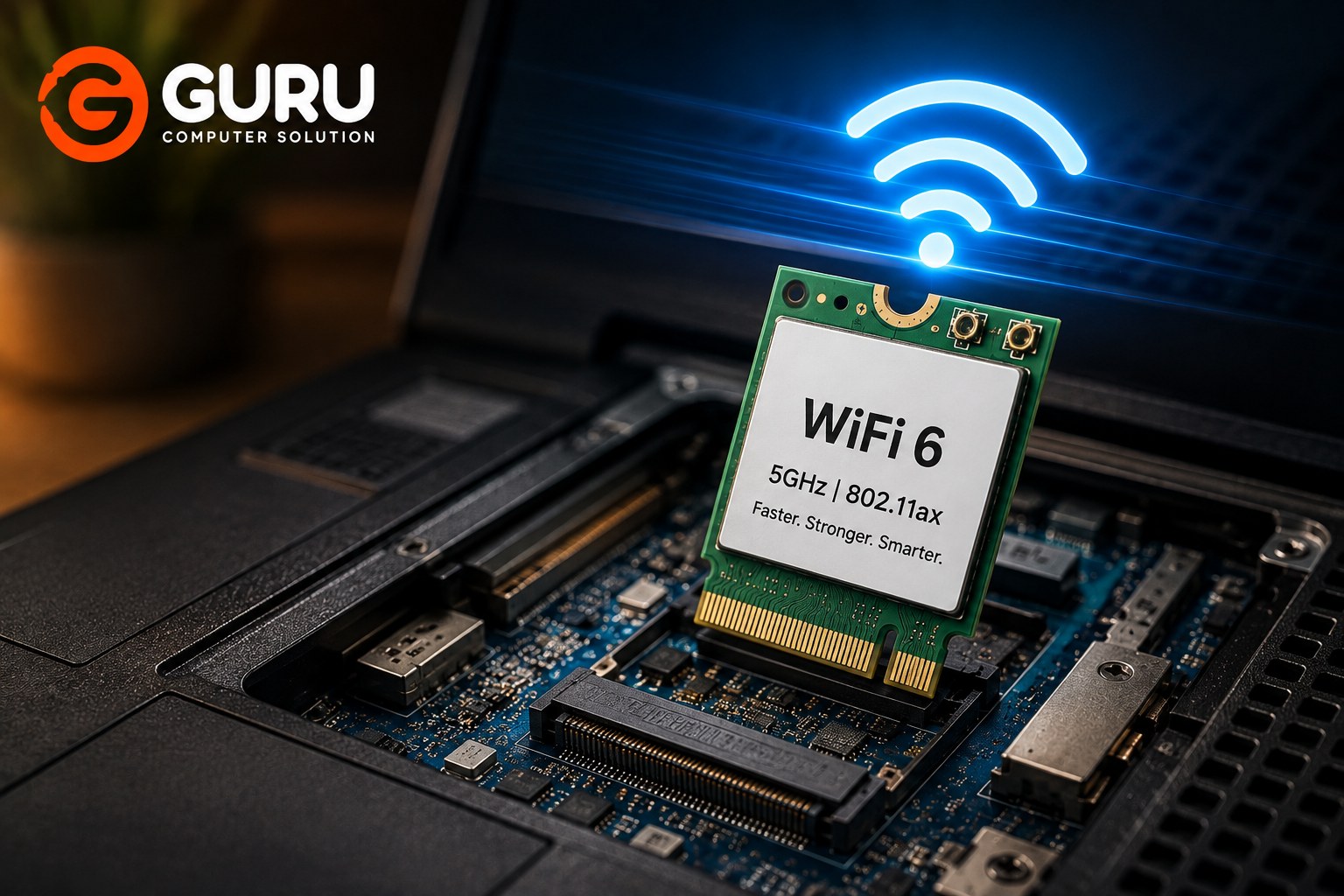
Is your old laptop still working well, but its Wi-Fi feels painfully slow?
You may not need to replace the entire laptop.
Many older laptops can benefit from a WiFi card upgrade, especially if the existing wireless card only supports older standards or struggles with modern 5GHz networks.
For compatible laptops, replacing the internal wireless card with a newer WiFi 6 card can provide better wireless performance, improved network efficiency, and more reliable connections.
If you work from home, attend online meetings, stream videos, transfer large files, or use cloud applications, upgrading the wireless card can be a practical way to extend the life of an older laptop.
Why Upgrade the Wi-Fi Card in an Old Laptop?
An older laptop can still have plenty of processing power and storage while using an outdated Wi-Fi card.
You may notice:
- Slow Wi-Fi compared with your phone
- Poor 5GHz connectivity
- Frequent Wi-Fi disconnections
- Weak wireless performance
- Slow file transfers over the local network
- Problems during video meetings
- High latency while gaming
- Poor performance when multiple devices use the same router
The laptop itself may not be the problem.
The internal wireless card could simply be outdated.
Instead of replacing an otherwise usable laptop, upgrading the Wi-Fi card can sometimes provide a relatively inexpensive improvement.
This is particularly useful for students, office workers, remote workers, and users who rely heavily on wireless internet.
What Is WiFi 6 and How Is It Better Than Older WiFi Standards?
WiFi 6 is based on the 802.11ax wireless standard.
It was designed to improve wireless performance, particularly in environments where many devices are connected to the same network.
Compared with older Wi-Fi generations, WiFi 6 can provide improvements in:
- Network efficiency
- Performance in congested environments
- Latency
- Capacity
- Power efficiency
- Overall wireless reliability
However, upgrading to WiFi 6 does not automatically make every internet connection faster.
Your actual performance depends on the laptop, WiFi card, router, internet connection, signal strength, distance, interference, and network configuration.
The biggest advantage can often be seen when both the laptop and router support modern WiFi technologies.
Can an Old Laptop Be Upgraded to WiFi 6?
Sometimes, yes.
Many laptops use an internal wireless module that can be replaced with a newer compatible card.
However, not every old laptop can accept every WiFi 6 card.
Compatibility depends on factors such as:
- Physical card format
- Interface
- Laptop motherboard support
- Antenna connections
- Operating system
- BIOS restrictions
- Driver availability
- Manufacturer-specific limitations
Some laptops have replaceable M.2 wireless cards, while others may use different configurations or have the wireless module integrated into the motherboard.
Therefore, checking compatibility before buying the card is essential.
How to Check if Your Laptop Supports a WiFi 6 Card
Before purchasing a WiFi 6 card, the existing wireless hardware should be identified.
You can check the laptop's current Wi-Fi adapter through Windows Device Manager.
Look under:
Device Manager → Network Adapters
You may see the name and model of the installed wireless card.
You can then determine:
- Current Wi-Fi generation
- Card manufacturer
- Interface type
- Bluetooth support
- Potential replacement options
The laptop's exact model is also important.
A technician can physically inspect the laptop when necessary to determine which wireless module is installed and whether a replacement is practical.
This is especially useful for older laptops where compatibility cannot be determined from the Wi-Fi card name alone.
Why 5GHz WiFi Is Faster Than 2.4GHz WiFi for Many Laptops
Most modern wireless cards support both 2.4GHz and 5GHz bands.
The 2.4GHz band generally offers better range and can travel through obstacles more effectively, but it is often more congested.
The 5GHz band can provide higher wireless speeds and more available channels, although its range is generally shorter than 2.4GHz.
For a laptop located reasonably close to the router, 5GHz can therefore provide a much better experience for:
- Video calls
- Streaming
- Large downloads
- Cloud applications
- File transfers
- Online gaming
WiFi 6 can operate on multiple bands, including 5GHz, depending on the specific card and router.
What WiFi 6 Speeds Can You Actually Expect in Nepal?
There is no single WiFi 6 speed that every laptop user in Nepal will experience.
Your actual speed depends on several factors.
For example:
Laptop WiFi Card + Router + Internet Plan + Signal Strength + Distance + Interference + Network Congestion = Real-World Speed
If your internet plan provides 100 Mbps, upgrading to a WiFi 6 card cannot magically turn that connection into a 500 Mbps internet connection.
However, if your existing wireless card is limiting your connection or performing poorly, upgrading it may help your laptop make better use of the available network.
WiFi 6 can also be beneficial for local network transfers even when internet speeds remain unchanged.
WiFi Card Upgrade vs USB WiFi Adapter: Which Is Better?
You have two common options when upgrading Wi-Fi on an older laptop:
Internal WiFi card replacement or USB WiFi adapter.
An internal card has several advantages.
It does not occupy a USB port and can provide a cleaner permanent upgrade.
It can also integrate Bluetooth functionality when supported by the card and laptop configuration.
A USB adapter, on the other hand, is easier to install because you simply plug it into a USB port.
It can be useful when:
- The internal card cannot be replaced
- The laptop has compatibility restrictions
- You want a temporary solution
- You do not want to open the laptop
For a permanent upgrade on a compatible laptop, an internal WiFi card replacement can be a cleaner solution.
What Is an M.2 WiFi Card and How Does It Work?
Many modern laptops use compact M.2 wireless modules.
These cards can provide Wi-Fi and Bluetooth functionality.
An M.2 wireless card typically connects to the laptop's motherboard and uses small antenna cables connected to the laptop's internal antennas.
The physical M.2 format alone does not guarantee compatibility.
The card must also use a compatible interface and be supported by the laptop's hardware and software.
This is why identifying the existing card and laptop model before purchasing a replacement is important.
What Happens During a Professional Laptop WiFi Card Upgrade?
A professional WiFi card upgrade generally starts with checking the laptop model and current wireless card.
The technician can then determine whether a compatible WiFi 6 module is available.
The upgrade process may involve:
- Checking laptop compatibility
- Identifying the existing wireless card
- Selecting a compatible WiFi 6 card
- Opening the laptop
- Disconnecting the Wi-Fi antennas
- Removing the existing wireless module
- Installing the new card
- Reconnecting the antennas
- Installing or updating drivers
- Testing Wi-Fi and Bluetooth functionality
The final step is important.
A successful installation should be tested for:
- Wi-Fi detection
- 2.4GHz connectivity
- 5GHz connectivity
- Connection stability
- Bluetooth functionality
- Driver operation
Do WiFi 6 Cards Require New WiFi Antennas?
Not necessarily.
In many compatible laptop upgrades, the existing internal antennas can continue to be used with the replacement WiFi card.
However, antenna configuration varies between laptop models and wireless cards.
If the existing antennas are damaged, poorly connected, or unsuitable for the new configuration, they may require attention.
A technician can inspect the antenna cables and connectors during the card replacement.
Poor antenna connections can cause symptoms such as:
- Weak Wi-Fi signal
- Low connection speed
- Frequent disconnections
- Poor 5GHz performance
So the card itself is not the only component worth checking.
Why Your Internet Plan May Limit Your WiFi 6 Speed
A WiFi 6 card can improve your laptop's wireless capability, but your internet subscription still determines how much internet bandwidth is available.
For example, if your ISP provides a 100 Mbps connection, your laptop cannot download from the internet at 500 Mbps simply because you installed a WiFi 6 card.
However, WiFi 6 can still improve the wireless link between your laptop and router.
This becomes especially useful when:
- Multiple devices are connected
- The network is congested
- You transfer files between local devices
- Your router supports WiFi 6
- Your internet plan is faster than your old Wi-Fi card can reliably handle
The upgrade should therefore be viewed as a wireless capability upgrade, not a replacement for a faster internet plan.
Common Problems After a Laptop WiFi Card Upgrade
Sometimes a newly installed WiFi card may not work correctly immediately.
Common causes include:
Driver Problems
The operating system may not have the correct driver.
Compatibility Problems
The card may not be fully compatible with the laptop's hardware or firmware.
Loose Antenna Connections
Incorrectly connected antenna cables can result in weak signal or poor performance.
Card Not Detected
The laptop may fail to recognize the new module because of compatibility, hardware, BIOS, or installation issues.
Bluetooth Not Working
Some wireless cards combine Wi-Fi and Bluetooth functionality. Bluetooth may require a separate connection or driver depending on the card.
Frequent Disconnections
This can be caused by drivers, antenna issues, router compatibility, interference, or configuration problems.
Proper testing after installation helps identify these issues before the laptop is returned to the user.
How Much Does a WiFi 6 Laptop Upgrade Cost in Kathmandu?
The cost depends on the WiFi 6 card selected and the laptop model.
Factors that can affect the total cost include:
- WiFi 6 card model
- Card availability in Nepal
- Laptop compatibility
- Installation requirements
- Driver configuration
- Antenna condition
- Whether additional troubleshooting is required
For this reason, it is better to check the laptop model and existing wireless card before quoting a final price.
Why Choose Guru Computer Solution for Laptop WiFi Upgrades in Kathmandu?
If your old laptop is otherwise working well but its wireless performance is outdated, a WiFi card upgrade can be a practical way to extend its useful life.
Guru Computer Solution can help check whether your laptop is suitable for an internal WiFi upgrade.
The service can include:
- Existing WiFi card identification
- Laptop compatibility checking
- WiFi 6 card selection
- Internal card replacement
- Antenna inspection
- Driver installation
- Wi-Fi testing
- Bluetooth testing
Instead of purchasing a wireless card blindly, getting the laptop checked first can help avoid compatibility problems.
Get Faster and More Reliable WiFi on Your Old Laptop
You do not always need a new laptop to improve wireless performance.
If your laptop is still fast enough for your daily work but has an outdated wireless card, upgrading to a compatible WiFi 6 module can be a practical improvement.
It can be especially useful for:
- Work-from-home users
- Online meetings
- Students
- Remote workers
- Content creators
- Gamers
- Users with fast fiber internet
Before purchasing a WiFi 6 card, check compatibility with your laptop and router.
If the hardware supports the upgrade, a relatively small wireless card replacement can give an older laptop access to newer Wi-Fi technology.
Frequently Asked Questions
Can I Upgrade My Old Laptop to WiFi 6?
Possibly. Many laptops with replaceable wireless modules can be upgraded, but compatibility depends on the laptop's card interface, BIOS, antennas, operating system, and other hardware restrictions.
Does My Laptop Need an M.2 Slot for a WiFi 6 Card?
Many modern WiFi 6 laptop cards use an M.2 form factor, but the exact interface and compatibility requirements vary. You should verify the existing wireless module before purchasing a replacement.
Will a WiFi 6 Card Make My Laptop Internet Faster?
It can improve wireless performance if your existing Wi-Fi card is a bottleneck and the rest of the network supports higher performance. Your internet plan still limits the maximum internet speed available.
Does My Router Need to Support WiFi 6?
You can use a WiFi 6-capable laptop with older Wi-Fi routers, but you will not receive the full benefits of WiFi 6 unless the router also supports the standard.
Can WiFi 6 Work on a 5GHz Network?
Yes. WiFi 6 supports 5GHz operation, provided both the wireless card and router support the appropriate band and configuration.
Is WiFi 6 Better Than 5GHz WiFi?
They are not directly comparable.
5GHz refers to a wireless frequency band, while WiFi 6 refers to a Wi-Fi generation or standard.
WiFi 6 can operate on the 5GHz band.
Do I Need to Replace My Laptop's WiFi Antennas?
Usually not if the existing antennas are compatible and in good condition. However, antenna cables and connectors should be inspected during the upgrade.
Can I Install a WiFi 6 Card in Any Old Laptop?
No. Compatibility must be checked first. Some laptops have replaceable wireless cards, while others may have restrictions that prevent certain upgrades.
What Brands of WiFi Cards Can Be Used in Laptops?
Common laptop Wi-Fi card manufacturers include Intel and other wireless hardware manufacturers. Specific models such as Intel WiFi 6 modules may be suitable for certain laptops, but compatibility must be confirmed before installation.
Will I Need New Drivers After Installing a WiFi 6 Card?
Usually, the correct driver needs to be installed or already supported by the operating system. The exact requirement depends on the WiFi card and operating system.
Why Is My WiFi 6 Card Not Showing Up After Installation?
Possible causes include an incompatible card, incorrect installation, loose connection, missing drivers, BIOS restrictions, or hardware problems.
How Much Does a WiFi 6 Upgrade Cost in Nepal?
The cost depends on the WiFi 6 card, laptop compatibility, availability, and installation requirements. A laptop inspection can determine the appropriate card and total upgrade cost.
Is a WiFi 6 Card Better Than a USB WiFi Adapter?
For a compatible laptop, an internal WiFi card can provide a cleaner permanent upgrade without occupying a USB port. A USB adapter is easier to install and can be useful when the internal card cannot be replaced.
Can a WiFi 6 Upgrade Improve Work-From-Home Performance?
Yes, potentially. A better wireless connection can improve video meetings, cloud applications, downloads, file transfers, and other work-from-home activities, especially when the old Wi-Fi card was limiting performance.
When Should I Bring My Laptop to Guru Computer Solution?
If your laptop has slow Wi-Fi, cannot connect reliably to 5GHz networks, frequently disconnects, or uses an outdated wireless card, bring it in for a compatibility check before purchasing a replacement WiFi 6 card.






