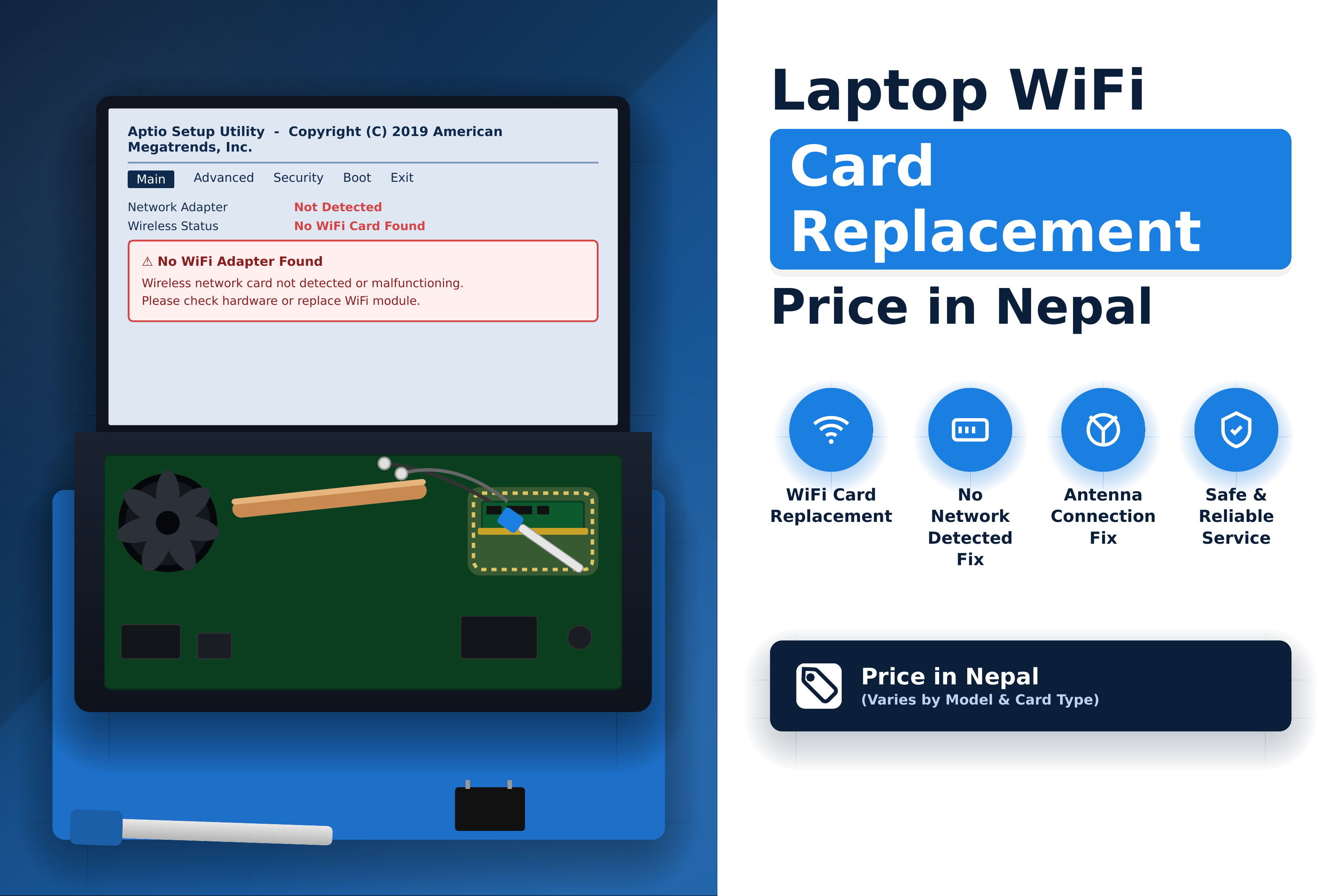
A working WiFi connection is essential for most laptop users today. Whether you are attending online classes, working remotely, browsing the internet, streaming content, or connecting to cloud applications, a faulty wireless connection can make a laptop difficult to use.
The WiFi hardware inside a laptop is usually provided through a wireless network card or WiFi module. Depending on the laptop, the same module may also provide Bluetooth connectivity.
When the wireless module becomes faulty, the WiFi adapter may disappear, connections may become unstable, Bluetooth may stop working, or the laptop may fail to detect wireless networks altogether.
If you are searching for the Laptop WiFi Card Price in Nepal or need a Laptop WiFi Card Replacement, this guide explains WiFi card pricing, common problems, replacement options, Bluetooth issues, and professional WiFi repair in Kathmandu.
What Is a Laptop WiFi Card?
A laptop WiFi card is a hardware component that allows the laptop to communicate with wireless networks.
Many modern laptops use a small internal wireless module connected to the motherboard. Depending on the module, it may support both WiFi and Bluetooth.
The wireless system generally works together with:
- WiFi or wireless module
- Bluetooth functionality
- Internal antenna cables
- Motherboard interface
- Operating-system drivers
The exact design differs between laptop brands and models. Some laptops have replaceable wireless modules, while others may use hardware that is integrated into the motherboard or have manufacturer-specific compatibility restrictions.
Laptop WiFi Card Replacement Price in Nepal
The Laptop WiFi Card Replacement Price in Nepal depends on the laptop model, wireless module, supported WiFi standard, brand, availability, and installation requirements.
A basic wireless module may cost less than a newer or higher-specification module. The total service cost can also include technician labor, laptop disassembly, antenna connection, driver installation, and testing.
The final price can be affected by:
- Laptop brand and exact model
- WiFi card or module model
- WiFi generation and supported standards
- Bluetooth support
- Interface and physical compatibility
- Original or compatible replacement
- Availability of the required module
- Antenna condition
- Installation labor
- Driver or software requirements
For this reason, it is better to identify the exact laptop model and existing wireless module before purchasing a replacement.
Laptop WiFi Card Price in Nepal
The Laptop WiFi Card Price in Nepal varies considerably depending on the wireless module and its specifications.
Older or basic WiFi modules can generally be less expensive, while newer modules supporting newer WiFi standards and Bluetooth versions may cost more.
The price of the WiFi card itself should also be separated from the complete replacement service. If the laptop requires disassembly, antenna reconnection, driver installation, or additional troubleshooting, the final service cost may be different from the hardware price.
Before buying a replacement module, check:
- Model number
- Interface
- Physical size
- Connector type
- Supported WiFi standard
- Bluetooth support
- Operating-system compatibility
- Laptop or motherboard compatibility
A module that physically fits the laptop is not necessarily guaranteed to work correctly with every laptop.
Laptop WiFi Card Replacement
A laptop WiFi card replacement may be required when the wireless module has suffered physical damage or has developed a hardware fault that cannot be resolved through software troubleshooting.
Before replacing the card, the technician should first determine whether the problem is actually hardware-related.
For example, WiFi problems can also be caused by:
- Missing drivers
- Corrupted drivers
- Disabled wireless adapter
- Windows network configuration
- Airplane mode
- Damaged antenna
- Router or network problems
- Motherboard faults
If the wireless card is confirmed to be defective, the technician can identify a compatible replacement and install it.
Laptop WiFi Not Working Repair
A laptop WiFi not working problem does not always mean that the WiFi card is damaged.
The first step is to determine whether the laptop can detect the wireless adapter.
If the WiFi adapter appears in the operating system but cannot connect to networks, the issue may involve drivers, Windows configuration, network settings, or the wireless environment.
If the adapter is completely missing from Device Manager or firmware and software troubleshooting does not restore it, a hardware problem becomes more likely.
Other symptoms can include:
- WiFi option disappearing
- Laptop cannot find wireless networks
- WiFi repeatedly disconnecting
- Very weak wireless signal
- WiFi working intermittently
- Wireless adapter showing an error
- WiFi stopping after physical damage
- WiFi disappearing after motherboard repair
A proper diagnosis helps determine whether you need a driver fix, antenna repair, WiFi module replacement, or motherboard-level repair.
Laptop Bluetooth Not Working
Many laptop WiFi modules also provide Bluetooth connectivity. As a result, a faulty wireless module can sometimes affect both WiFi and Bluetooth.
If WiFi and Bluetooth stop working at approximately the same time, the wireless module is one component that should be checked.
However, Bluetooth problems can also be caused by:
- Missing Bluetooth drivers
- Disabled Bluetooth
- Windows configuration
- Driver conflicts
- Bluetooth service problems
- Hardware faults
- Wireless module failure
If Bluetooth alone is not working while WiFi functions normally, replacing the entire WiFi module may not be necessary.
Laptop Wireless Card Replacement in Nepal
When replacing a laptop wireless card, compatibility is one of the most important considerations.
Wireless modules can differ in physical dimensions, interface, supported standards, Bluetooth capability, and compatibility with specific laptop models.
A replacement module should therefore be selected based on the laptop and motherboard rather than simply choosing a card with higher specifications.
A technician may check the existing module's model number and the laptop's hardware configuration before selecting a replacement.
This is particularly important for laptops where wireless modules have manufacturer-specific restrictions.
Laptop WiFi Module Replacement
The terms WiFi card, wireless card, and WiFi module are often used interchangeably when discussing laptop wireless hardware.
A typical internal module may handle both wireless networking and Bluetooth. It can connect to the laptop motherboard and use internal antenna cables routed through the laptop display assembly.
A damaged antenna can sometimes create symptoms similar to a faulty WiFi module. Therefore, replacing the module without checking the antenna and connectors may not solve the problem.
Professional diagnosis should cover the complete wireless system rather than only the card itself.
Signs Your Laptop WiFi Card May Be Faulty
Some symptoms can indicate a possible wireless hardware problem.
WiFi Adapter Completely Disappears
If the wireless adapter is no longer detected by the operating system after driver and configuration checks, the hardware may need further inspection.
WiFi Keeps Disconnecting
Frequent disconnections can result from drivers, router problems, interference, antenna issues, or a failing wireless module.
WiFi Signal Is Extremely Weak
A weak signal may be caused by a damaged or disconnected antenna rather than the WiFi card itself.
Bluetooth Also Stops Working
If WiFi and Bluetooth disappear together, the combined wireless module should be checked.
WiFi Stops After Physical Damage
A laptop that has been dropped or damaged may develop loose antenna connections or damage to the wireless module or motherboard.
Wireless Adapter Shows Hardware Errors
Operating-system errors associated with the wireless adapter can provide useful diagnostic information, although they do not automatically prove that the physical card has failed.
WiFi Card Problem vs Driver or Software Problem
One of the most important steps in laptop WiFi repair is distinguishing a hardware problem from a software problem.
A driver issue can cause the WiFi adapter to disappear, fail to connect, or show an error. Reinstalling or updating the correct driver may resolve the problem without replacing any hardware.
Similarly, Windows network settings can prevent a laptop from connecting even when the WiFi hardware is functioning correctly.
Before replacing the WiFi module, a technician may check:
- WiFi adapter detection
- Device Manager status
- Wireless drivers
- Windows network configuration
- WiFi antenna connections
- BIOS/UEFI hardware detection where applicable
- Wireless module condition
This diagnostic process helps avoid unnecessary hardware replacement.
Can a Laptop WiFi Card Be Replaced?
Yes, many laptops use replaceable WiFi modules.
However, not every laptop has the same wireless hardware design. Some models use removable modules, while others may have wireless components integrated into the motherboard.
Even when a module is physically replaceable, compatibility must be checked before installation.
A suitable replacement should match the laptop's supported interface, physical requirements, antenna connections, and compatibility requirements.
How Is a Laptop WiFi Card Replaced?
Professional laptop WiFi module replacement generally involves several steps.
1. Diagnose the Problem
The technician checks whether the problem is caused by the wireless card, driver, antenna, operating system, or motherboard.
2. Identify the Existing Module
The existing wireless module is checked for its model number, interface, and supported features.
3. Check Compatibility
A replacement module is selected according to the laptop's hardware and compatibility requirements.
4. Open the Laptop Safely
The laptop is carefully disassembled to access the wireless module.
5. Disconnect the Antennas
The internal antenna connectors are disconnected carefully before removing the wireless card.
6. Replace the Module
The faulty module is removed and the compatible replacement is installed.
7. Reconnect the Antennas
The antenna cables are connected correctly to the new module.
8. Install or Verify Drivers
The appropriate WiFi and Bluetooth drivers are installed or verified.
9. Test WiFi and Bluetooth
The laptop is tested with available wireless networks and Bluetooth devices to confirm that both functions work correctly.
Laptop WiFi Repair Kathmandu
If you are searching for Laptop WiFi Repair in Kathmandu, Guru Computer Solution provides laptop diagnosis and repair services for WiFi, Bluetooth, wireless modules, and related hardware problems.
Our technicians can diagnose problems involving WiFi cards, wireless modules, antenna connections, drivers, and related laptop hardware.
Guru Computer Solution provides Laptop, Printer, CCTV, Mobile, Computer, Projector, and Smartboard Repair services in Kathmandu, with service locations including New Road and New Baneshwor.
For WiFi problems, the laptop can first be inspected to determine whether the cause is software, the wireless module, antenna connectivity, or another hardware component.
For customers outside Kathmandu Valley, courier arrangements may also be available depending on the location and repair requirement.
How to Choose a Laptop WiFi Repair Service in Nepal
When selecting a laptop WiFi repair service, consider whether the technician diagnoses the problem before replacing hardware.
A reliable repair process should include:
- Proper WiFi troubleshooting
- Driver and software checks
- Wireless module inspection
- Antenna inspection
- Compatibility verification
- Quality replacement hardware
- WiFi and Bluetooth testing
- Clear explanation of the required repair
Replacing a WiFi card without checking drivers, antennas, and other possible causes can result in unnecessary expense.
Frequently Asked Questions
How much does a laptop WiFi card cost in Nepal?
The price varies according to the WiFi module, laptop model, supported WiFi and Bluetooth standards, availability, and compatibility. The replacement service may also include installation and testing costs.
How much does laptop WiFi card replacement cost?
There is no single price for every laptop. The total cost depends on the replacement module and the work required to install and configure it.
Can a laptop WiFi card be replaced?
Many laptops have replaceable wireless modules, but some use integrated or manufacturer-specific hardware. Compatibility should be checked before replacement.
Why is my laptop WiFi not working?
WiFi problems can be caused by drivers, Windows settings, disabled adapters, router issues, damaged antennas, faulty wireless modules, or motherboard problems.
Why is my laptop Bluetooth not working?
Bluetooth can stop working because of missing drivers, Windows configuration problems, disabled Bluetooth, or a faulty wireless module.
Is the WiFi card also responsible for Bluetooth?
Many laptop wireless modules provide both WiFi and Bluetooth functionality. However, the exact configuration depends on the laptop and wireless module.
Can a WiFi driver problem look like a faulty WiFi card?
Yes. A missing, corrupted, or incompatible driver can cause symptoms that resemble hardware failure. Software troubleshooting should therefore be performed before replacing the WiFi module.
How do I know if my laptop WiFi module is damaged?
A missing wireless adapter after proper driver and configuration checks, persistent hardware errors, or WiFi and Bluetooth failures that continue after software troubleshooting can indicate a hardware problem. Professional diagnosis is recommended before replacement.
Can I upgrade my laptop WiFi card?
Some laptops support wireless module upgrades, but compatibility depends on the laptop's motherboard, physical slot, firmware, operating system, antenna configuration, and manufacturer restrictions.
Where can I replace a laptop WiFi card in Kathmandu?
Guru Computer Solution provides laptop WiFi and wireless hardware diagnosis and replacement services in Kathmandu through its New Road and New Baneshwor locations.
Conclusion
A faulty WiFi connection does not always mean that the laptop's WiFi card needs to be replaced. Driver problems, Windows configuration, antenna damage, router issues, and motherboard faults can produce similar symptoms.
When the wireless module itself is defective, laptop WiFi card replacement can restore WiFi and, where the module supports it, Bluetooth functionality as well.
The Laptop WiFi Card Replacement Price in Nepal varies according to the laptop model, wireless module, compatibility, replacement hardware, and installation requirements. Identifying the exact laptop model and existing WiFi module before purchasing a replacement can help avoid compatibility problems.
If your laptop WiFi is not working, Bluetooth has stopped functioning, or the wireless adapter has disappeared, professional diagnosis can help determine whether you need software troubleshooting, antenna repair, WiFi module replacement, or another hardware repair.






