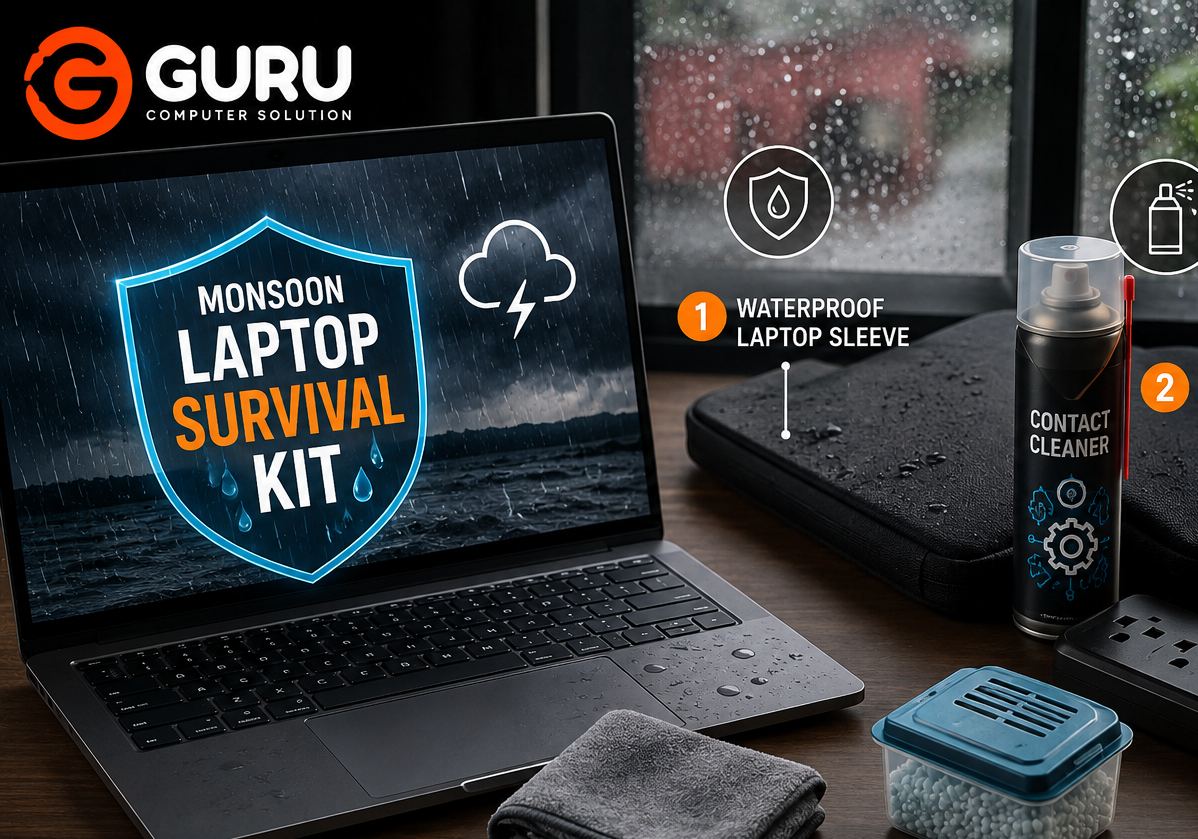
Monsoon brings much-needed rain to Nepal, but it also creates a challenging environment for laptops and other electronics.
High humidity, accidental water exposure, wet bags, dust, and voltage fluctuations can all increase the risk of laptop problems during the rainy season.
The good news is that you don't need an expensive setup to protect your laptop.
A few simple precautions—combined with proper maintenance—can significantly reduce the risk of moisture, overheating, and electrical problems.
Here are 5 must-haves for protecting your laptop during monsoon, based on practical laptop maintenance and repair considerations.
Why Monsoon Season Is Dangerous for Laptops in Nepal
Rain itself isn't the only problem.
The bigger concern is the combination of humidity, moisture, dust, and electrical instability that can occur during monsoon.
Moisture can enter a laptop through openings such as:
- Cooling vents
- Keyboard gaps
- USB ports
- Charging ports
- Speaker openings
- Hinges
- Other chassis openings
A laptop doesn't necessarily need to be completely submerged in water to develop problems.
High humidity over time can contribute to oxidation and corrosion on exposed metal contacts and electronic components.
At the same time, laptops may collect more dust and operate in less-than-ideal environmental conditions.
That's why monsoon is a good time to think about preventive laptop maintenance.
What Moisture and Humidity Can Do to Your Laptop
Moisture can create several types of problems inside electronic equipment.
Depending on the exposure and environmental conditions, moisture may contribute to:
- Corrosion
- Oxidation
- Short circuits
- Keyboard problems
- Charging problems
- Display issues
- Motherboard faults
- Battery problems
- No-power conditions
The most concerning part is that moisture damage isn't always immediately visible.
A laptop might continue working after exposure and develop a problem later.
This is one reason preventive protection is better than waiting for symptoms.
5 Must-Haves to Protect Your Laptop During Monsoon
1. Silica Gel or Moisture Absorbers
Silica gel packets are commonly used to absorb moisture in enclosed spaces.
Keeping appropriate moisture-absorbing products in a laptop bag or storage area can help reduce humidity around the equipment.
However, there is an important distinction:
Silica gel cannot protect a laptop from direct water exposure.
It is a preventive measure for the surrounding environment, not a replacement for keeping the laptop dry.
Never place loose silica gel material directly inside the laptop or near sensitive electronic components.
Use it appropriately inside the storage bag or case and replace or regenerate it according to the manufacturer's instructions.
2. Waterproof Laptop Sleeve or Bag
A waterproof or water-resistant laptop sleeve is one of the simplest investments you can make during monsoon.
A good protective sleeve or bag can help prevent rainwater from reaching the laptop when you're:
- Walking to work
- Riding in a vehicle
- Traveling between offices
- Attending classes
- Carrying your laptop outdoors
Look for a bag with:
- Water-resistant exterior
- Properly protected zippers
- Adequate padding
- A snug laptop compartment
- Additional protection for the charger
Remember that water-resistant doesn't always mean waterproof.
During heavy rain, additional protection may still be necessary.
3. Surge Protector or Voltage Protection
Monsoon can also bring electrical problems.
Power interruptions, voltage fluctuations, and unstable electrical supply can potentially affect laptop chargers and other connected equipment.
A suitable surge-protection or power-conditioning solution can provide an additional layer of protection.
This is especially useful when your laptop is being used in an environment where power quality is inconsistent.
However, a surge protector isn't a guarantee against every electrical problem.
For important equipment, use an appropriate protection device based on the electrical system and equipment requirements.
Also avoid using damaged or low-quality laptop chargers.
4. Microfiber Cloth and Safe Cleaning Supplies
Your laptop doesn't need to be covered in water to develop problems.
During monsoon, moisture, dust, fingerprints, and environmental contaminants can accumulate around the exterior.
Keeping a clean microfiber cloth available allows you to wipe down the laptop safely.
Pay particular attention to:
- Screen
- Keyboard
- Palmrest
- Ports
- Exterior vents
Don't spray liquid directly onto the laptop.
Instead, follow the cleaning product manufacturer's instructions and use only products appropriate for the specific surface.
If moisture has actually entered the laptop, ordinary surface cleaning is not enough.
That's when professional inspection may be necessary.
5. Professional Pre-Monsoon Laptop Deep Cleaning
This is the most important item if your laptop already has significant dust buildup.
Dust blocks cooling vents and can accumulate around:
- Cooling fans
- Heatsinks
- Air channels
- Motherboard surfaces
When airflow is restricted, the laptop may run hotter and the cooling fan may work harder.
A professional deep cleaning can involve:
- Internal dust removal
- Fan cleaning
- Heatsink cleaning
- Cooling-system inspection
- Thermal paste assessment
- Internal component inspection
It doesn't make the laptop waterproof, but keeping the cooling system clean can help the laptop handle demanding workloads more effectively during warm and humid weather.
Why You Should Never Dry a Wet Laptop With a Hair Dryer
If water gets inside your laptop, your first reaction might be to grab a hair dryer.
That's generally not a good idea.
A hair dryer can push moisture deeper into the laptop and expose components to uncontrolled heat.
Instead, if liquid enters the laptop:
- Disconnect the charger immediately.
- Turn the laptop off if it is still running.
- Disconnect the battery if it can be safely disconnected.
- Do not continue testing it repeatedly.
- Do not apply uncontrolled heat.
- Have the laptop inspected professionally as soon as possible.
The correct response depends on the amount and type of liquid involved.
What to Do If Your Laptop Gets Wet During Monsoon
If water or another liquid spills onto your laptop, time matters.
The longer electrical power remains connected while moisture is present, the greater the potential for electrical damage.
If safe to do so, shut the laptop down immediately and disconnect external power.
Don't repeatedly press the power button to check whether it still works.
Don't connect the charger "just to see."
A laptop that appears dead after liquid exposure may still contain repairable components.
Professional inspection can help determine whether there is corrosion, a short circuit, damaged connectors, or another fault.
Why Monsoon Is a Good Time for Preventive Laptop Maintenance
Preventive maintenance is usually less stressful than emergency repair.
During monsoon, your laptop may be exposed to:
- Higher humidity
- More dust
- Rain
- Temperature changes
- Unstable power conditions
A maintenance check gives you an opportunity to identify issues before they become serious.
For example, a technician may discover:
- A heavily clogged cooling system
- A noisy fan
- Deteriorated thermal paste
- Loose internal connections
- Corrosion
- Damaged ports
- Battery problems
Not every issue requires immediate replacement.
Early diagnosis can give you more options.
How Pre-Monsoon Deep Cleaning Helps Protect Your Laptop
A deep cleaning service isn't a moisture-proofing treatment.
Instead, its main purpose is to keep the laptop's cooling system and internal components in better condition.
A clean cooling system can help maintain proper airflow.
During a professional cleaning, the technician can inspect:
- Fans
- Heatsinks
- Thermal interfaces
- Cooling vents
- Motherboard condition
- Dust accumulation
If the laptop is overheating or the fan is constantly running at high speed, cleaning may help if dust and restricted airflow are contributing factors.
For laptops used heavily throughout the year, pre-monsoon maintenance can be a practical part of preventive care.
Common Laptop Problems Caused by Monsoon Conditions
Monsoon-related conditions can contribute to several laptop problems.
Laptop Won't Turn On
Moisture or electrical problems can affect power-related components.
Charging Problems
Moisture, damaged charging ports, or electrical issues can interfere with charging.
Keyboard Problems
Liquid entering through the keyboard can damage switches and the underlying circuitry.
Display Problems
Moisture or corrosion around display connections can cause intermittent or permanent display issues.
Motherboard Corrosion
Humidity and liquid exposure can contribute to corrosion on susceptible components and contacts.
Overheating
Dust accumulation and blocked cooling systems can reduce airflow and increase operating temperatures.
Not every problem during monsoon is caused by moisture, so proper diagnosis remains important.
How to Store Your Laptop Safely During Humid Weather
When you're not using your laptop, store it somewhere:
- Dry
- Clean
- Well ventilated
- Away from direct rain
- Away from damp walls
- Away from areas prone to condensation
Avoid leaving the laptop inside a closed, damp bag for long periods.
If you've been traveling in heavy rain, allow the exterior of the bag and laptop to dry properly before storing the equipment.
A moisture absorber inside the storage area can provide additional environmental protection, but it should not be treated as a substitute for keeping the laptop dry.
Why Choose Guru Computer Solution for Monsoon Laptop Maintenance in Kathmandu?
Before monsoon conditions turn a small maintenance issue into a larger repair, professional inspection can be worthwhile.
Guru Computer Solution in Kathmandu can help with laptop maintenance and repair requirements such as:
- Laptop deep cleaning
- Fan cleaning
- Thermal paste service
- Overheating issues
- Charging problems
- Laptop power issues
- Motherboard inspection
- Liquid-damage diagnosis
A pre-monsoon check can help identify cooling and hardware problems before they become more expensive failures.
If your laptop has already been exposed to moisture or liquid, professional inspection is especially important.
Protect Your Laptop Before the Monsoon Causes a Problem
You don't need an expensive "survival kit" to protect your laptop during Nepal's monsoon season.
Start with the basics:
Keep moisture away.
Use a suitable waterproof laptop bag.
Protect against electrical fluctuations.
Keep the laptop clean.
Maintain the cooling system.
And if your laptop hasn't been cleaned internally for a long time, consider a professional pre-monsoon deep cleaning.
A few preventive steps now can be much easier than dealing with a dead motherboard, damaged keyboard, or expensive liquid-damage repair later.
Frequently Asked Questions
Can Humidity Damage a Laptop?
Yes. Prolonged exposure to high humidity can contribute to corrosion and oxidation of susceptible electronic components and contacts. Direct liquid exposure presents a much greater immediate risk.
Should I Keep Silica Gel Near My Laptop?
Silica gel can help reduce moisture in an enclosed storage environment such as a laptop bag, but it cannot protect against direct water exposure. Do not place loose silica gel material inside the laptop.
Is a Waterproof Laptop Bag Enough During Heavy Rain?
A water-resistant or waterproof laptop bag provides useful protection, but it isn't an absolute guarantee. During heavy rain, additional care should be taken to keep the bag away from direct water exposure.
Can Voltage Fluctuations During Monsoon Damage a Laptop?
Voltage fluctuations can potentially affect laptop chargers and connected electronics. Using an appropriate surge-protection or power-protection solution can provide an additional layer of protection.
What Should I Do If Water Gets Inside My Laptop?
Disconnect power, shut the laptop down, and avoid repeatedly turning it on. Do not use uncontrolled heat to dry it. Have it professionally inspected as soon as possible.
Can I Use a Hair Dryer to Dry a Wet Laptop?
It is not recommended. A hair dryer can introduce uncontrolled heat and airflow that may push moisture further into the laptop or damage components.
How Often Should I Deep Clean My Laptop?
The ideal frequency depends on the laptop's environment and usage. Laptops used in dusty environments or under heavy workloads may require more frequent internal cleaning.
Does Laptop Deep Cleaning Help During Monsoon?
Deep cleaning can help maintain airflow and cooling performance by removing accumulated dust from fans and heatsinks. It does not make the laptop waterproof or prevent liquid damage.
Can Moisture Cause Laptop Motherboard Corrosion?
Yes. Moisture and liquid exposure can contribute to corrosion and oxidation on susceptible motherboard components, contacts, and connectors.
How Can I Protect My Laptop While Traveling in the Rain?
Use a properly padded water-resistant or waterproof laptop bag, keep the laptop away from direct rain, and avoid leaving a wet laptop bag closed around the laptop for extended periods.
How Much Does Laptop Deep Cleaning Cost in Kathmandu?
The cost depends on the laptop model, cooling system design, amount of dust, and whether additional maintenance such as thermal paste replacement is required. An inspection can determine the required service.
What Laptop Brands Can You Service?
Laptop maintenance and repair can be performed on many common brands, including Dell, HP, Lenovo, ASUS, Acer, MSI, and others, depending on the specific model and required service.
When Should I Bring My Laptop for Pre-Monsoon Maintenance?
If your laptop has not been internally cleaned for a long time, runs hot, has a noisy fan, or is regularly used in dusty or humid conditions, pre-monsoon maintenance is a good time to have the cooling system and internal hardware inspected.






