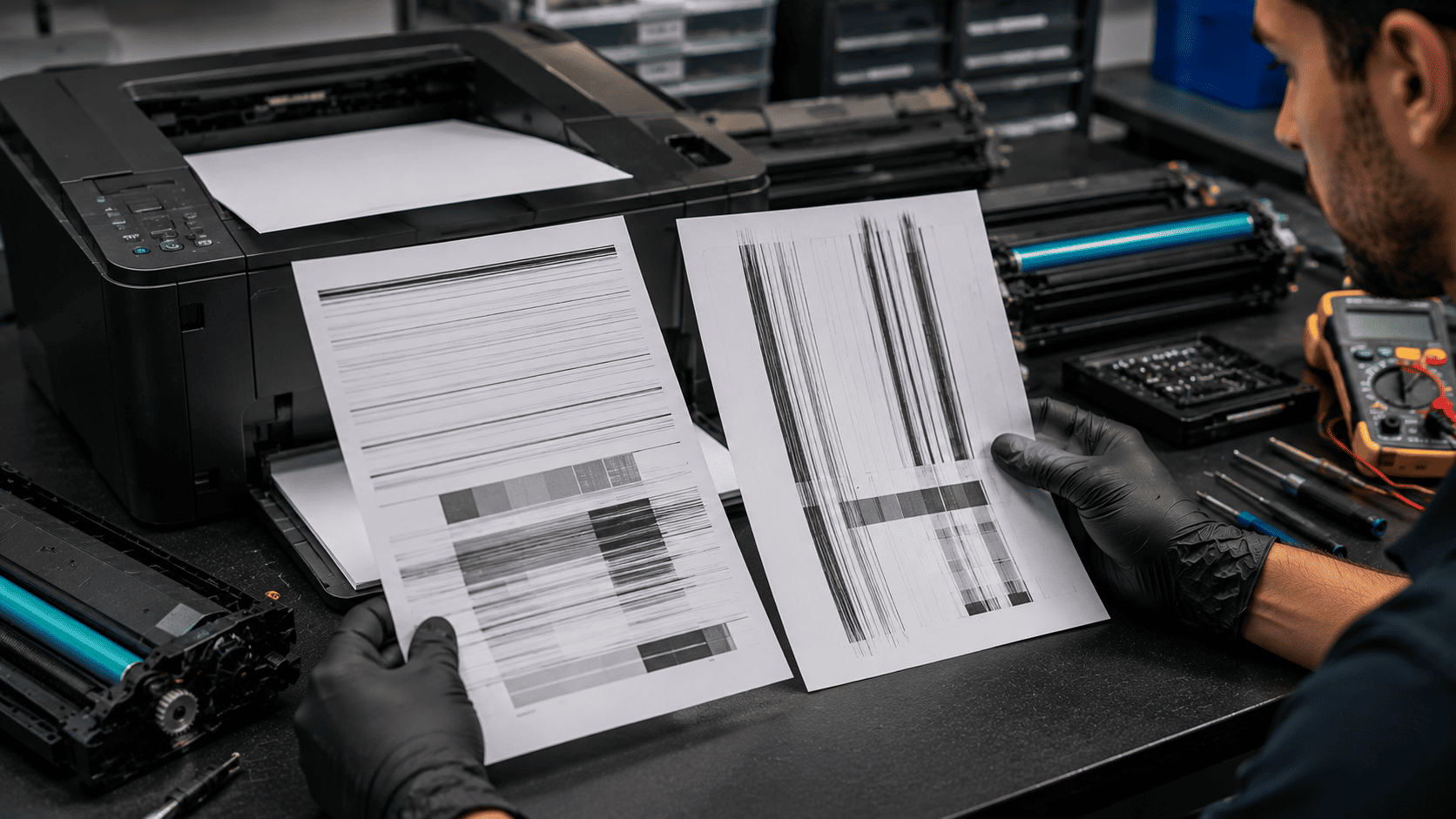
Printer lines and streaks can quickly turn professional-looking documents into frustrating, unreadable prints. Whether the problem appears as horizontal bands across the page or vertical lines running from top to bottom, the pattern often reveals the underlying cause. Issues such as clogged printheads, damaged drum units, worn fusers, low toner, or dirty scanner glass can all affect print quality in different ways. Understanding the difference between horizontal and vertical print defects can help identify the source of the problem, reduce downtime, and prevent unnecessary replacement of printer components.
What problem is the customer facing?
Printed documents may show unwanted horizontal or vertical lines, streaks, bands, or marks across the page. These print defects can affect text clarity, image quality, and professional presentation. Many users assume the printer is failing completely, but the pattern of the lines often provides valuable clues about the actual cause.
Root causes of the problem.
Horizontal Lines
Horizontal lines are commonly caused by:
- Clogged printhead nozzles (Inkjet printers)
- Low or dried ink cartridges
- Dirty encoder strip
- Damaged printhead
- Incorrect printhead alignment
- Drum or imaging unit issues
- Toner distribution problems
Vertical Lines
Vertical lines are commonly caused by:
- Dirty scanner glass
- Scratched drum unit
- Damaged fuser assembly
- Contaminated transfer roller
- Debris inside the printer
- Worn imaging components
- Defective toner cartridges
Environmental Factors
Additional causes include:
- Dust buildup
- Humidity exposure
- Poor-quality paper
- Long periods of printer inactivity
- Improper maintenance
How can customers identify the issue?
Horizontal Line Symptoms
- Repeating horizontal streaks
- Missing sections of text
- Banding in photos
- Uneven color distribution
- Gaps in printed graphics
Vertical Line Symptoms
- Continuous vertical black lines
- Colored streaks from top to bottom
- Dark bands along one side of the page
- Repeating marks in the same location
- Vertical shadowing on printed documents
Additional Warning Signs
- Faded printing
- Smudges on paper
- Toner leakage
- Ink blotches
- Poor image quality
Possible solutions.
For Horizontal Lines
- Run printhead cleaning cycles
- Perform printhead alignment
- Replace low or dried ink cartridges
- Clean the encoder strip
- Replace damaged printheads
- Update printer firmware
For Vertical Lines
- Clean scanner glass thoroughly
- Inspect and replace damaged drum units
- Check toner cartridges
- Clean transfer rollers
- Replace worn fuser assemblies
- Remove internal debris
Preventive Maintenance
- Print regularly to prevent ink drying
- Use genuine consumables
- Keep the printer clean
- Store paper properly
- Schedule periodic maintenance
Why Choose Guru Computer Solution?
1.Certified Technicians
Experienced in diagnosing and repairing inkjet and laser printer issues.
2.Genuine Parts
We use quality replacement parts and consumables for reliable performance.
3.Fast Turnaround
Quick diagnosis and repair to minimize downtime.
4.Warranty Support
Repairs backed by service warranty for peace of mind.
5.Affordable Pricing
Cost-effective printer repair solutions for home and business users.
Conclusion
Horizontal and vertical lines on printed pages are more than just cosmetic defects—they are valuable diagnostic clues that can help identify underlying printer problems. Horizontal lines often point to issues such as clogged printheads, low ink, or toner distribution problems, while vertical lines are commonly associated with damaged drum units, dirty scanner glass, worn fusers, or contaminated internal components. Understanding the pattern of the defect can significantly reduce troubleshooting time and prevent unnecessary part replacements.
If your printer is producing streaks, bands, or other print-quality issues, Guru Computer Solution can provide professional printer diagnostics, maintenance, component replacement, and repair services to restore sharp, reliable print quality and keep your printer operating at its best.






