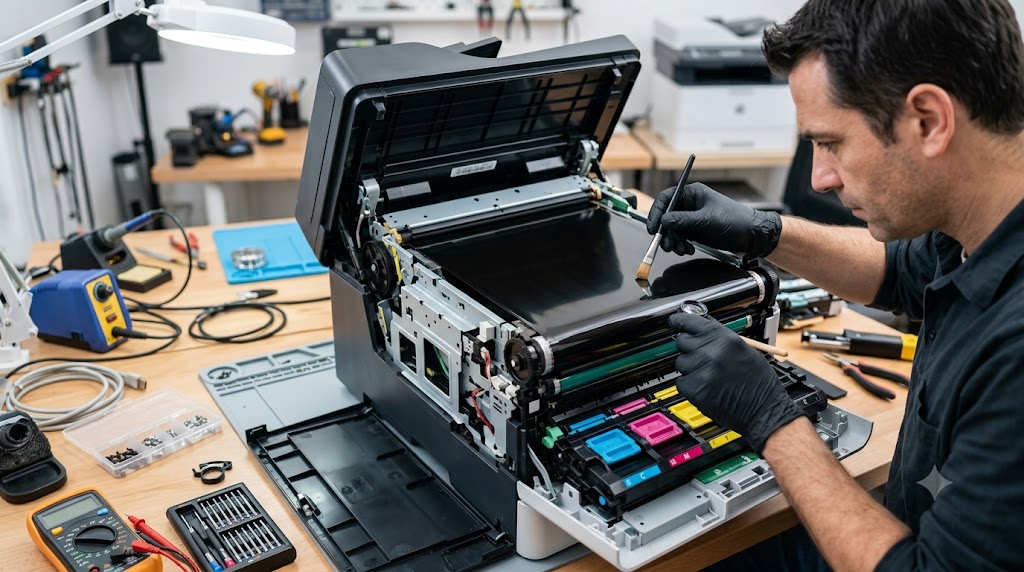
Color laser printers rely on several precision components to produce sharp, vibrant prints, and one of the most important is the transfer belt. Also known as the Intermediate Transfer Belt (ITB), this component collects toner from multiple color drums and transfers the combined image onto paper before it reaches the fuser. When the transfer belt becomes worn, contaminated, or damaged, print quality can quickly deteriorate, leading to color alignment issues, streaks, ghosting, and repeated print defects. Understanding the role of the transfer belt and recognizing early warning signs can help prevent costly printer downtime and maintain consistent print quality.
What problem is the customer facing?
Users may experience:
- Poor color print quality
- Color registration problems
- Vertical streaks on pages
- Repeating print defects
- Ghost images
- Faded colors
- Toner smudging
- Printer error messages related to the transfer belt
These issues often become more noticeable during color printing.
Root causes of the problem.
1. Normal Wear and Tear
Transfer belts have a limited service life and gradually wear with use.
2. Toner Contamination
Excess toner buildup can affect image transfer accuracy.
3. Physical Damage
Scratches, tears, or surface damage can create recurring print defects.
4. Paper Dust Accumulation
Dust and debris can interfere with toner transfer.
5. Misalignment
Improper belt tracking may cause color registration issues.
6. High Print Volume
Heavy printing accelerates transfer belt wear.
7. Environmental Factors
Heat, humidity, and contamination can reduce belt performance.
How can customers identify the issue?
Print Quality Symptoms
- Vertical streaks or bands
- Repeating marks at regular intervals
- Faded or inconsistent colors
- Color shifting or misalignment
- Ghosting effects
- Toner smears
- Uneven image density
Printer Warnings
- Transfer belt error messages
- Maintenance alerts
- Color calibration failures
- Print quality warnings
Visual Signs
- Scratches on the belt surface
- Toner buildup
- Visible wear marks
- Damaged belt edges
- Contamination inside the printer
Possible solutions.
Inspect the Transfer Belt
Check for visible wear, scratches, or toner contamination.
Perform Printer Cleaning
Run manufacturer-recommended cleaning cycles.
Clean Internal Components
Remove excess toner and paper dust.
Recalibrate Color Registration
Use the printer's built-in calibration tools.
Replace the Transfer Belt
Install a new transfer belt when wear exceeds service limits.
Update Printer Firmware
Some print-quality issues may be improved through firmware updates.
Perform Diagnostic Testing
Verify belt performance after maintenance.
Why Choose Guru Computer Solution?
1.Certified Technicians
Experienced in diagnosing and repairing color laser printer issues.
2.Genuine Parts
Quality replacement transfer belts and printer components.
3.Fast Turnaround
Quick diagnostics and repair services to minimize downtime.
4.Warranty Support
Repairs backed by service warranty for added confidence.
5.Affordable Pricing
Cost-effective printer maintenance and repair solutions.
Conclusion
The transfer belt is a critical component in color laser printers, responsible for combining and transferring toner images accurately onto paper. As the belt wears or becomes contaminated, print quality issues such as streaks, ghosting, color misalignment, and faded output can begin to appear. Recognizing these warning signs early can help prevent further damage and maintain consistent printing performance.
If your color laser printer is showing signs of transfer belt failure or declining print quality, Guru Computer Solution can provide professional diagnostics, cleaning, transfer belt replacement, and repair services to restore reliable and high-quality printing.





