A refurbished laptop can be genuinely excellent value, or it can be someone else's unresolved problem wearing clean plastic and a fresh price tag. The difference between the two isn't visible from the outside, and it isn't something a seller's listing reliably tells you either. It's something you check, item by item, before money changes hands.
What Does "Refurbished Laptop" Actually Mean in Nepal?
Refurbished, used, second-hand, open-box, and repaired aren't interchangeable terms, even though sellers frequently use them as if they were. A genuinely refurbished laptop should have gone through actual inspection, cleaning, testing, fault identification, whatever repairs were needed, component-level testing, and functional verification before it's ever offered for resale. The word "refurbished" printed in a listing doesn't guarantee any of that actually happened. It's a label, not a process, and the only way to know whether the process behind it was real is to check the laptop yourself.
Refurbished vs Used vs Second-Hand vs Repaired Laptop: What's the Difference?
These terms get used loosely enough that it's worth defining them plainly. Used simply means the laptop was previously owned and is now being resold, with no implication about condition or testing. Second-hand is a general, largely interchangeable term for the same thing. Refurbished implies the laptop was inspected, repaired where necessary, and tested before resale, though as covered above, that implication isn't always backed up in practice. Repaired means the laptop has undergone one or more specific repairs at some point, which may or may not be disclosed. Open-box describes a laptop that was previously opened, potentially unused or only lightly used, distinct from a laptop that's actually seen real prior use.
Since sellers apply these labels inconsistently, the label itself tells you less than actually checking the laptop's condition does. Don't buy the word. Buy the verified condition underneath it.
Is Buying a Refurbished Laptop Worth It in Nepal?
The honest answer is that it depends entirely on what you're actually getting, which is exactly why this whole guide exists. The genuine advantages are real: a lower purchase price for the same or better specifications, access to business-class laptops that would be out of reach new, lower depreciation since someone else already absorbed the steepest drop in value, and availability of older premium models that can outperform a new budget laptop at a similar price.
The genuine risks are equally real: a hidden, previously repaired motherboard, a weak or near-exhausted battery, a replaced display of uncertain quality, a non-original charger, damaged ports, poor-quality replacement parts used somewhere inside, storage health problems, an overheating cooling system, undisclosed prior liquid damage, or cosmetic repairs specifically done to hide physical damage rather than genuinely fix it. Neither the advantages nor the risks are hypothetical. Which one you actually end up with depends on how carefully you check before buying.
The 15-Minute Refurbished Laptop Inspection Checklist
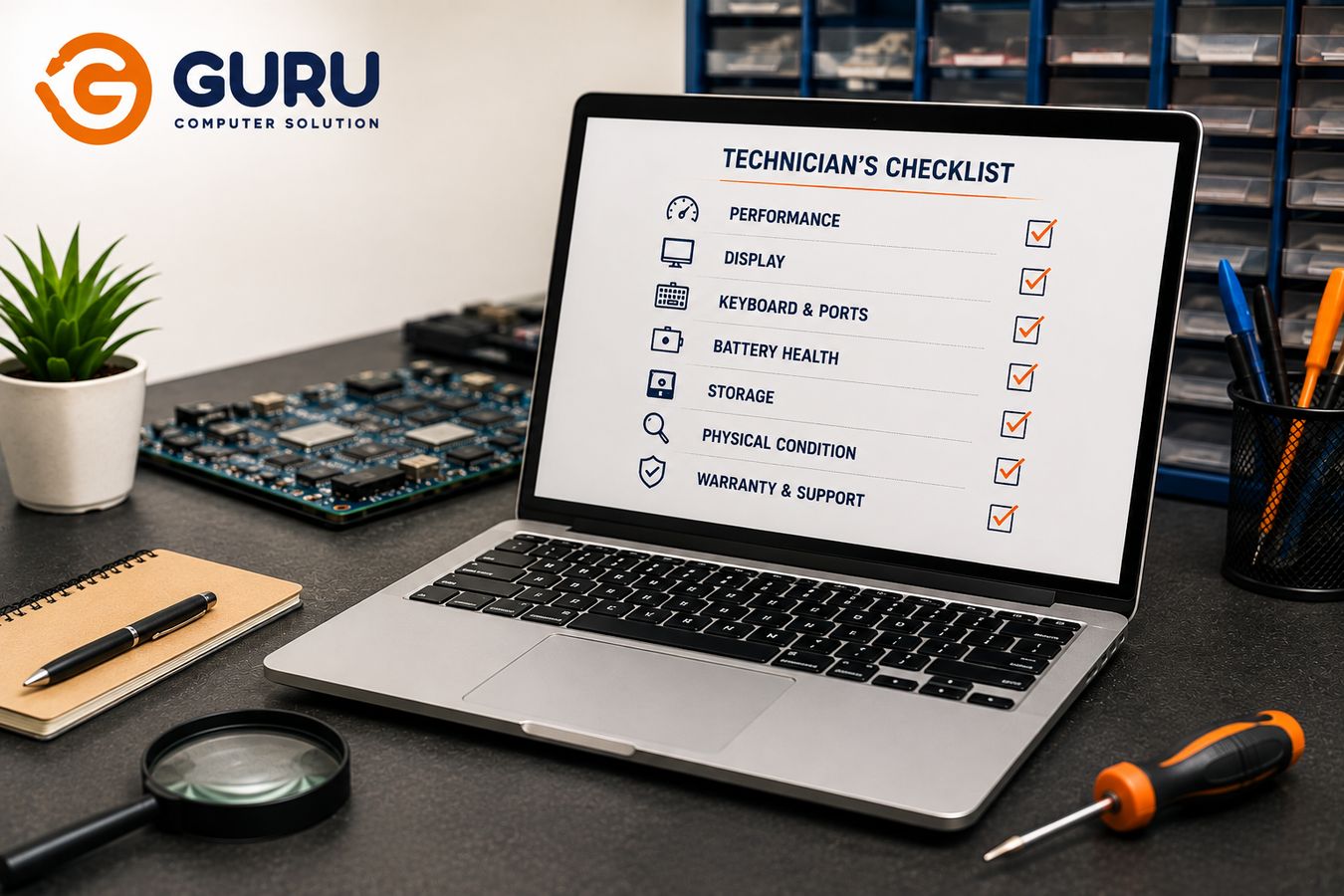
Work through this list before handing over any money: model and exact configuration, CPU, RAM, SSD or HDD, display, keyboard, touchpad, battery, charger, USB ports, HDMI or DisplayPort, Wi-Fi, Bluetooth, webcam, speakers, microphone, hinges, cooling fan, temperatures under load, BIOS or UEFI access, Windows activation status, and the physical condition of the motherboard itself where visible. Fifteen minutes spent working through this list methodically is consistently the difference between a good refurbished purchase and an expensive mistake discovered weeks later.
Check the Laptop's Exact Model and Specifications Before Paying
Don't rely on the seller's listing alone. Verify the exact model number, CPU generation specifically (not just "Core i5," which spans many generations with very different real-world performance), RAM capacity, storage capacity, whether storage is SSD or HDD, display resolution, GPU if applicable, and battery specifications. Two laptops sold under the exact same brand and model name can have dramatically different actual hardware depending on configuration and generation, which is precisely why confirming specifics matters more than trusting a general description.
How to Check Whether a Refurbished Laptop Has a Replaced or Damaged Screen
Look specifically for dead pixels, bright spots, dark spots, backlight bleeding, flickering, uneven brightness across the panel, visible lines, and any color abnormalities. On touchscreen models, test touch functionality directly rather than assuming it works. Also check the display bezel and hinge area for any signs of previous disassembly, small scratches, misaligned clips, or screws that look like they've been removed before, since a replaced screen sometimes leaves these traces even when the replacement itself was done competently.
How to Check a Refurbished Laptop Keyboard and Touchpad
Test every single key, not just a handful scattered across the board. Pay specific attention to function keys, arrow keys, and any keys near the edges that get less obvious wear testing. Check the touchpad's click response, multi-touch gestures, and keyboard backlight if the model has one. Feel for keyboard flex, an unusually soft or springy feeling across the deck, and check for any missing or loose keycaps. A keyboard that's been previously replaced isn't automatically a problem, but it's worth knowing about, and testing every key is how you'd actually catch a partial or poor-quality replacement.
Why Battery Health Matters When Buying a Refurbished Laptop
A laptop can look genuinely close to new on the outside while carrying a battery that's already significantly degraded. Check actual battery capacity, comparing design capacity against current full charge capacity using a battery report, cycle count where the tool provides it, real charging behavior, whether the laptop shuts down unexpectedly under battery power, and any sign of physical battery swelling. A laptop's cosmetic condition tells you nothing reliable about what's happening inside the battery, which is exactly why this needs a direct check rather than an assumption based on appearance.
How to Check the SSD or Hard Drive Before Buying
Check the actual storage capacity against what's advertised, drive health status, power-on hours, total data written where the tool provides it, SMART status information, real-world read and write performance, and any unexpected errors during a basic check. Seeing "512GB SSD" in a listing tells you capacity. It tells you nothing about how much life is left in that specific drive, which is a separate and genuinely more important question for a buyer.
The Motherboard Is Where a Refurbished Laptop Can Hide Its Biggest Problems
This is the part of a refurbished laptop that's hardest for a typical buyer to assess, and exactly where the most consequential problems tend to hide. External appearance tells you very little about what's actually happened to the board underneath. A laptop can carry reworked charging circuits, replaced ICs, developing corrosion, burn marks, poor-quality soldering from a previous repair, damaged connectors, prior liquid damage that was never fully addressed, or power circuits that were repaired adequately enough to function but not to last. None of this is visible without actually opening the laptop and knowing what you're looking at.
How to Spot Signs of Previous Motherboard Repair
Technicians look for unusual flux residue left behind from soldering work, scratched areas on the PCB surface, solder joints that look reworked rather than original factory work, components that appear to have been replaced or are simply missing, uneven or inconsistent soldering, burn marks, visible corrosion, damaged or stripped screw points, and other general signs of board-level rework. It's worth being fair here: not every visible solder mark indicates a bad repair. Factory soldering and legitimate, competent repair work can both look different from pristine, untouched board areas depending on the specific location and manufacturing process, which is exactly why this kind of assessment benefits from someone who does it regularly rather than a first-time visual guess.
What Is "Duplicate Putty" or Poor Cosmetic Repair on a Refurbished Laptop?
Cosmetic fillers, putty, adhesives, repainting, and plastic repairs on the chassis can sometimes be used to disguise cracks, broken mounting points, evidence of a previous impact, damaged palmrests, hinge problems, or other structural damage that would otherwise be visible. It's worth being clear that cosmetic repair isn't automatically a red flag on its own, a well-executed cosmetic repair on a genuinely minor issue is completely reasonable. What matters is knowing what was actually repaired and why, rather than a cosmetic fix quietly standing in for a structural problem the buyer was never told about.
Check the Laptop Hinges Before Buying a Refurbished Machine
Test opening the lid with one hand where the laptop's design reasonably allows it, feel for consistent hinge resistance across the full range of motion, watch the screen for any unwanted movement or wobble, check for cracks around the hinge mounting points specifically, look for any separation around the bezel near the hinge, and listen for unusual clicking or creaking sounds during opening and closing. A stiff or damaged hinge isn't just an annoyance, left unaddressed it can progressively damage the display assembly or surrounding chassis over continued use.
How to Check for Previous Liquid Damage
Liquid damage often leaves specific clues even after a laptop has been cleaned up for resale: corrosion, visible residue, discoloration in specific areas, oxidized connector pins, keyboard keys that behave strangely or inconsistently, ports that work intermittently, or signs the motherboard has been previously repaired in ways consistent with liquid exposure. If you want to understand more about how this kind of damage develops and progresses over time, our guide on preventing laptop motherboard corrosion covers the underlying mechanism in more depth.
Check the Laptop's Cooling System Before You Buy
Listen to fan noise at idle and pay attention to how the fan ramps up under load. Check idle temperature and temperature under sustained load, watch for any sudden, unexplained performance drops, note whether the system throttles under sustained use, and watch for unexpected shutdowns during testing. A refurbished laptop shouldn't be judged by how clean the exterior looks alone, a spotless chassis says nothing about whether the cooling system underneath is actually functioning correctly.
Why a Clean Laptop Can Still Have Serious Hardware Problems
This is worth internalizing as a general principle across this entire checklist: a polished, well-presented laptop isn't automatically a healthy one. Cleaning the exterior, repainting a scuffed panel, replacing worn keycaps, or swapping in a new keyboard are all things that improve appearance without telling you anything about whether the motherboard, SSD, battery, or cooling system underneath are actually in good condition. Presentation and internal health are two completely separate things, and a seller motivated to sell has more incentive to invest in the former than to disclose problems in the latter.
How to Test Every Port on a Refurbished Laptop
Test every USB-A port, USB-C ports, HDMI or other display outputs, the audio jack, SD card reader if present, Ethernet port if present, the charging port itself, and Thunderbolt if the laptop has it. Ports can be genuinely expensive or difficult to repair on certain models, which makes a faulty port either a real negotiating point or a reason to walk away entirely, depending on how essential that specific port is to how you'll actually use the laptop.
Don't Forget Wi-Fi, Bluetooth, Camera, Microphone and Speakers
Test every wireless and multimedia function directly rather than assuming they work because the laptop otherwise seems fine. If you're already dealing with wireless connectivity concerns, our guide on why laptop Wi-Fi keeps disconnecting covers the internal causes worth checking for in more depth.
How to Check Whether the Laptop Charger Is Original and Safe
Check the charger's brand and model against what the laptop's manufacturer actually specifies, confirm output voltage and current match the laptop's requirement, check the connector type, and inspect the physical condition of both the adapter body and the cable for any damage or fraying. An incorrect or genuinely poor-quality adapter can create real charging instability and, in more serious cases, contribute to power circuit problems down the line, which is exactly why "it charges the laptop" alone isn't sufficient verification.
BIOS, Windows Activation and Serial Number: What Should You Check?
Access the BIOS directly and confirm the model information and hardware configuration listed matches what you were told you're buying. Check the serial number against any documentation provided. Confirm Windows activation status. Check specifically for any BIOS password that hasn't been disclosed to you. And where relevant, check for any device management or lock status that might indicate the laptop is still tied to a previous organization's systems. A BIOS password or an undisclosed management lock isn't a minor inconvenience, it can make a laptop genuinely difficult or impossible to fully use, which makes this one of the more important checks on the entire list.
How to Check if a Refurbished Business Laptop Is Still Company-Managed
This deserves particular attention on business-class models like Dell Latitude, Lenovo ThinkPad, and HP EliteBook laptops, which are common in the refurbished market precisely because businesses cycle through them on replacement schedules. These corporate machines sometimes retain management or security configurations tied to their original organization, restrictions that can significantly limit what a new owner can actually do with the laptop. Verifying this before purchase, not after, is what prevents an otherwise great business laptop from turning out to be functionally locked down.
Refurbished Laptop Price in Nepal: Is the Cheap Price Actually a Bargain?
Rather than a generic price list that would be outdated within months, it's more useful to understand what actually drives price: brand, generation, CPU, RAM, storage, display quality, battery health specifically, overall physical condition, whether any warranty is offered, the actual quality of whatever refurbishment was done, and whether original accessories are included. The core message worth holding onto: the cheapest refurbished laptop available isn't necessarily the cheapest laptop to actually own, once you factor in a battery that needs early replacement, a motherboard repair that resurfaces, or a screen that was never properly disclosed as replaced.
What Questions Should You Ask a Refurbished Laptop Seller?
Before paying, ask directly: Why was this laptop refurbished in the first place? What parts were actually replaced? Has the motherboard ever been repaired? Has it had any liquid damage? Is the battery original? Is the charger original? Is the SSD original to the laptop? What's the current battery health? Does it have any BIOS password? What warranty, if any, is provided? Can I test the laptop before paying? And can an independent technician inspect it before I commit to buying? A seller's willingness, or reluctance, to answer these clearly tells you almost as much as the answers themselves.
Should You Get a Refurbished Laptop Professionally Inspected Before Buying?
For anything beyond a small, low-stakes purchase, yes, genuinely. An independent inspection can identify problems that are easy for a buyer to miss entirely, especially anything related to the motherboard, battery health specifics, or storage condition that isn't visible without proper tools and testing. A thorough inspection covers hardware verification, battery health, SSD or HDD health, keyboard and display condition, all ports, Wi-Fi and Bluetooth, cooling performance, overall physical condition, and specifically, indicators of previous motherboard repair.
Guru Computer Solution's Refurbished Laptop Pre-Purchase Inspection
Buying a refurbished laptop from another seller, whether an individual, a shop, or an online listing? Get it inspected before you pay, not after. The key advantage of an independent inspection is exactly that, independence, an assessment with no stake in whether you buy the laptop or not, focused purely on giving you an accurate picture of its actual condition. Bring the laptop in before finalizing the purchase, and you'll get a straightforward technician's assessment covering everything in this checklist before you're financially committed.
When Should You Walk Away From a Refurbished Laptop?
Certain signs are worth treating as genuine deal-breakers rather than minor concerns: a seller who refuses to allow testing before purchase, no serial or model information available at all, a price so far below market that it doesn't make sense for a genuinely healthy laptop, battery health being hidden or the seller unwilling to check it with you, frequent random shutdowns during your test, severe overheating under light use, visibly damaged hinges, visible corrosion anywhere inside, evidence of a poor-quality motherboard repair, a non-original or clearly incorrect charger, an undisclosed BIOS password, missing ports or features that were advertised, no return or warranty policy of any kind, or a seller who won't allow an independent inspection before you commit to buying. Any single one of these is worth pausing over. More than one together is a strong signal to walk away entirely.
The Best Refurbished Laptop Is the One You Know the Condition Of
Don't buy the sticker. Buy the verified condition underneath it. A refurbished laptop can be genuinely excellent value when it's been properly inspected, honestly repaired, thoroughly tested, and fairly priced for what it actually is. A laptop that's cheap specifically because it's hiding motherboard, battery, storage, or structural problems can quickly end up costing more than a better machine would have, once the first hidden problem actually surfaces.
Frequently Asked Questions
What Is a Refurbished Laptop?
A laptop that's been previously owned, then inspected, cleaned, tested, and repaired where necessary before being resold. The label alone doesn't guarantee this process was actually thorough, which is why independent verification matters.
Are Refurbished Laptops Safe to Buy in Nepal?
They can be, when properly inspected before purchase. The risk isn't the refurbished category itself, it's buying without verifying actual condition, particularly regarding the motherboard, battery, and storage health.
Is a Refurbished Laptop Better Than a Used Laptop?
Often, since "refurbished" implies some inspection and repair process occurred, while "used" makes no such claim. In practice, actual condition matters more than which label a specific seller uses.
How Much Does a Refurbished Laptop Cost in Nepal?
Price depends on brand, generation, specifications, battery health, physical condition, and refurbishment quality. Contact Guru Computer Solution for guidance specific to what you're considering.
How Do I Check a Refurbished Laptop Before Buying?
Work through a full checklist covering specifications, display, keyboard, battery, storage, ports, wireless functions, cooling, hinges, and motherboard condition, ideally with a fifteen-minute hands-on test before paying.
How Do I Check Battery Health on a Refurbished Laptop?
Generate a battery report comparing design capacity to current full charge capacity, check cycle count if available, and watch for unexpected shutdowns or any physical swelling.
How Do I Check SSD Health Before Buying a Used Laptop?
Check drive health status, power-on hours, SMART information, and real-world read and write performance, not just the advertised capacity.
How Can I Tell If a Laptop Motherboard Has Been Repaired?
Look for unusual flux residue, reworked solder joints, replaced or missing components, uneven soldering, burn marks, corrosion, or damaged screw points, ideally assessed by someone experienced in spotting the difference between factory work and repair work.
How Do I Check for Liquid Damage?
Look for corrosion, residue, discoloration, oxidized connectors, keyboard keys behaving inconsistently, intermittent ports, or signs of a previous motherboard repair consistent with liquid exposure.
How Do I Know If the Laptop Has Been Repainted or Repaired Cosmetically?
Check for inconsistent paint texture or color matching, filler or putty around chassis edges and mounting points, and any structural give in areas that should feel solid.
Should I Buy a Refurbished Laptop With a Repaired Motherboard?
It depends on the quality and nature of the repair, which isn't something to assess by eye alone. An independent inspection can tell you whether a prior repair was done properly or represents an ongoing risk.
Is a Non-Original Charger Safe for a Refurbished Laptop?
Only if it's genuinely voltage and current matched to your laptop's specification. A mismatched or poor-quality charger can cause real charging problems over time.
How Do I Check a Refurbished Laptop's Display?
Look for dead pixels, bright or dark spots, backlight bleeding, flickering, uneven brightness, visible lines, and any signs of prior disassembly around the bezel or hinge.
How Do I Test the Laptop Keyboard?
Test every key individually, not just a sample, along with the touchpad's clicks and gestures, keyboard backlight, and overall deck flex.
How Do I Test Laptop Ports?
Physically test every USB, HDMI, audio, card reader, Ethernet, and charging port with an actual device or cable, rather than assuming based on appearance.
Should I Get a Refurbished Laptop Professionally Inspected?
Yes, particularly for anything beyond a minor purchase. An independent inspection catches issues, especially motherboard and battery related ones, that most buyers can't reliably assess themselves.
How Much Does a Laptop Inspection Cost in Kathmandu?
Contact Guru Computer Solution directly for current pricing on a pre-purchase inspection.
What Laptop Brands Can You Inspect?
We inspect Dell, HP, Lenovo, ASUS, Acer, MSI, and Apple MacBook laptops.
Can Guru Computer Solution Inspect a Laptop Before I Buy It?
Yes. Bring the laptop in before finalizing your purchase for an independent technician's assessment of its actual condition.
When Should I Walk Away From a Refurbished Laptop?
When the seller refuses testing or independent inspection, hides battery or motherboard history, the price seems implausibly low, or you notice overheating, corrosion, hinge damage, or an undisclosed BIOS password during your check.






