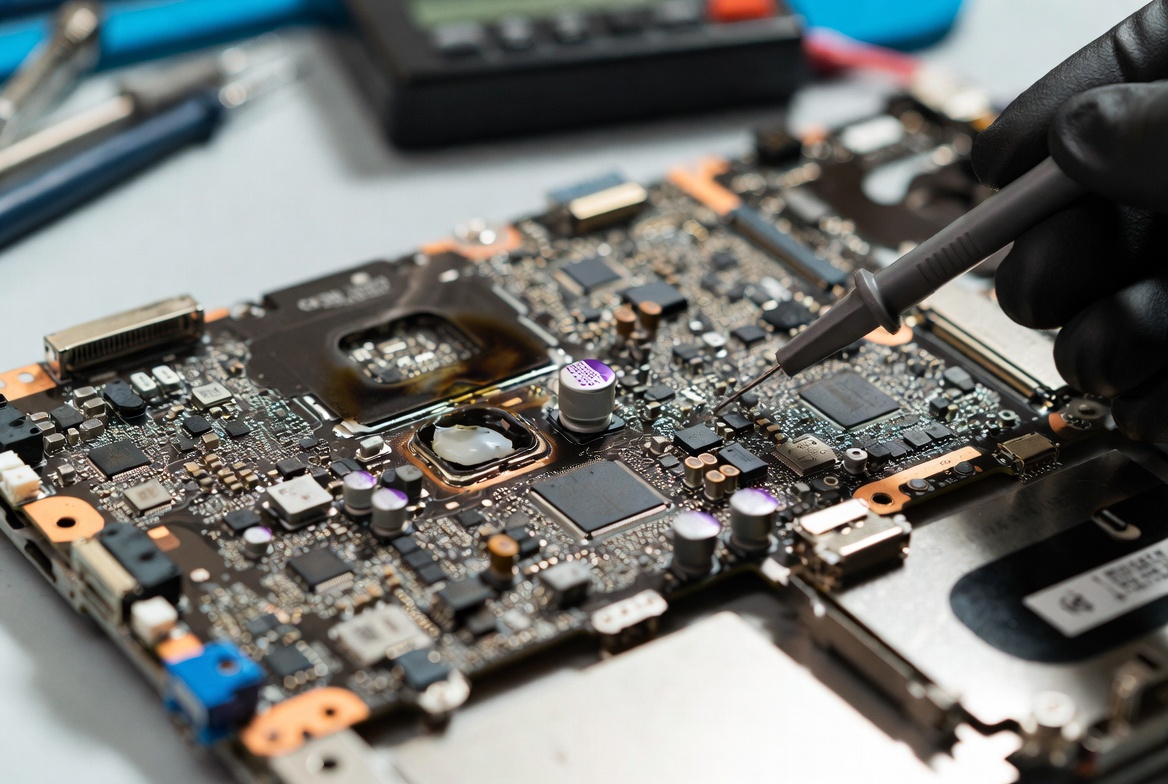
A capacitor may be a tiny component on a motherboard, but its failure can have major consequences. From random shutdowns and power instability to a completely dead system, a blown capacitor can disrupt the flow of clean, stable power throughout the board. Fortunately, capacitor failures often leave visible clues such as swelling, leakage, or burn marks. In this article, we'll explore how to identify a blown capacitor, what causes it to fail, and what technicians look for during motherboard diagnosis and repair.
What Problem Is the Customer Facing?
A motherboard can suddenly stop powering on, become unstable, randomly restart, or show signs of electrical damage. In many cases, the culprit is a failed capacitor. While capacitors are small components, their failure can disrupt voltage regulation and affect the entire system.
For technicians, identifying a blown capacitor is often one of the first steps in motherboard diagnosis. Knowing what visual signs to look for can save hours of troubleshooting and prevent further damage.
Why Does It Happen?
1. Power Surges
Sudden voltage spikes can overstress capacitors and cause them to rupture internally.
2. Excessive Heat
Continuous exposure to high temperatures accelerates capacitor aging and can lead to swelling or leakage.
3. Poor-Quality Components
Lower-quality capacitors often have shorter lifespans and are more vulnerable to failure.
4. Aging and Wear
Electrolytic capacitors naturally degrade over time, especially in devices that run for many hours each day.
5. Short Circuits
A fault elsewhere on the motherboard can force excessive current through a capacitor, causing it to fail.
6. Liquid Damage
Corrosion from liquid spills can weaken capacitor connections and contribute to electrical failure.
How Can Customers Identify the Issue?
A blown capacitor may produce one or more of the following symptoms:
- Laptop or motherboard completely dead
- Random shutdowns or restarts
- Failure to charge properly
- System instability under load
- No display despite power indicators working
- Burning smell from the motherboard area
- Visible component damage
- Clicking or buzzing sounds from power circuits
Visual Signs of a Blown Capacitor
Bulging Top
Healthy capacitors typically have a flat top. A swollen or domed top is a classic sign of internal pressure buildup.
Leaking Electrolyte
Brown, black, or crusty residue around the capacitor often indicates leakage and component failure.
Cracked or Ruptured Case
Severe failures may split the capacitor casing, exposing internal material.
Burn Marks
Dark discoloration on the capacitor or surrounding PCB area suggests overheating or an electrical fault.
Lifted Component
Heat can weaken solder joints, causing a capacitor to become loose or partially detached from the motherboard.
Corrosion Around Terminals
Green or white corrosion can appear after liquid damage and may affect capacitor performance.
Why Capacitor Failure Is Serious
Capacitors help stabilize voltage throughout the motherboard. When one fails:
- Voltage rails become unstable
- Sensitive chips receive improper power
- MOSFETs and power ICs may become stressed
- Data corruption can occur
- Additional motherboard components may fail
In some cases, replacing a single capacitor restores full functionality. In others, the capacitor was only the visible symptom of a deeper power-circuit problem.
Diagnostic Process Used by Technicians
A professional motherboard diagnosis typically includes:
- Visual inspection under magnification
- Checking for bulging, leakage, or burns
- Measuring resistance on power rails
- Testing for short circuits
- Measuring capacitor values with specialized equipment
- Verifying surrounding MOSFETs and power-management ICs
- Thermal imaging to identify abnormal heat generation
This systematic approach helps determine whether the capacitor itself failed or if another component caused the damage.
Solutions
Capacitor Replacement
If the fault is isolated, the damaged capacitor can often be replaced with an identical specification component.
Power Circuit Repair
Technicians may need to repair related MOSFETs, controllers, or damaged traces if the capacitor failure was secondary.
Corrosion Cleanup
Liquid-damaged boards require professional cleaning before component replacement.
Full Motherboard Repair
When multiple components are affected, board-level repair may be necessary to restore reliable operation.
Why Choose Guru Computer Solution?
1.Certified Technicians
Experienced in advanced motherboard-level diagnostics and repair.
2.Genuine Components
Quality replacement capacitors and electronic components.
3.Fast Turnaround
Efficient troubleshooting and repair process.
4.Warranty Support
Backed by repair warranty for peace of mind.
5.Affordable Pricing
Cost-effective solutions compared to full motherboard replacement.
Conclusion
A blown capacitor may be a small component failure, but it can have a significant impact on a motherboard's stability and functionality. Visible signs such as bulging, leakage, burn marks, or corrosion often indicate underlying power-circuit problems that require professional attention. While some capacitor failures can be resolved with a simple replacement, others may be symptoms of more serious motherboard faults.
If your laptop or motherboard shows signs of capacitor damage, power instability, random shutdowns, or failure to power on, a proper diagnosis is essential to prevent further damage. Guru Computer Solution can identify the root cause of the problem and provide professional motherboard repair services to restore your device's reliability and performance.






