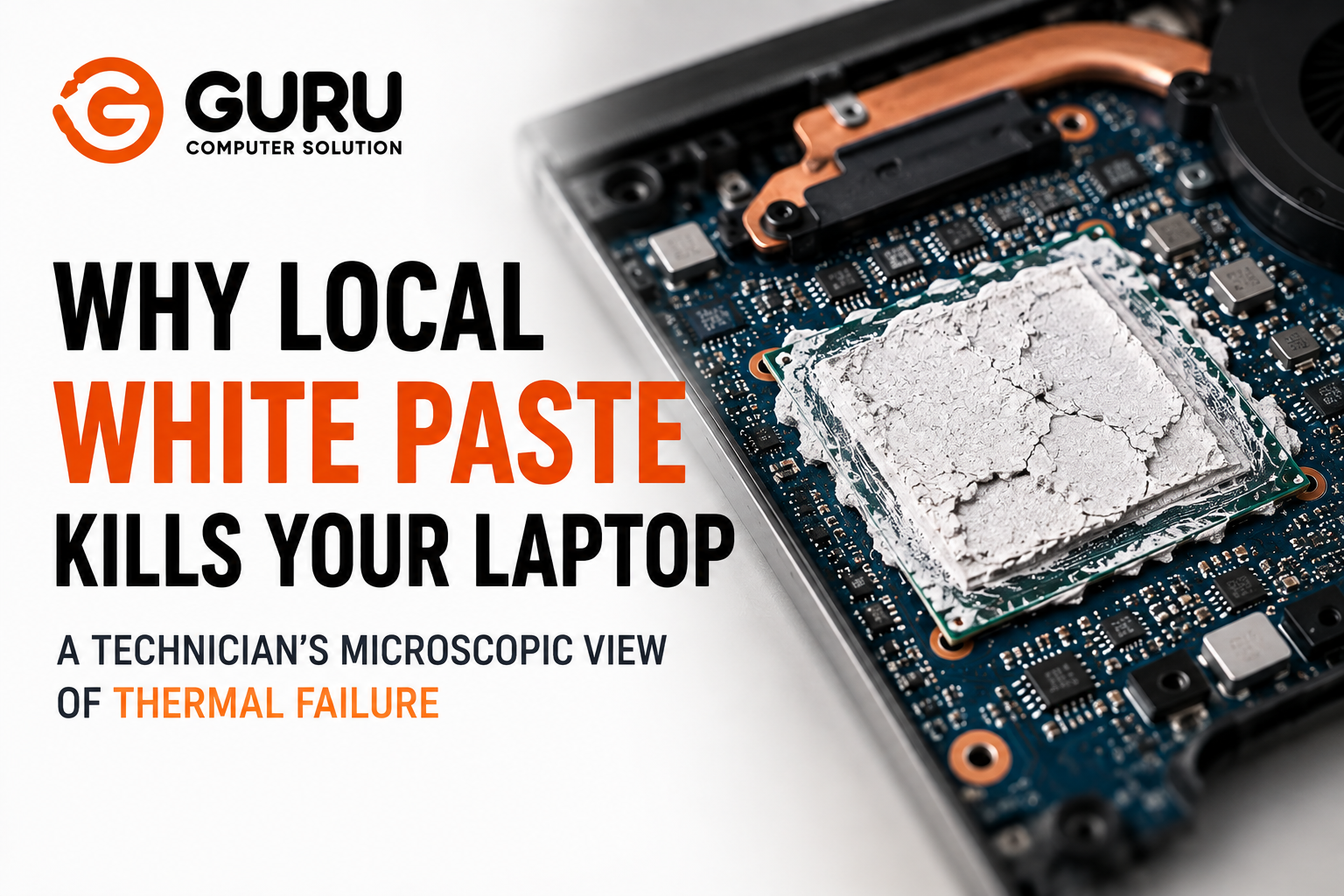
The tube looks fine. It spreads onto the chip the same way any thermal paste does. The laptop boots up normally afterward. And yet, within months, the same overheating problem that brought the laptop in for service the first time starts creeping back. This is the quiet, repeatable pattern behind local white thermal paste, and understanding what's actually happening at the microscopic level explains why it keeps happening.
What Is Thermal Paste and Why Is It Critical for Laptop Cooling?
A CPU or GPU die and its heatsink are never perfectly flat against each other at the microscopic level. Manufacturing processes leave microscopic surface irregularities on both sides, and when pressed together, these blemishes trap air in the gaps between them. Since air is a poor conductor of heat, this trapped air becomes an insulating layer exactly where you need heat to move efficiently. Thermal paste exists to fill those microscopic gaps with a material that conducts heat far better than air, giving the chip a genuine path to transfer heat into the heatsink above it.
What Is Local White Thermal Paste and Why Is It So Cheap?
The generic white paste sold cheaply in local markets is almost always a basic silicone based compound, typically using silicone oil combined with a low grade filler like zinc oxide. This is the most common and most affordable category of thermal paste that exists, which is exactly why it's so widely available at such a low price. It isn't necessarily counterfeit or mislabeled. It's often genuinely what it claims to be, just from the lowest performing category of thermal interface materials on the market.
The problem isn't that it's fake. The problem is that this category of paste was never designed for the sustained heat loads a modern laptop CPU or GPU produces.
Original Thermal Paste vs Local White Paste: What's Really Inside?
The difference comes down to the filler particles suspended in the compound, and this is where the real performance gap lives.
Basic silicone based paste (the generic white type) typically delivers thermal conductivity in a low range, and independent testing has shown some silicone pastes performing so poorly under real CPU load that they're considered unsuitable for anything beyond the simplest, lowest heat devices.
Ceramic based paste, using particles like aluminum oxide, boron nitride, or zinc oxide in a more refined formulation, typically reaches a moderate conductivity range, roughly 4 to 6 W/mK, while remaining electrically safe and easy to apply, making it a reasonable mid tier choice for everyday systems.
Metal based paste, using silver, aluminum, or copper particles, and carbon or diamond based compounds push conductivity meaningfully higher still, commonly into the 12 to 15+ W/mK range in independently tested premium products, with some specialized formulations rated even higher.
Liquid metal compounds sit at the extreme end, with conductivity commonly cited around 70 to 82 W/mK, roughly ten times higher than a basic silicone paste, though these require careful handling since they can conduct electricity if they contact exposed circuitry.
The gap between the cheapest local white paste and a genuine mid tier or premium compound isn't a small, theoretical difference. It's frequently a difference of several multiples in actual heat transfer capability.
A Technician's Microscopic View: How Poor Thermal Paste Causes Thermal Failure
Under magnification, the difference between a quality compound and cheap silicone paste isn't just about the conductivity number on the label. It's about particle density, particle shape variety, and how completely the compound fills the microscopic surface gap under real clamping pressure.
Quality compounds are engineered with multiple particle shapes and sizes specifically to maximize particle to particle contact area across the gap, creating a more continuous thermal path. Cheap silicone paste, by contrast, typically uses a simpler, less dense filler that leaves more of the microscopic gap effectively unfilled or poorly connected, even when the visible layer looks identical from the outside.
This is compounded by durability. Lower quality pastes tend to dry out considerably faster, in some cases within just a few months of use, while quality compounds maintain stable performance for years. So the failure isn't a single event. It's a compounding one: the paste starts with weaker conductivity than a proper compound, and then degrades from that already lower baseline faster than a quality product would.
Warning Signs Your Laptop Has Low-Quality Thermal Paste
- Temperatures climbing noticeably within just weeks or months of a thermal paste service
- Thermal throttling under load despite clean fans and vents
- FPS drops or stuttering during sustained gaming sessions that weren't present right after the service
- Fan noise increasing for workloads that previously ran quieter
- Sudden shutdowns under heavy load, particularly if this pattern emerged shortly after a low cost thermal service
Why Cheap Silicone Paste Can Cost You a Motherboard
The risk here isn't just reduced performance. Sustained elevated CPU and GPU temperatures, even if they don't cause an immediate crash, accelerate wear on the chip itself and on nearby components sharing the same confined thermal space, including VRM circuitry responsible for power delivery. A laptop repeatedly running hotter than it should, month after month, is accumulating thermal stress that shortens component lifespan well before any single dramatic failure occurs. What starts as "the fans are a bit louder than they used to be" can, over enough time, progress into genuine CPU, GPU, or motherboard level damage, turning a paste that cost almost nothing into a repair bill that costs considerably more than quality paste would have in the first place.
Which Thermal Materials Do Professional Technicians Actually Use?
Reputable technicians work from the mid tier and premium categories described above, matched to the specific repair:
Ceramic or metal based paste for standard CPU and GPU die application, chosen for a genuine, tested conductivity rating rather than the cheapest available option.
PTM7950, a phase change thermal pad rated at 8.5 W/mK, for gaming laptops specifically prone to repeated thermal cycling, since it's engineered to resist the pump out effect that degrades standard paste faster under sustained heavy use.
Thermal putty, for VRAM and VRM components that sit at different heights than the main die and need a moldable material rather than a thin spreadable paste.
The common thread across all of these is that the choice is made based on tested performance and the specific repair need, not based on whichever tube is cheapest to buy in bulk.
How Guru Computer Solution Performs Professional Thermal Paste Replacement
- Full disassembly to access the CPU and GPU directly, along with VRAM and VRM components where relevant
- Complete removal of old paste, including any degraded or improperly applied local white paste, and thorough cleaning of both contact surfaces
- Application of a genuine, tested compound matched to the specific chip and repair, not a generic one size fits all product
- Correct clamping pressure on reassembly, since even quality paste underperforms without proper contact pressure from the heatsink
- Load testing to confirm actual temperature improvement under sustained use before the laptop is returned
How Often Should Thermal Paste Be Replaced?
For a quality compound, roughly every 2 to 4 years under normal use is a reasonable baseline, with gaming laptops under sustained heavy load benefiting from closer to the lower end of that range. For laptops that already have local white paste applied, the practical answer is often sooner rather than later, particularly if the paste has already been in place for more than a year, given how much faster this category of paste tends to degrade compared to quality compounds.
Protect Your Laptop with Professional Thermal Maintenance from Guru Computer Solution
If your laptop has had a low cost thermal service in the past and the overheating has returned, the paste itself, not just dust or airflow, is a very likely part of the story. Professional thermal maintenance with genuine, tested materials addresses the actual gap that cheap silicone paste leaves behind.
Frequently Asked Questions
What Is Thermal Paste Used for in a Laptop?
Thermal paste fills microscopic surface gaps between the CPU or GPU die and its heatsink, replacing insulating trapped air with a material that conducts heat effectively, allowing the chip to transfer heat to the cooling system.
Is Local White Thermal Paste Safe for Laptops?
It's generally not hazardous to apply, but it's a low performance category of paste, typically basic silicone based compound, that provides meaningfully weaker heat transfer than ceramic or metal based alternatives and tends to degrade faster.
Why Does Cheap Thermal Paste Cause Overheating?
Lower quality silicone paste has weaker thermal conductivity and less effective particle density than premium compounds, meaning it fills the microscopic gap between chip and heatsink less completely, leaving more of that gap acting as an insulating barrier rather than a conductive path.
How Can I Tell If My Thermal Paste Has Failed?
Rising temperatures under load, increased fan noise for the same workload, and thermal throttling despite clean vents and fans are the most common indicators, especially if these symptoms appear within just months of a previous thermal service.
Can Bad Thermal Paste Reduce Gaming Performance?
Yes. Thermal throttling caused by poor heat transfer directly reduces sustained CPU and GPU clock speeds under load, which shows up as FPS drops or stuttering during extended gaming sessions.
How Often Should Thermal Paste Be Replaced?
Roughly every 2 to 4 years for a quality compound under normal use, sooner for gaming laptops under sustained heavy load, and sooner still if local white paste is currently installed, given how much faster that category typically degrades.
Is PTM7950 Better Than Traditional Thermal Paste?
For gaming laptops specifically, yes in most cases, since PTM7950 is engineered to resist the pump out effect that degrades standard paste faster under repeated thermal cycling, while still delivering a competitive conductivity rating of 8.5 W/mK.
Can I Replace Thermal Paste Myself?
It's possible for those experienced with laptop disassembly, but the risk of using low quality paste, applying incorrect pressure, or damaging delicate components during disassembly is real, which is why many people choose professional servicing for this specific repair.
What Happens If the Wrong Thermal Paste Is Applied?
Reduced heat transfer at minimum, since a mismatched or low quality compound may not adequately fill the actual gap between chip and heatsink, potentially leading to elevated temperatures, throttling, and accelerated wear on the CPU, GPU, or nearby components over time.
Which Laptop Brands Need Regular Thermal Paste Maintenance?
Gaming focused laptops generally need it most given their sustained higher thermal loads, including ASUS ROG, Lenovo Legion, MSI gaming models, Acer Predator, HP Omen, and Dell G Series laptops. Apple MacBooks, while not gaming focused, can also benefit under sustained creative or compute heavy workloads.
How Much Does Professional Thermal Paste Replacement Cost in Nepal?
Cost depends on the laptop model and whether the service is a standard repaste or includes additional work like VRAM/VRM thermal putty or a PTM7950 upgrade. Contact Guru Computer Solution directly for a quote specific to your laptop.
Why Choose Guru Computer Solution for Professional Thermal Paste Replacement?
We use genuine, tested thermal compounds matched to your specific repair rather than generic local white paste, and we load test results afterward to confirm actual temperature improvement before your laptop is returned.






