A failing Wi-Fi card can turn an otherwise reliable laptop into a constant source of frustration. Slow internet speeds, random disconnections, weak signal strength, or the inability to connect to wireless networks can disrupt work, online classes, meetings, and entertainment. While many users assume the problem lies with their internet provider or router, the real issue is often the laptop's wireless adapter itself.
Understanding what causes Wi-Fi card failures and knowing when an upgrade makes sense can help restore fast and stable wireless performance.
What problem is the customer facing?
A laptop with a failing Wi-Fi card can be incredibly frustrating to use. Customers may experience slow internet speeds, random disconnections, weak signal strength, or complete inability to connect to wireless networks. In many cases, the router and internet service are working perfectly, but the laptop struggles to maintain a stable connection because of a faulty or outdated Wi-Fi card.
Why Does It Happen?
Wi-Fi card issues can occur for several reasons, including:
- Aging wireless hardware that has reached the end of its lifespan
- Overheating causing damage to internal components
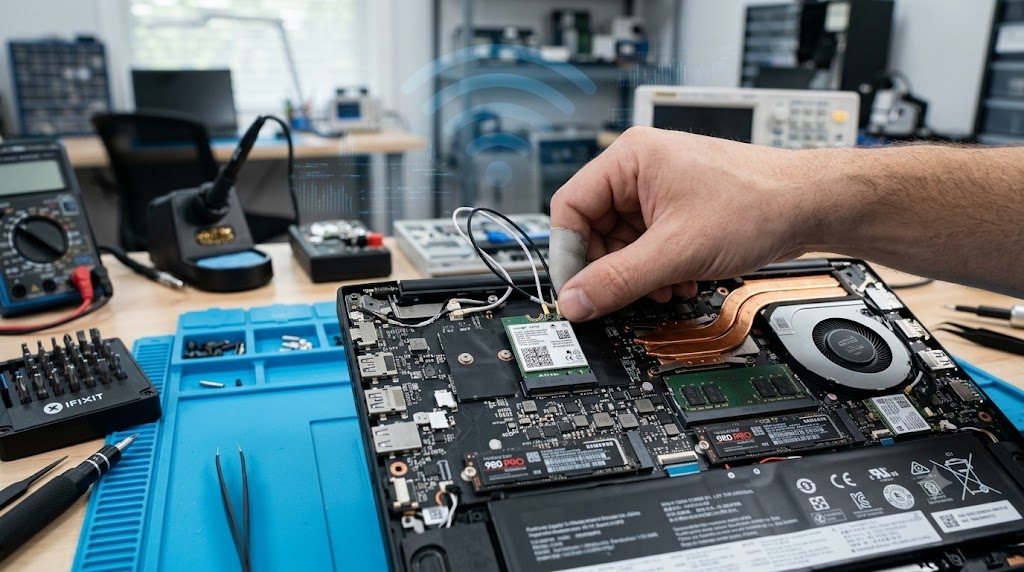
- Loose or disconnected Wi-Fi antenna cables
- Physical damage from drops or impacts
- Corrupted, outdated, or incompatible Wi-Fi drivers
- Operating system updates creating driver conflicts
- Manufacturing defects in the wireless module
- Dust buildup affecting internal cooling and hardware
- Motherboard-related issues affecting communication with the Wi-Fi card
- Older Wi-Fi cards that do not support modern wireless standards efficiently
How can customers identify the issue?
You may be dealing with a Wi-Fi card problem if you notice:
- Frequent disconnections from Wi-Fi networks
- Slow internet speeds despite a fast internet plan
- Weak signal strength compared to other devices
- Wi-Fi networks disappearing from the available network list
- Difficulty reconnecting after sleep mode or restart
- The Wi-Fi option disappearing from system settings
- Error messages such as "No Wi-Fi Adapter Found"
- Device Manager showing warnings or errors for the wireless adapter
- Internet works through Ethernet but not through Wi-Fi
- Connections that randomly drop throughout the day
If several of these symptoms occur regularly, the Wi-Fi card may need repair or replacement.
Possible solutions.
Update or Reinstall Wi-Fi Drivers
Corrupted or outdated drivers can prevent the Wi-Fi card from functioning correctly. Installing the latest drivers often resolves connectivity issues.
Reset Network Settings
Resetting network settings can remove configuration problems and restore stable wireless connectivity.
Check Internal Antenna Connections
Loose antenna cables can significantly reduce signal strength. A technician can inspect and reconnect them properly.
Replace a Faulty Wi-Fi Card
If the wireless adapter has failed, replacing the Wi-Fi card can restore normal functionality.
Upgrade to Wi-Fi 6 or Wi-Fi 6E
Upgrading to a modern wireless card can provide:
- Faster wireless speeds
- Better signal stability
- Improved security
- Lower latency
- Better performance in crowded networks
- Enhanced compatibility with modern routers
Professional Diagnosis
When the exact cause is unclear, professional diagnostics can identify whether the issue is related to software, hardware, or the motherboard.
Why Choose Guru Computer Solution?
1. Certified Technicians
Our experienced technicians can accurately diagnose Wi-Fi issues and recommend the most effective repair or upgrade solution.
2. Genuine Parts
We use genuine and high-quality replacement Wi-Fi cards to ensure long-term reliability and performance.
3. Fast Turnaround
Most Wi-Fi card repairs and upgrades can be completed quickly, minimizing downtime.
4. Warranty Support
Our repair services include warranty coverage for additional peace of mind.
5. Affordable Pricing
We provide transparent and competitive pricing for laptop Wi-Fi repairs and upgrades.
Conclusion
A failing Wi-Fi card doesn't necessarily mean you need a new laptop. In many cases, the problem can be resolved through driver updates, network troubleshooting, or a simple hardware replacement. For older laptops, upgrading to a modern Wi-Fi card can dramatically improve speed, reliability, and overall wireless performance.
If your laptop is constantly disconnecting, experiencing weak signals, or struggling to maintain a stable wireless connection, Guru Computer Solution can diagnose the issue and provide a reliable repair or upgrade solution to get you connected again.






